> ## Documentation Index
> Fetch the complete documentation index at: https://help.scribe-mail.com/llms.txt
> Use this file to discover all available pages before exploring further.
# Account
> Manage your personal Scribe profile across every workspace: update your name, email, and profile picture, change your password, and set cookie preferences.
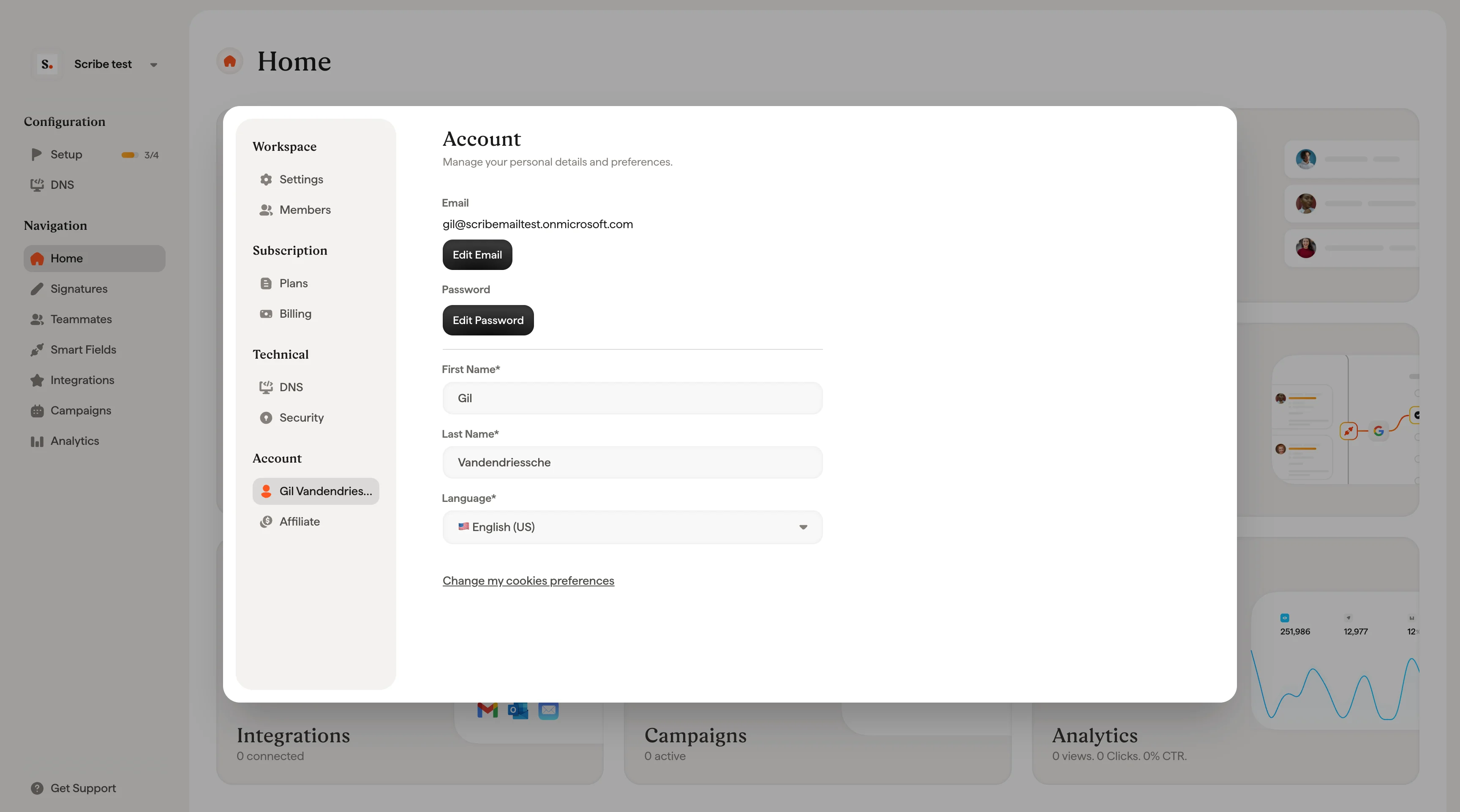
The Account page manages your personal Scribe profile. Changes here apply to your account across all [workspaces](/en/workspaces) you belong to. They're not tied to any single workspace. Open it from **Account** in the settings sidebar.
 ## Profile
Update your profile picture, first name, last name, and email address. Click **Change Picture** to upload a new photo. You can change the email address associated with your Scribe account by editing the **Email** field. First name, last name, and email are all required fields.
## Privacy
Click **Change my cookie preferences** to manage your cookie and privacy settings.
## Password
Click **Change Password** to update your account password and [keep it secure](/en/security/how-do-i-configure-2fa-in-scribe).
## Related articles
* [Members](/en/members): manage who can access a workspace and what they can do.
* [Billing](/en/billing): manage your subscription, payment method, and invoices.
* [Sign in and sign up](/en/sign-in-and-sign-up): how to access your Scribe account.
## Profile
Update your profile picture, first name, last name, and email address. Click **Change Picture** to upload a new photo. You can change the email address associated with your Scribe account by editing the **Email** field. First name, last name, and email are all required fields.
## Privacy
Click **Change my cookie preferences** to manage your cookie and privacy settings.
## Password
Click **Change Password** to update your account password and [keep it secure](/en/security/how-do-i-configure-2fa-in-scribe).
## Related articles
* [Members](/en/members): manage who can access a workspace and what they can do.
* [Billing](/en/billing): manage your subscription, payment method, and invoices.
* [Sign in and sign up](/en/sign-in-and-sign-up): how to access your Scribe account.