> ## Documentation Index
> Fetch the complete documentation index at: https://help.scribe-mail.com/llms.txt
> Use this file to discover all available pages before exploring further.
# Badge blocks
> Add ready-made badges to your email signature, like App Store and Google Play buttons or certification logos, then set the link, size, and padding.
Badges are pre-designed visual elements like App Store download buttons, Google Play badges, certification logos, or award badges. Like [buttons](/en/editor/button-blocks), they link somewhere when clicked, but they come with built-in designs, so you just pick the one you want and add your link.
 ## Badge content
| Setting | What it does |
| ------------- | ---------------------------------------------------------------------------------------- |
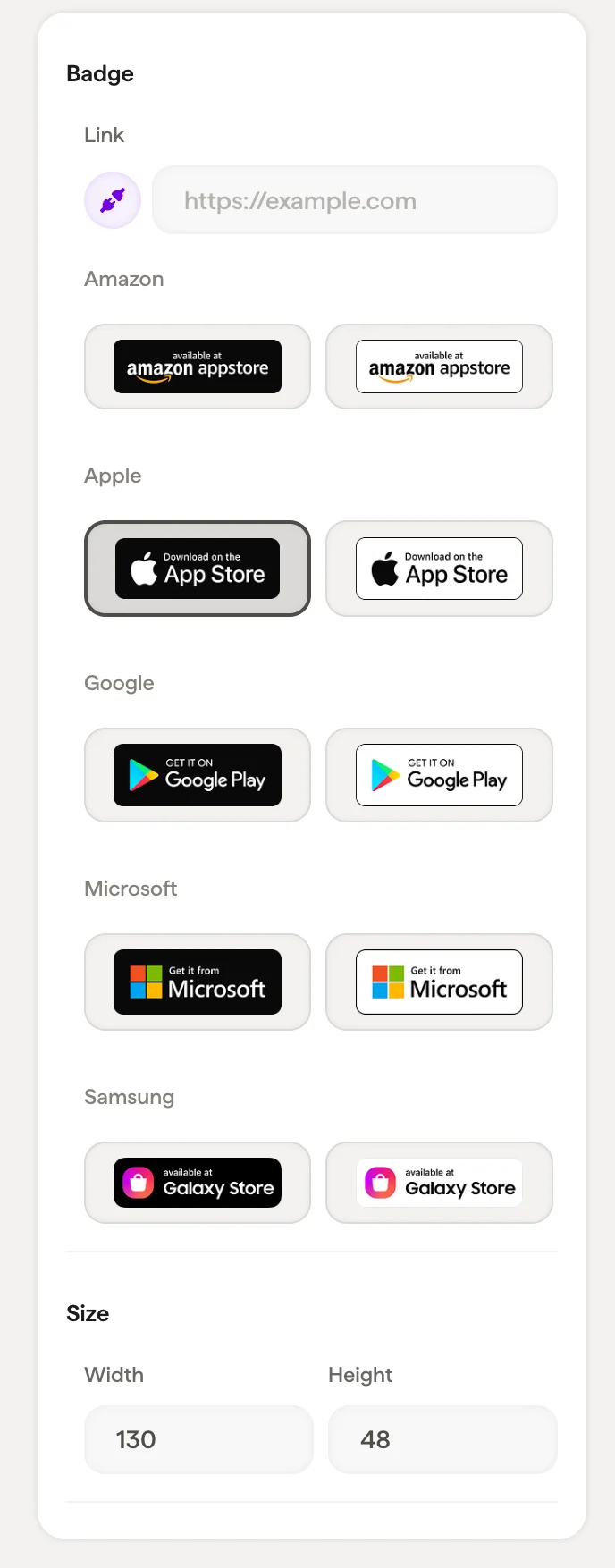
| **Link** | The URL the badge links to when clicked (for example, your App Store listing) |
| **App Store** | Select from available badge designs: multiple visual styles are available for each store |
The badge selector shows all available designs in a grid. Click to select the style that best matches your signature's look.
## Size
Set the badge **Width** and **Height** in pixels.
## Layout
Padding controls the space around the badge block.
## Related articles
* [Add blocks](/en/editor/add-blocks)
* [Image blocks](/en/editor/image-blocks)
* [Social icons](/en/editor/social-icons)
## Badge content
| Setting | What it does |
| ------------- | ---------------------------------------------------------------------------------------- |
| **Link** | The URL the badge links to when clicked (for example, your App Store listing) |
| **App Store** | Select from available badge designs: multiple visual styles are available for each store |
The badge selector shows all available designs in a grid. Click to select the style that best matches your signature's look.
## Size
Set the badge **Width** and **Height** in pixels.
## Layout
Padding controls the space around the badge block.
## Related articles
* [Add blocks](/en/editor/add-blocks)
* [Image blocks](/en/editor/image-blocks)
* [Social icons](/en/editor/social-icons)