> ## Documentation Index
> Fetch the complete documentation index at: https://help.scribe-mail.com/llms.txt
> Use this file to discover all available pages before exploring further.
# Containers and columns
> Arrange and space your email signature with containers, setting row or column direction, alignment, background, gap, and padding for every block inside.
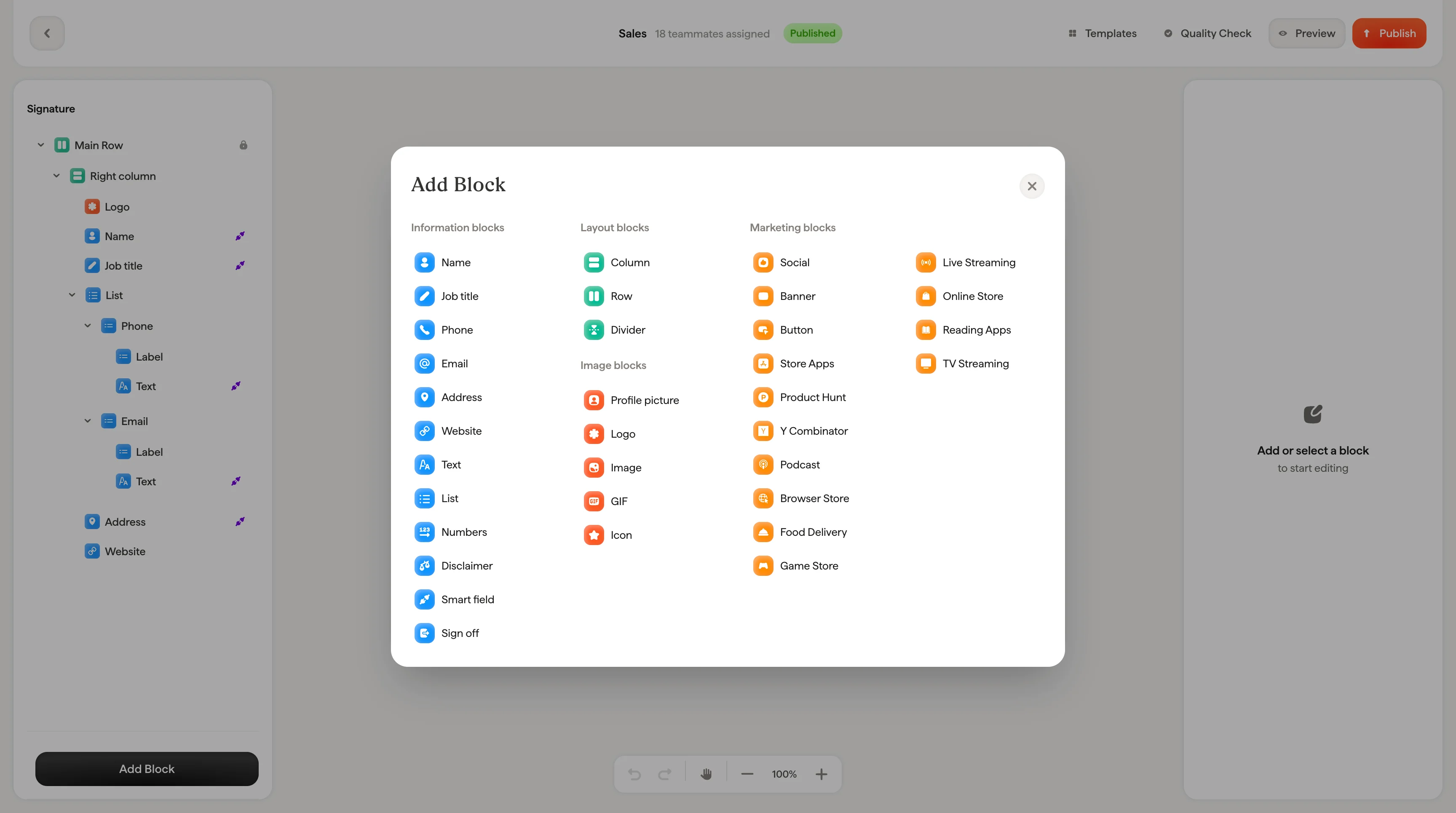
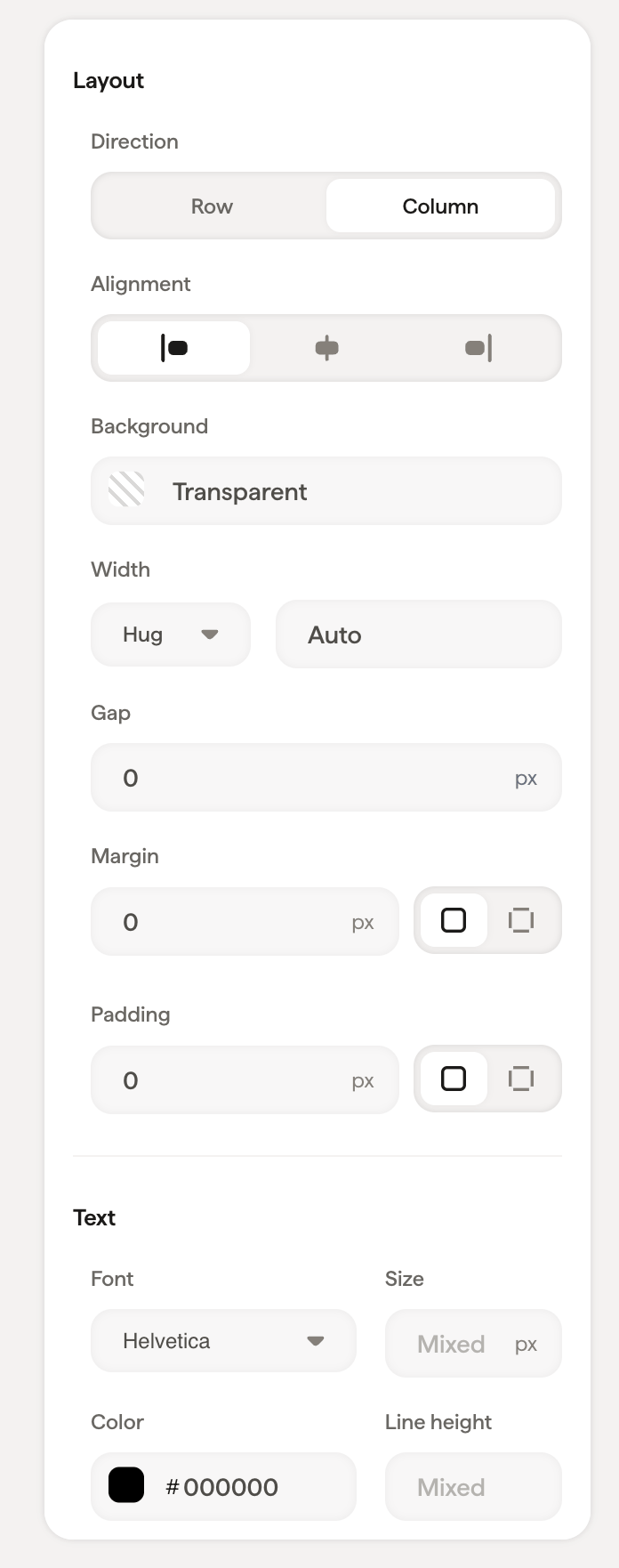
When you select a container (like the main column or a row), the styling panel shows layout controls that affect everything inside it. Containers are the structural backbone of your signature: they determine how blocks are arranged and spaced. For a step-by-step walkthrough, see [building layouts with columns and rows](/en/editor/building-layouts-with-columns-and-rows).
 ## Layout
| Setting | What it does |
| -------------- | ----------------------------------------------------------------------------------------------------------------------------------------------------------------- |
| **Direction** | Choose **Row** (elements side by side) or **Column** (elements stacked) |
| **Alignment** | Align content left, center, or right within the container |
| **Background** | Set a background color using the color picker or a hex code |
| **Gap** | Space between child elements inside the container |
| **Padding** | Space between the container edge and its content. Use the global input for equal padding on all sides, or expand to set Top, Right, Bottom, and Left individually |
Use **Direction → Row** combined with **Alignment → Center** to center elements horizontally. For example, centering social icons in a row.
## Text
When a container includes text content, the text section appears with font, size, color, opacity, line height, and formatting options. These settings apply as defaults to text inside the container.
| Setting | What it does |
| --------------- | ---------------------------------------------------------------------------------------------------------------------------------------------------------------------------------- |
| **Font** | Choose from [web-safe fonts](/en/which-fonts-can-i-use-in-my-scribe-email-signature): Helvetica, Arial, Arial Narrow, Tahoma, Georgia, Times, Garamond, Verdana, Lucida, Trebuchet |
| **Size** | Font size in pixels |
| **Color** | Text color: use the color picker or enter a hex code |
| **Opacity** | Text transparency (100% = fully visible) |
| **Line Height** | Space between lines of text |
| **Formatting** | Bold, Italic, Underline, Strikethrough, Uppercase |
## Related articles
* [Editor overview](/en/editor/editor-overview)
* [Styling panel](/en/editor/styling-panel)
* [Tree panel](/en/editor/tree-panel)
## Layout
| Setting | What it does |
| -------------- | ----------------------------------------------------------------------------------------------------------------------------------------------------------------- |
| **Direction** | Choose **Row** (elements side by side) or **Column** (elements stacked) |
| **Alignment** | Align content left, center, or right within the container |
| **Background** | Set a background color using the color picker or a hex code |
| **Gap** | Space between child elements inside the container |
| **Padding** | Space between the container edge and its content. Use the global input for equal padding on all sides, or expand to set Top, Right, Bottom, and Left individually |
Use **Direction → Row** combined with **Alignment → Center** to center elements horizontally. For example, centering social icons in a row.
## Text
When a container includes text content, the text section appears with font, size, color, opacity, line height, and formatting options. These settings apply as defaults to text inside the container.
| Setting | What it does |
| --------------- | ---------------------------------------------------------------------------------------------------------------------------------------------------------------------------------- |
| **Font** | Choose from [web-safe fonts](/en/which-fonts-can-i-use-in-my-scribe-email-signature): Helvetica, Arial, Arial Narrow, Tahoma, Georgia, Times, Garamond, Verdana, Lucida, Trebuchet |
| **Size** | Font size in pixels |
| **Color** | Text color: use the color picker or enter a hex code |
| **Opacity** | Text transparency (100% = fully visible) |
| **Line Height** | Space between lines of text |
| **Formatting** | Bold, Italic, Underline, Strikethrough, Uppercase |
## Related articles
* [Editor overview](/en/editor/editor-overview)
* [Styling panel](/en/editor/styling-panel)
* [Tree panel](/en/editor/tree-panel)