> ## Documentation Index
> Fetch the complete documentation index at: https://help.scribe-mail.com/llms.txt
> Use this file to discover all available pages before exploring further.
# Text blocks
> Add names, titles, and contact text to your email signature, style the font and color, and connect Smart Fields that fill in each teammate's details.
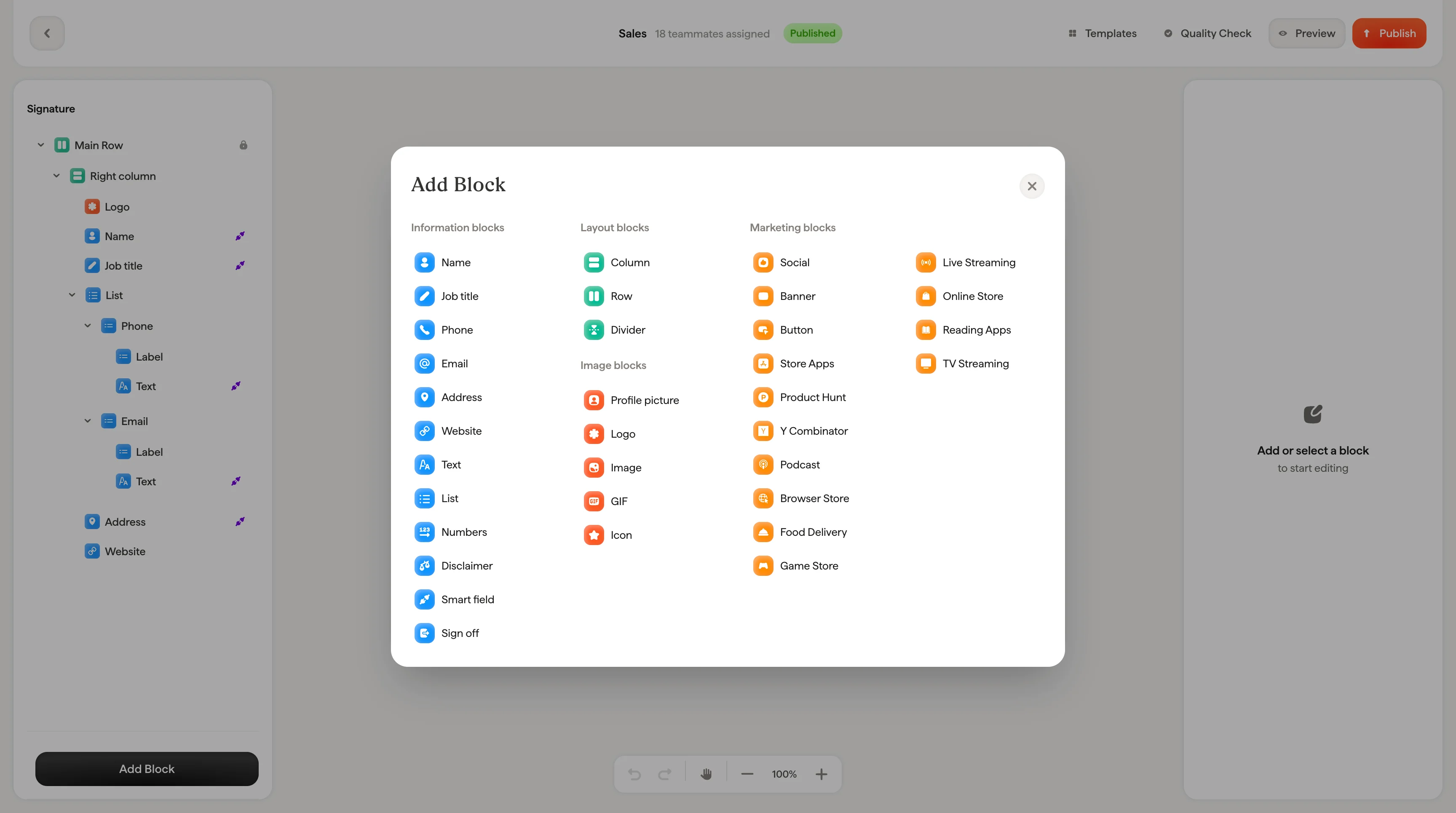
Text blocks are used for names, job titles, phone numbers, email addresses, and any other text in your signature.
 ## Smart Fields
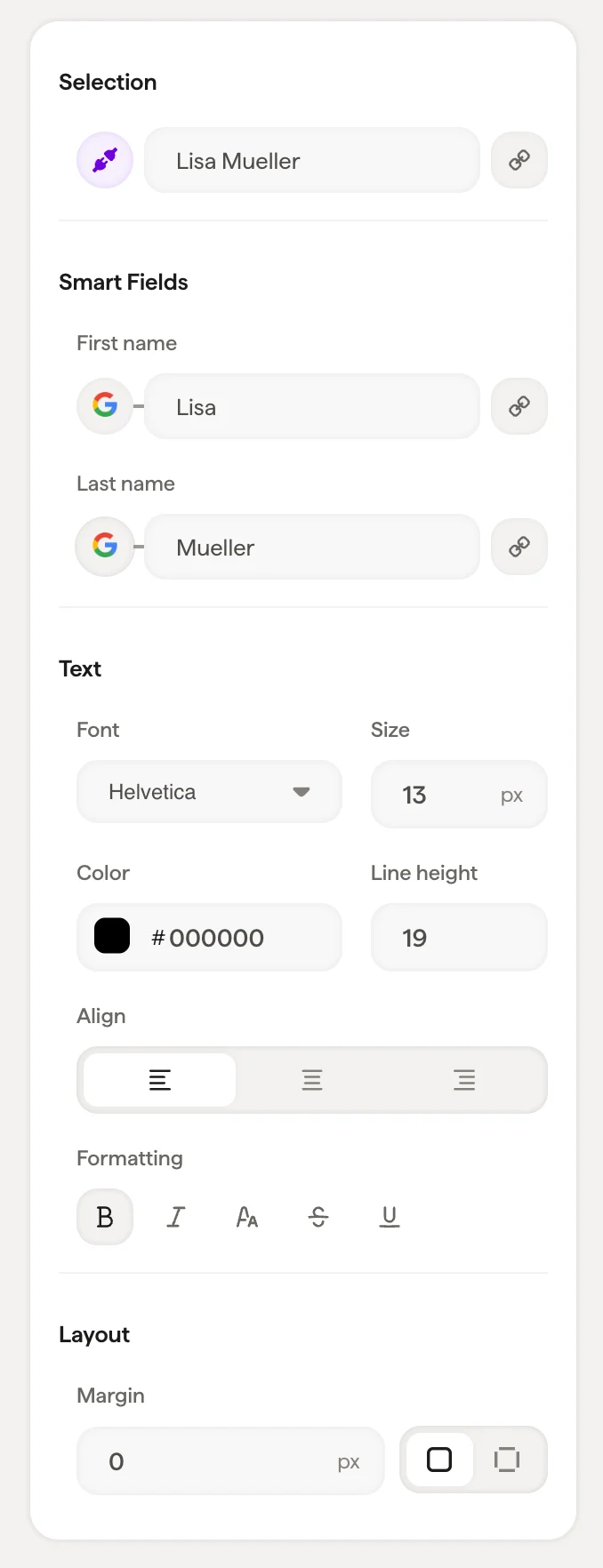
If the text block is connected to a [Smart Field](/en/smart-fields) (like First Name or Last Name), you'll see the Smart Field connection at the top of the panel. Smart Field values sync from your data source (Google Workspace, Microsoft 365, or Scribe's internal fields) and populate automatically for each teammate.
Smart Field values synced from an external source like Google Workspace can't be edited directly in the panel. They update from the source. To change which data populates a field, click the input icon to switch the data source.
### Connecting a Smart Field
Click **Connect Smartfield** to link any text block to a data field. The panel shows two categories:
* **External Data Source**: Fields from Google Workspace or Microsoft 365 (like First Name, Last Name, Meeting link)
* **Internal Data Source**: Fields you manage directly in Scribe (like Phone number, Calendly link, Licenses)
To disconnect a Smart Field, click **Unlink Smartfield**.
## Text styling
| Setting | What it does |
| --------------- | ---------------------------------------------------------------------------------------------------------------------------------------------------------------------------------- |
| **Font** | Choose from [web-safe fonts](/en/which-fonts-can-i-use-in-my-scribe-email-signature): Helvetica, Arial, Arial Narrow, Tahoma, Georgia, Times, Garamond, Verdana, Lucida, Trebuchet |
| **Size** | Font size in pixels |
| **Color** | Text color: use the color picker or enter a hex code |
| **Opacity** | Text transparency (100% = fully visible) |
| **Line Height** | Space between lines of text |
| **Formatting** | Bold, Italic, Underline, Strikethrough, Uppercase |
## Link
When a text block has a link attached (like an email address or website URL), the link field appears with a URL input. This makes the text clickable in the final signature.
## Layout
Gap and padding controls let you adjust spacing around the text block.
## Related articles
* [Add blocks](/en/editor/add-blocks)
* [Styling panel](/en/editor/styling-panel)
* [Containers and columns](/en/editor/containers-and-columns)
## Smart Fields
If the text block is connected to a [Smart Field](/en/smart-fields) (like First Name or Last Name), you'll see the Smart Field connection at the top of the panel. Smart Field values sync from your data source (Google Workspace, Microsoft 365, or Scribe's internal fields) and populate automatically for each teammate.
Smart Field values synced from an external source like Google Workspace can't be edited directly in the panel. They update from the source. To change which data populates a field, click the input icon to switch the data source.
### Connecting a Smart Field
Click **Connect Smartfield** to link any text block to a data field. The panel shows two categories:
* **External Data Source**: Fields from Google Workspace or Microsoft 365 (like First Name, Last Name, Meeting link)
* **Internal Data Source**: Fields you manage directly in Scribe (like Phone number, Calendly link, Licenses)
To disconnect a Smart Field, click **Unlink Smartfield**.
## Text styling
| Setting | What it does |
| --------------- | ---------------------------------------------------------------------------------------------------------------------------------------------------------------------------------- |
| **Font** | Choose from [web-safe fonts](/en/which-fonts-can-i-use-in-my-scribe-email-signature): Helvetica, Arial, Arial Narrow, Tahoma, Georgia, Times, Garamond, Verdana, Lucida, Trebuchet |
| **Size** | Font size in pixels |
| **Color** | Text color: use the color picker or enter a hex code |
| **Opacity** | Text transparency (100% = fully visible) |
| **Line Height** | Space between lines of text |
| **Formatting** | Bold, Italic, Underline, Strikethrough, Uppercase |
## Link
When a text block has a link attached (like an email address or website URL), the link field appears with a URL input. This makes the text clickable in the final signature.
## Layout
Gap and padding controls let you adjust spacing around the text block.
## Related articles
* [Add blocks](/en/editor/add-blocks)
* [Styling panel](/en/editor/styling-panel)
* [Containers and columns](/en/editor/containers-and-columns)