> ## Documentation Index
> Fetch the complete documentation index at: https://help.scribe-mail.com/llms.txt
> Use this file to discover all available pages before exploring further.
# Aircall
> Keep email signatures accurate and up to date by syncing teammate details from Aircall, your cloud phone system, such as direct phone numbers.
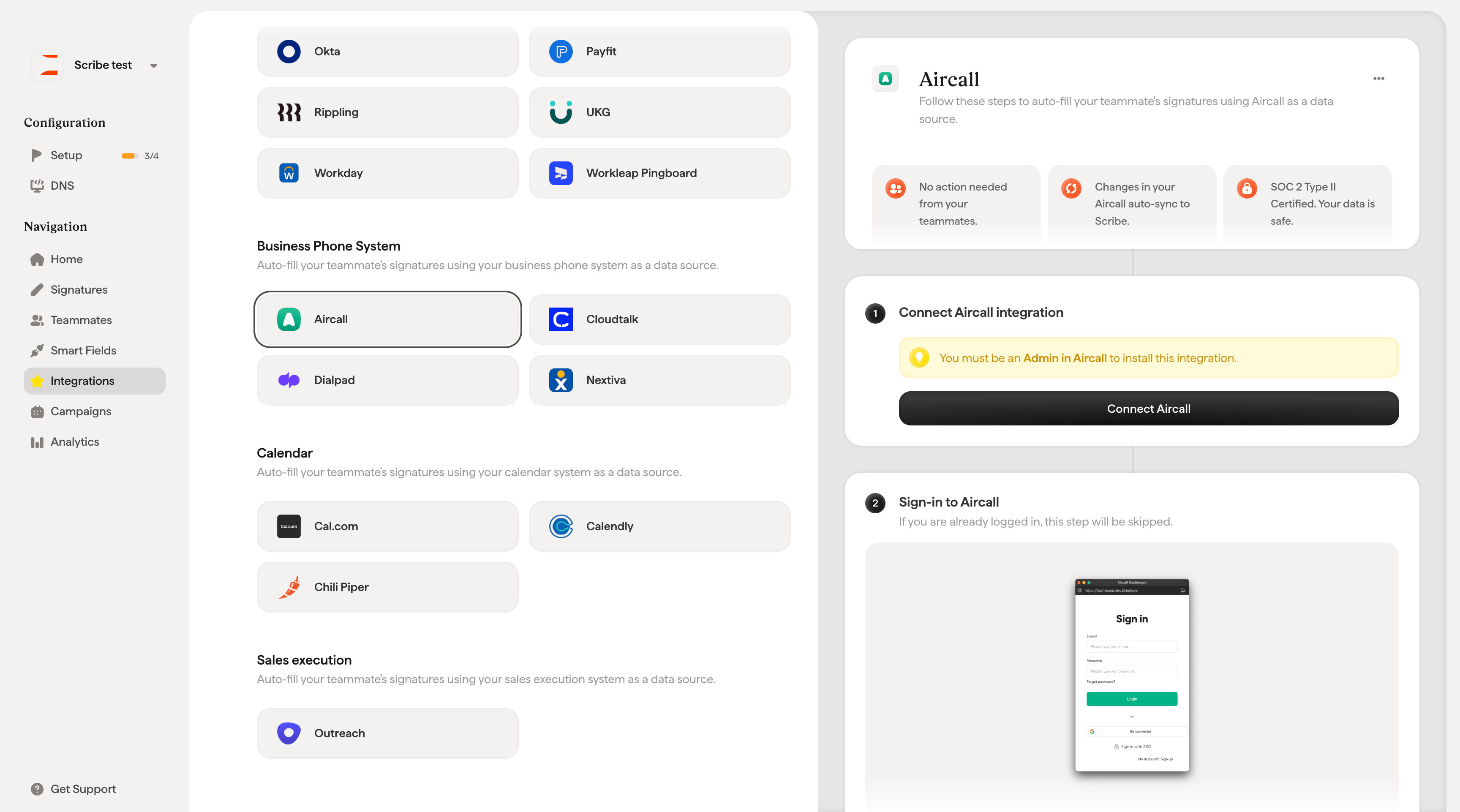
Follow these steps to [auto-fill your teammate's signatures](/en/smart-fields) using Aircall as a data source.
**No action needed from your teammates.**
**Changes in your Aircall auto-sync to Scribe.**
**SOC 2 Type II Certified.** [Your data is safe](/en/what-scribe-does-concerning-security).
## Installation guide
### Prerequisites
* Admin access to your Aircall account
* A Scribe account with admin access
You must be an **Admin in Aircall** to install this integration.
Click **Connect Aircall** to start the integration.
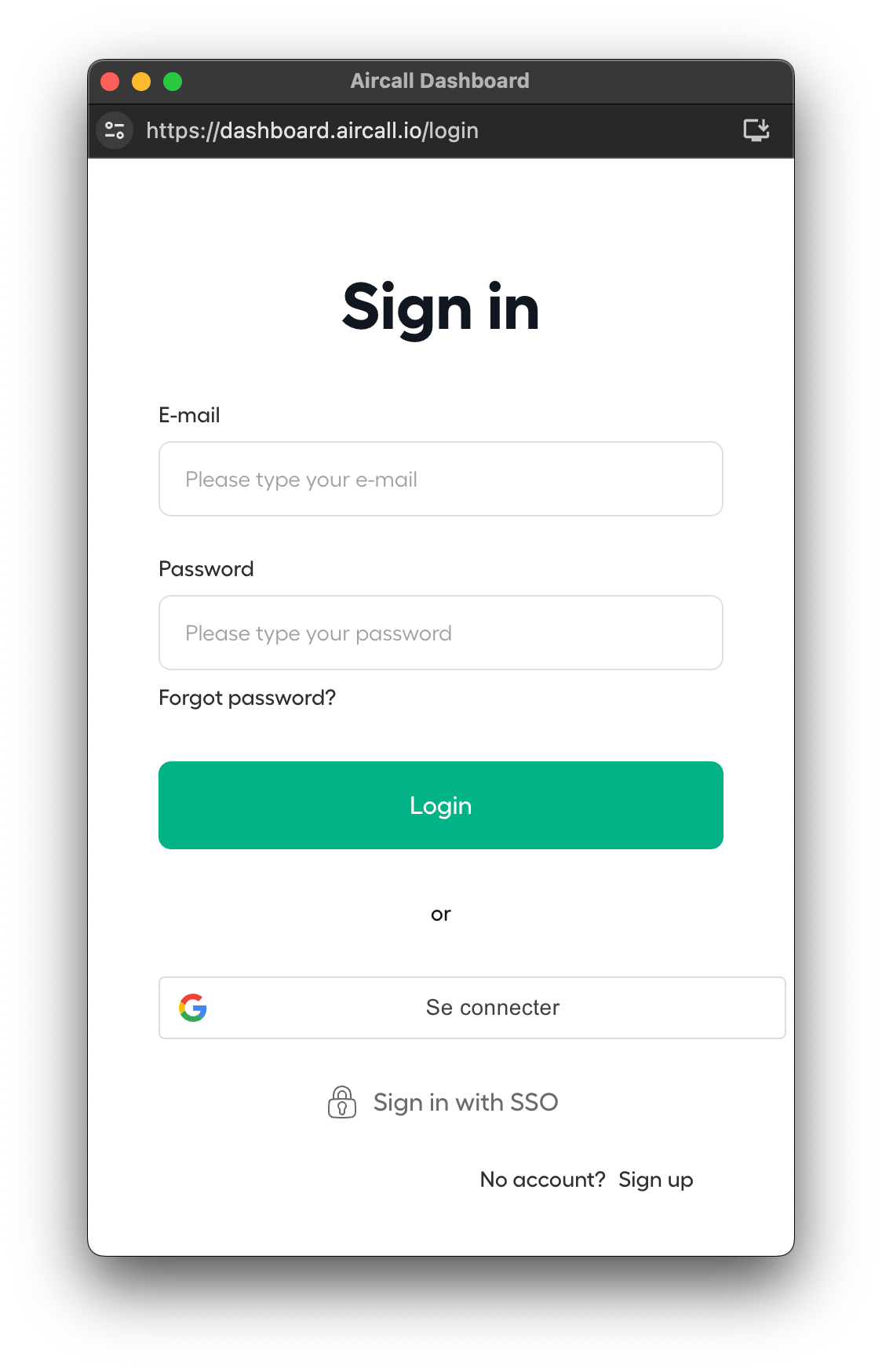
 If you are already logged in, this step will be skipped.
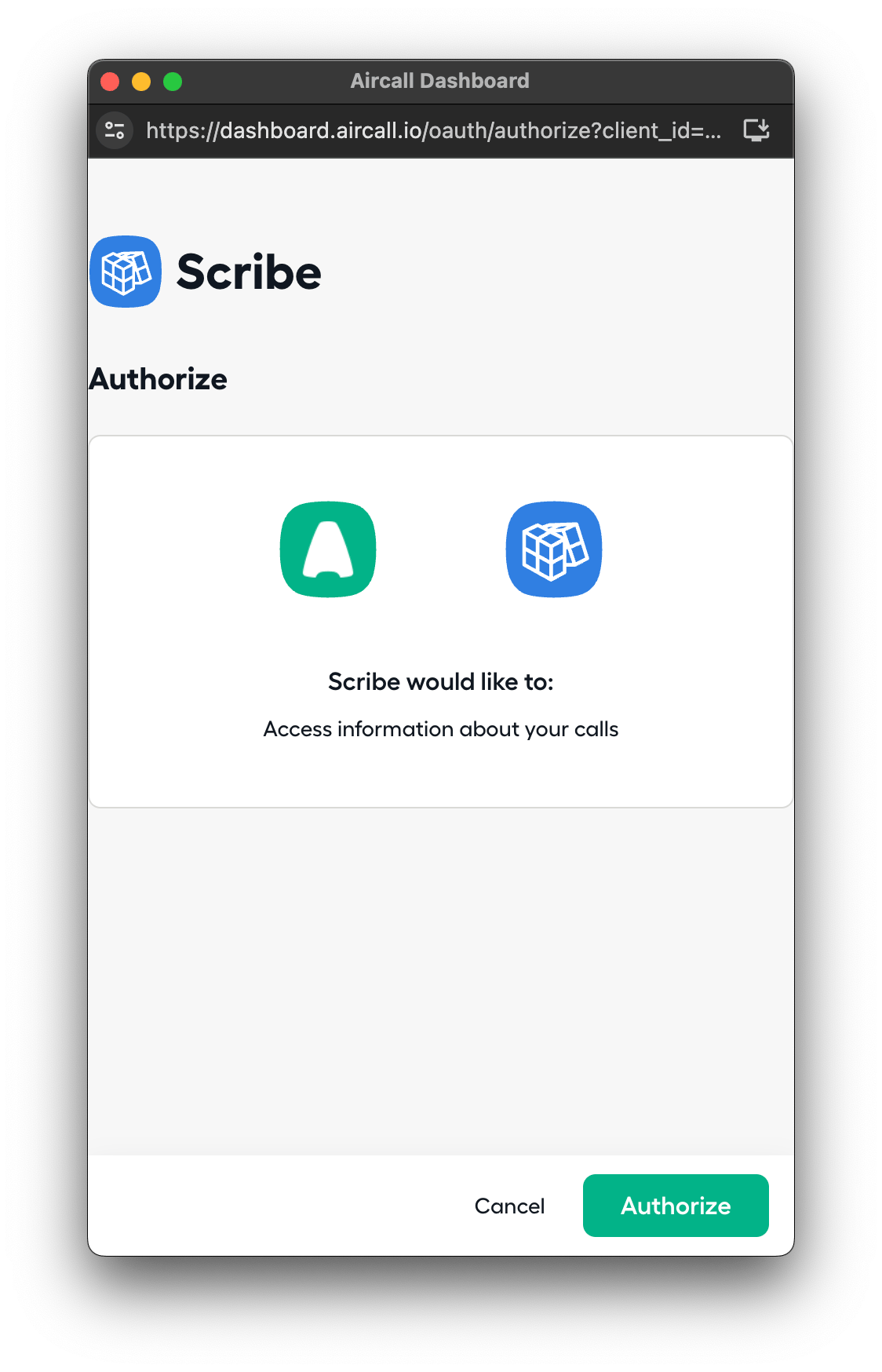
 Scribe would like to access information about your calls. Click **Authorize** to grant access.
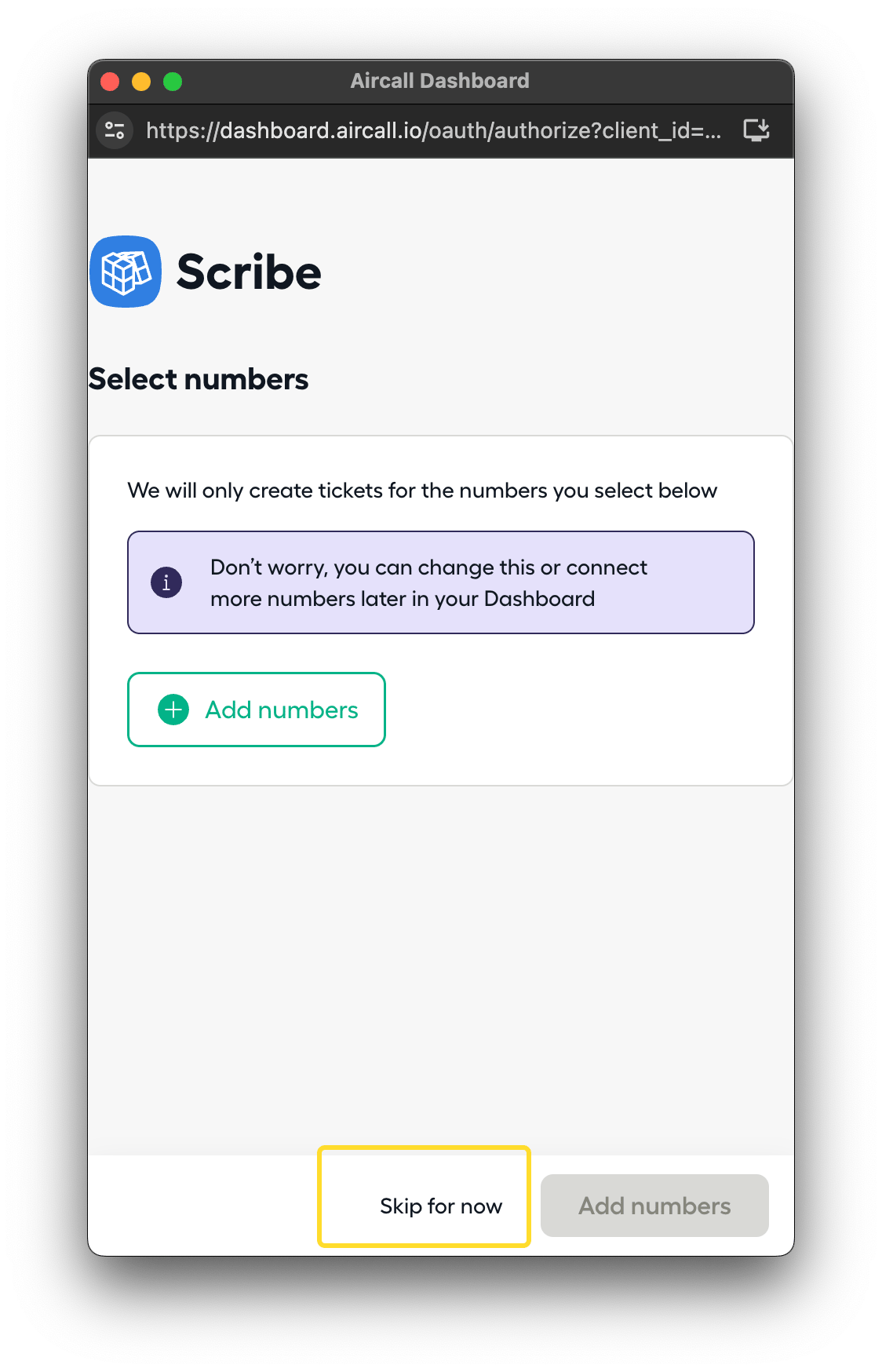
 You can skip the numbers step. Click **Skip for now** to complete the integration.
 ## Related articles
* [Cloudtalk](/en/integrations/smart-fields/cloudtalk-smart-fields): sync Cloudtalk data into your signatures.
* [Dialpad](/en/integrations/smart-fields/dialpad-smart-fields): sync Dialpad data into your signatures.
* [Assign teammates to a signature](/en/assign-teammates-to-a-signature): use Smart Field conditions to assign signatures automatically.
## Related articles
* [Cloudtalk](/en/integrations/smart-fields/cloudtalk-smart-fields): sync Cloudtalk data into your signatures.
* [Dialpad](/en/integrations/smart-fields/dialpad-smart-fields): sync Dialpad data into your signatures.
* [Assign teammates to a signature](/en/assign-teammates-to-a-signature): use Smart Field conditions to assign signatures automatically.