> ## Documentation Index
> Fetch the complete documentation index at: https://help.scribe-mail.com/llms.txt
> Use this file to discover all available pages before exploring further.
# Preview signatures
> See exactly how each teammate's signature will look before installing, across primary, reply, and internal variants, in light and dark mode.
Click **Preview Signatures** from the top of any [signature detail page](/en/signature-detail-page) to open the preview modal.
## What the preview shows
The preview displays every assigned teammate's signature side by side, with their actual [Smart Field data](/en/smart-fields) filled in. This lets you verify that names, job titles, phone numbers, and other fields are displaying correctly before deployment.
Each signature card shows the full rendered design exactly as it will appear in the teammate's emails.
## Filter by variant
At the top of the modal, three tabs let you switch between signature contexts:
* **Primary**: The main signature used for new outgoing emails
* **Reply**: The [on-reply variant](/en/signature-variants) (if activated)
* **Internal**: The internal variant (if activated)
## Search and display options
Use the **search bar** to find a specific teammate's preview by name.
Toggle between **light mode** (sun icon) and **dark mode** (moon icon) to see how the signature renders on both light and dark email backgrounds. This is useful for checking contrast and readability across different email client themes.
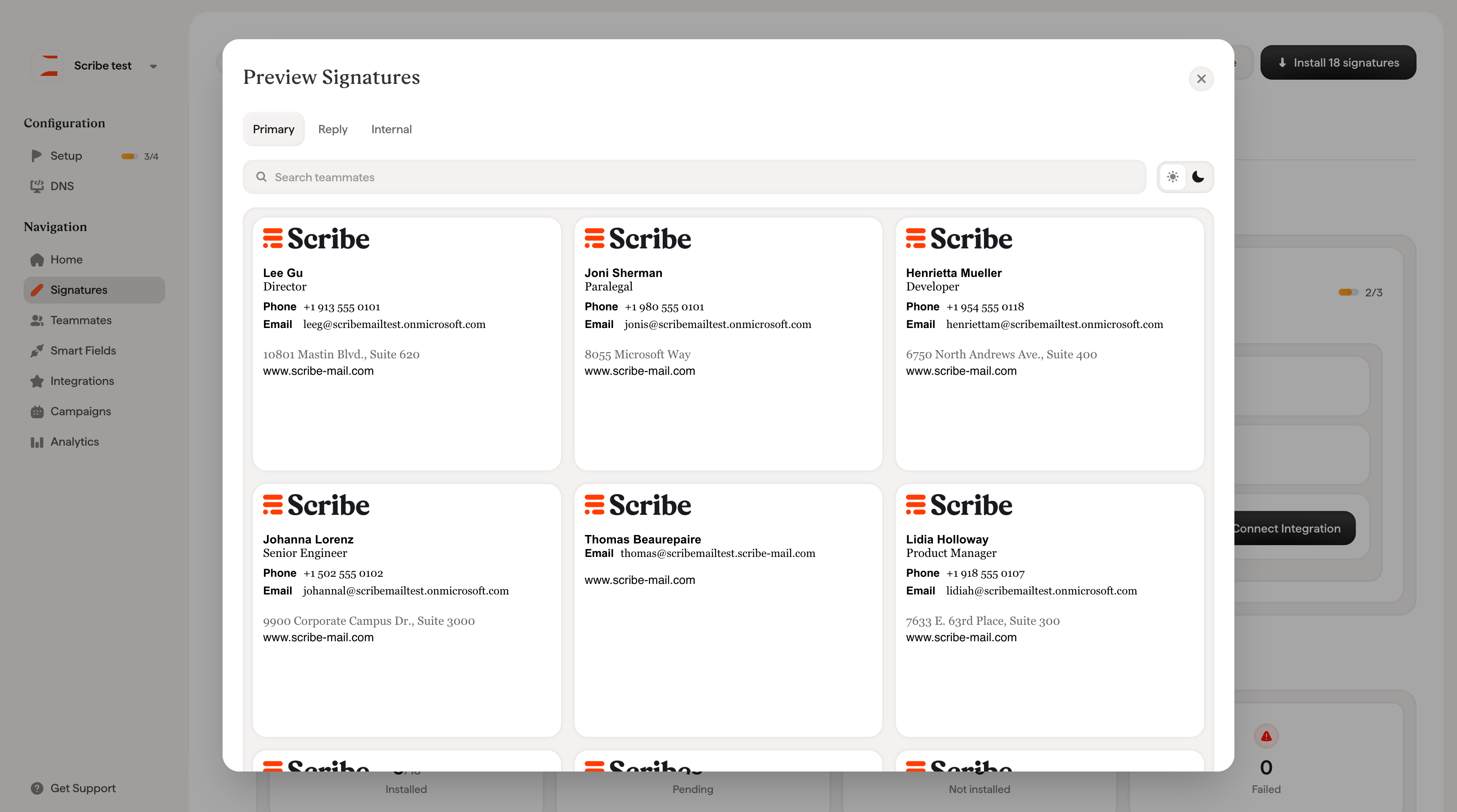 Preview is a great way to catch issues before installing. Look for empty fields (missing Smart Field data), broken layouts on dark backgrounds, or inconsistent formatting across teammates.
## Related articles
* [Signatures overview](/en/signatures-overview): how preview fits into the signature workflow.
* [Install signatures](/en/install-signatures): deploy signatures once the preview looks right.
* [Signature status](/en/signature-status): track design, teammate, and installation state per signature.
Preview is a great way to catch issues before installing. Look for empty fields (missing Smart Field data), broken layouts on dark backgrounds, or inconsistent formatting across teammates.
## Related articles
* [Signatures overview](/en/signatures-overview): how preview fits into the signature workflow.
* [Install signatures](/en/install-signatures): deploy signatures once the preview looks right.
* [Signature status](/en/signature-status): track design, teammate, and installation state per signature.