> ## Documentation Index
> Fetch the complete documentation index at: https://help.scribe-mail.com/llms.txt
> Use this file to discover all available pages before exploring further.
# Signature analytics
> Track views, clicks, and click-through rates for each Scribe signature, broken down by element, teammate, and country to measure signature performance.
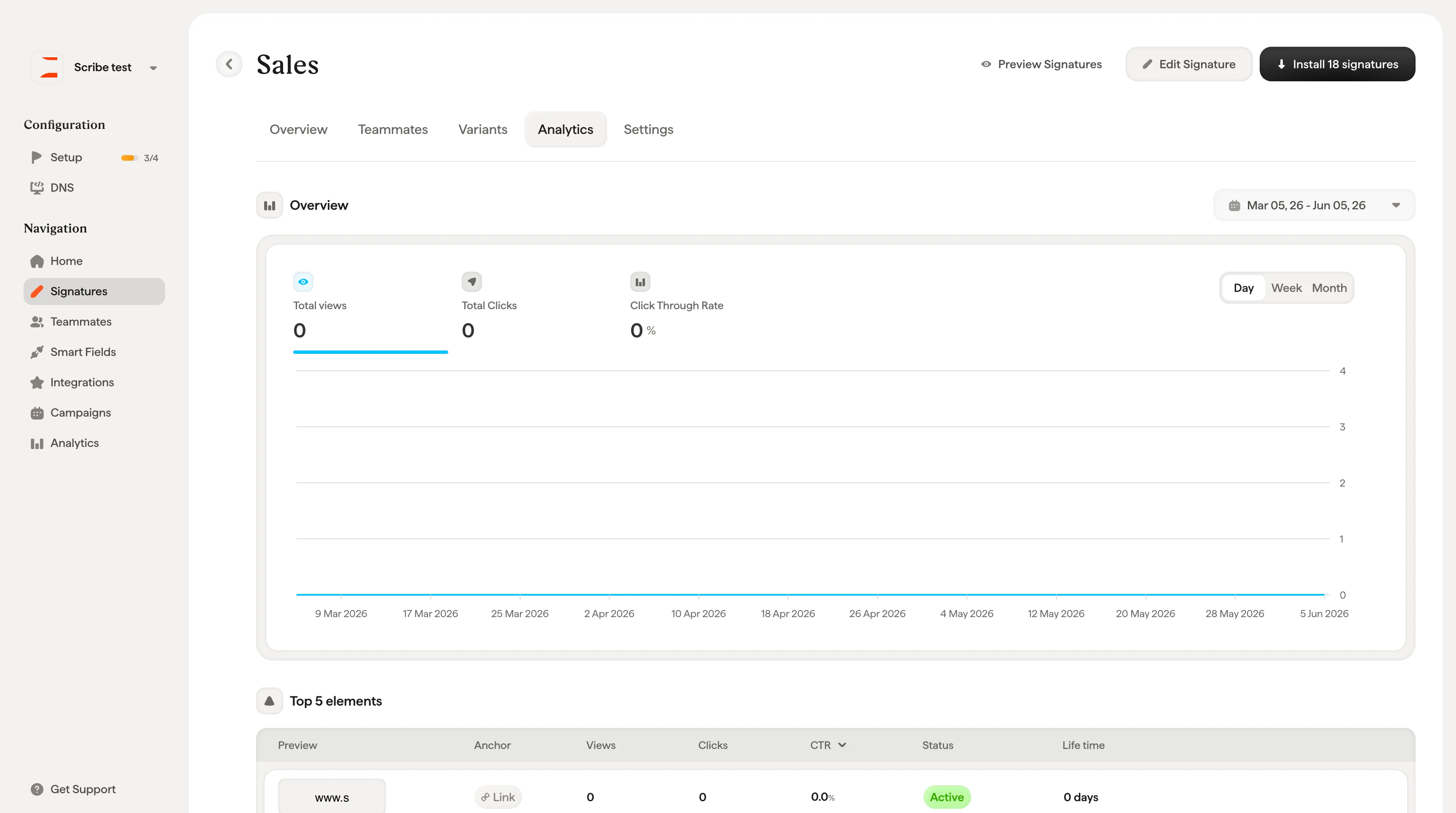
From the signature detail page, click the **Analytics** tab to see performance data for this specific signature. For workspace-wide analytics across all signatures, teammates, and campaigns, see [Analytics Overview](/en/analytics-overview).
## Overview chart
The top section shows three key metrics over time:
* **Total Views**: How many times the signature was seen by email recipients
* **Total Clicks**: How many times recipients clicked on an element in the signature
* **Click-through Rate**: The percentage of views that resulted in a click
Click on any metric to highlight it in the chart. Use the date picker in the top-right to adjust the time range, and toggle between **Day**, **Week**, and **Month** views.
 ## Top 5 elements
A table showing the five most-clicked elements in your signature. Each row shows the element's preview, type (e.g., Social, Banner, Link), link, views, clicks, CTR, status, and lifetime.
## Top 5 teammates
Shows which teammates generate the most engagement. Each row displays the teammate's name, email, total views, clicks, and CTR.
This helps you identify your most active email senders and understand which teammates drive the most signature engagement.
## Top 5 countries
Shows where your email recipients are located based on signature views. Columns include country, views, clicks, and CTR.
Analytics data requires tracking to be enabled. If you see "No data available yet", make sure tracking is turned on in your workspace settings.
To go beyond views and clicks and record the conversions a signature drives on your website, see [Conversion tracking](/en/conversion-tracking).
## Top 5 elements
A table showing the five most-clicked elements in your signature. Each row shows the element's preview, type (e.g., Social, Banner, Link), link, views, clicks, CTR, status, and lifetime.
## Top 5 teammates
Shows which teammates generate the most engagement. Each row displays the teammate's name, email, total views, clicks, and CTR.
This helps you identify your most active email senders and understand which teammates drive the most signature engagement.
## Top 5 countries
Shows where your email recipients are located based on signature views. Columns include country, views, clicks, and CTR.
Analytics data requires tracking to be enabled. If you see "No data available yet", make sure tracking is turned on in your workspace settings.
To go beyond views and clicks and record the conversions a signature drives on your website, see [Conversion tracking](/en/conversion-tracking).