> ## Documentation Index
> Fetch the complete documentation index at: https://help.scribe-mail.com/llms.txt
> Use this file to discover all available pages before exploring further.
# Signature priority
> Set the order in which signatures appear in Outlook. Higher priority signatures are shown first. Only applies to Microsoft 365 users.
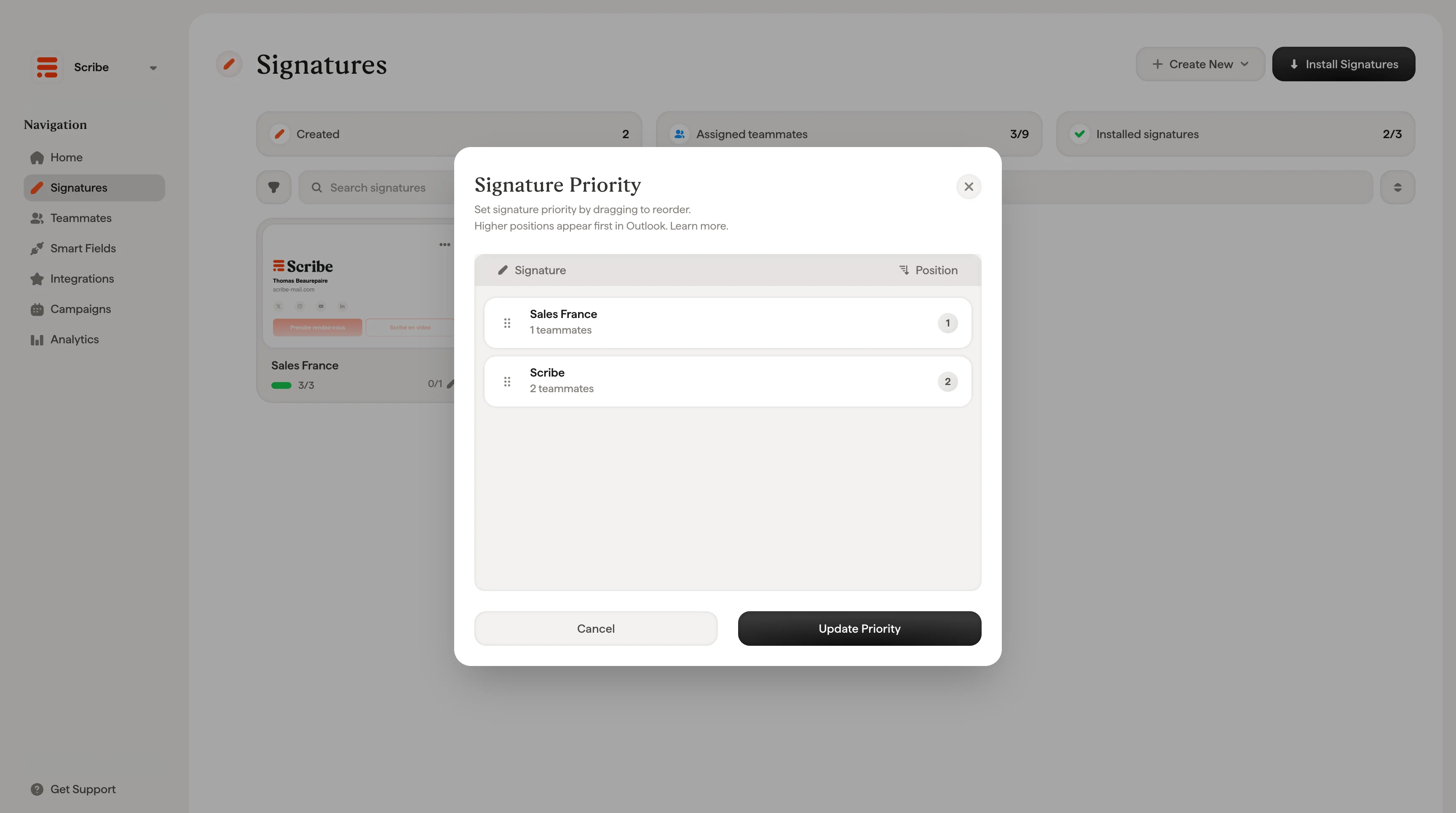
Signature priority lets you control the order in which signatures appear in Outlook. The signature with the highest priority (position 1) is set as the default signature for your teammates.
Signature priority only applies to **[Microsoft 365 / Outlook](/en/integrations/signatures/microsoft-365-client-side)** users. [Gmail users](/en/integrations/signatures/google-workspace-client-side) are not affected by this setting. In Gmail, each teammate is assigned a single signature.
## How it works
When a teammate has access to multiple signatures in Outlook, the priority order determines which signature appears first. Higher positions appear first in Outlook's signature list.
This is useful when a teammate is assigned to more than one signature, for example a primary branded signature and a secondary minimal signature for [internal emails](/en/signature-variants).
## Set signature priority
Click the **reorder icon** in the top-right area of the Signatures page to open the Signature Priority modal.
From there:
1. Drag and drop signatures to reorder them
2. The position number on the right updates automatically
3. Click **Update Priority** to save
 If your team uses Outlook and you only have one signature per teammate, you don't need to worry about priority. It only matters when teammates are assigned to multiple signatures.
## Related articles
* [Signatures overview](/en/signatures-overview): how priority fits into managing multiple signatures.
* [Assign teammates to a signature](/en/assign-teammates-to-a-signature): control which teammates use each signature.
* [Install signatures](/en/install-signatures): deploy signatures to Outlook and Gmail.
If your team uses Outlook and you only have one signature per teammate, you don't need to worry about priority. It only matters when teammates are assigned to multiple signatures.
## Related articles
* [Signatures overview](/en/signatures-overview): how priority fits into managing multiple signatures.
* [Assign teammates to a signature](/en/assign-teammates-to-a-signature): control which teammates use each signature.
* [Install signatures](/en/install-signatures): deploy signatures to Outlook and Gmail.