> ## Documentation Index
> Fetch the complete documentation index at: https://help.scribe-mail.com/llms.txt
> Use this file to discover all available pages before exploring further.
# Signature settings
> Manage a single signature from its Settings tab: rename it for internal use, turn marketing campaign banners on or off, or permanently delete it.
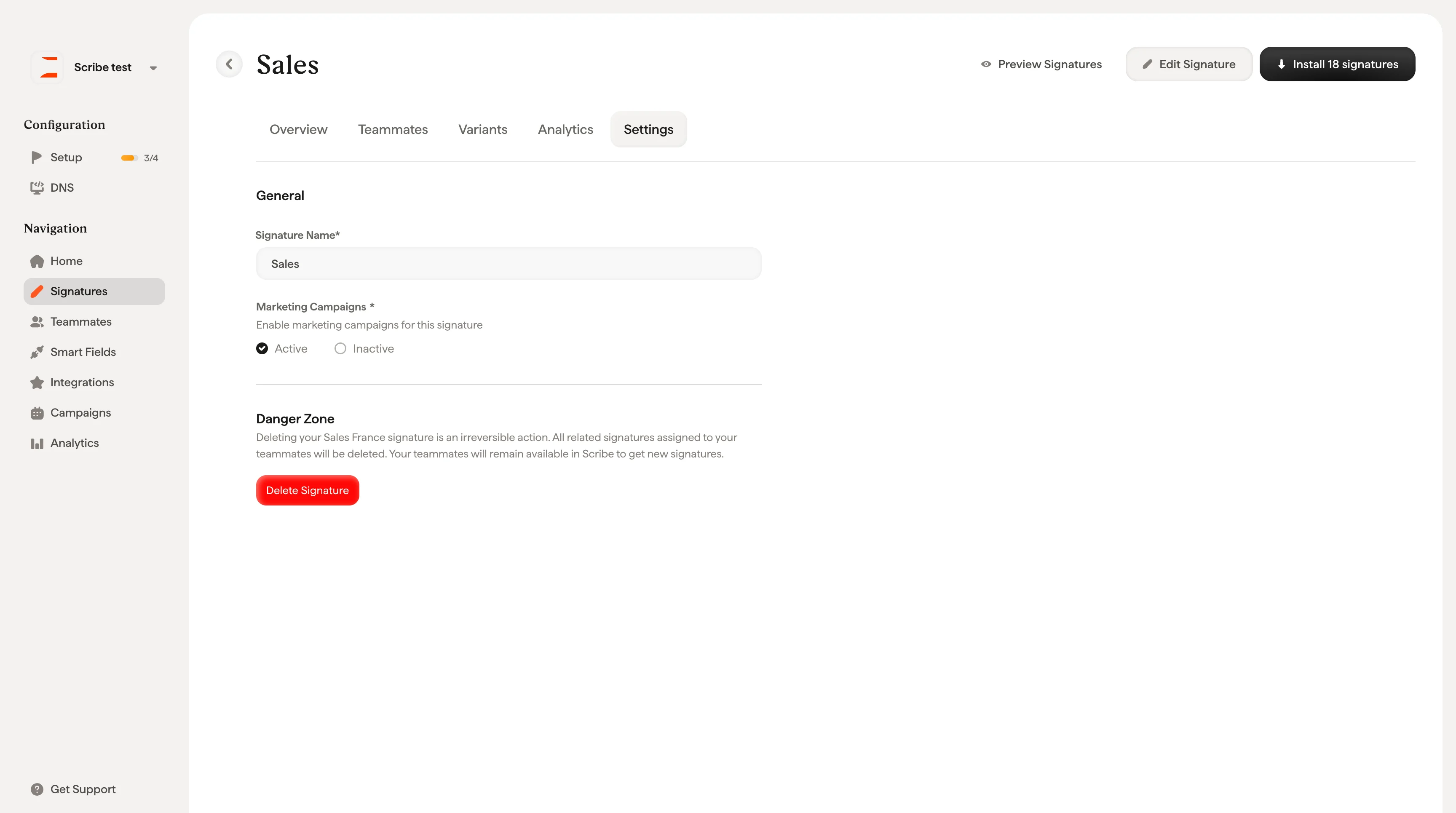
From the [signature detail page](/en/signature-detail-page), click the **Settings** tab to manage general settings for this signature.
## General
**Signature Name**: Update the name of your signature (2 to 20 characters). This is for internal identification only, so teammates and email recipients never see it.
**Marketing Campaigns**: Toggle whether [marketing campaign banners](/en/marketing-overview) are enabled for this signature. Set to **Active** to allow campaigns to display in this signature, or **Inactive** to disable them. Click **Save Changes** to apply.
## Danger Zone
**Delete Signature**: Permanently deletes this signature. This action is irreversible. All related signatures assigned to your teammates will be removed. Your teammates themselves will remain available in Scribe to be assigned new signatures.
 Deleting a signature does not automatically uninstall it from your teammates' email clients. If the signature was already installed, you should [uninstall it first](/en/install-signatures) before deleting to avoid orphaned signatures in your teammates' email clients.
## Related articles
* [Signatures overview](/en/signatures-overview): how settings fit into managing a signature.
* [Create and manage signatures](/en/create-and-manage-signatures): rename, duplicate, and delete signatures from the library.
* [Signature variants](/en/signature-variants): manage campaign banners separately for replies and internal emails.
Deleting a signature does not automatically uninstall it from your teammates' email clients. If the signature was already installed, you should [uninstall it first](/en/install-signatures) before deleting to avoid orphaned signatures in your teammates' email clients.
## Related articles
* [Signatures overview](/en/signatures-overview): how settings fit into managing a signature.
* [Create and manage signatures](/en/create-and-manage-signatures): rename, duplicate, and delete signatures from the library.
* [Signature variants](/en/signature-variants): manage campaign banners separately for replies and internal emails.