> ## Documentation Index
> Fetch the complete documentation index at: https://help.scribe-mail.com/llms.txt
> Use this file to discover all available pages before exploring further.
# Admin Policy Enforced
> Resolve the Error 400 admin_policy_enforced message when syncing Google Workspace with Scribe by updating the right admin console permissions.
When you try to sync your [Google Workspace](/en/integrations/teammates/google-workspace-teammates), you may see the error message: Error 400: admin\_policy\_enforced.
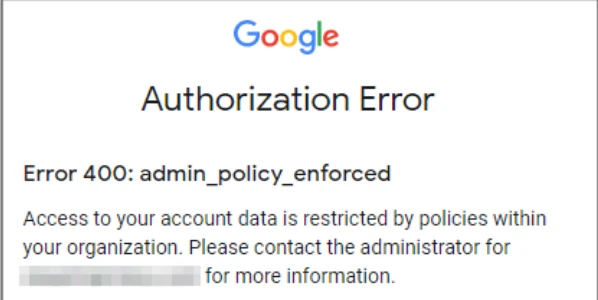 This error means your organization does not allow Scribe to access Google data.
If you received this error message, have an administrator of your Google Workspace account follow the instructions from Google's help center: [Control which third party and internal apps access Google Workspace data](https://support.google.com/a/answer/7281227).
## Related articles
* [Google Workspace access lost](/en/troubleshooting/google-workspace-access-lost)
* [Google add-in not validating](/en/troubleshooting/google-add-in-not-validating)
* [BambooHR teammate sync not working](/en/troubleshooting/bamboohr-teammate-sync-not-working)
This error means your organization does not allow Scribe to access Google data.
If you received this error message, have an administrator of your Google Workspace account follow the instructions from Google's help center: [Control which third party and internal apps access Google Workspace data](https://support.google.com/a/answer/7281227).
## Related articles
* [Google Workspace access lost](/en/troubleshooting/google-workspace-access-lost)
* [Google add-in not validating](/en/troubleshooting/google-add-in-not-validating)
* [BambooHR teammate sync not working](/en/troubleshooting/bamboohr-teammate-sync-not-working)