> ## Documentation Index
> Fetch the complete documentation index at: https://help.scribe-mail.com/llms.txt
> Use this file to discover all available pages before exploring further.
# Forbidden access
> Learn how to resolve the Front API forbidden access error by enabling API access to individual resources in Front personal settings.
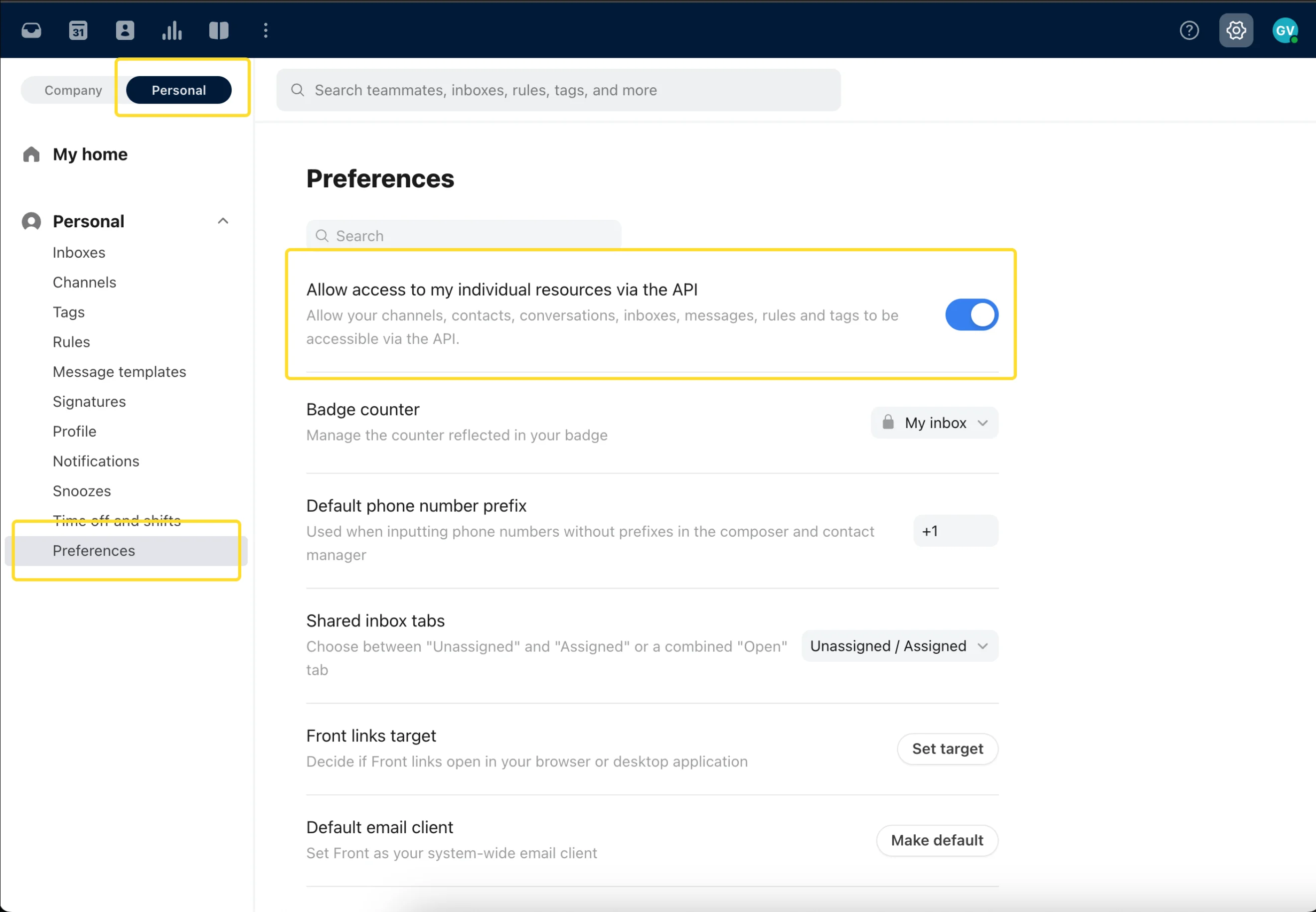
When you receive the message "Front API has forbidden access to this teammate's signature," the user has not enabled API access to their individual resources in their [Front](/en/integrations/signatures/front-client-side) personal settings.
## Resolution
The user needs to access their personal Front settings, enable API access to individual resources, and then allow Scribe to install their signature.
 ## Related articles
* [User not found](/en/troubleshooting/user-not-found)
* [Signature installation statuses and errors](/en/signature-installation-statuses-and-errors)
* [Unable to install signature](/en/troubleshooting/unable-to-install-signature)
## Related articles
* [User not found](/en/troubleshooting/user-not-found)
* [Signature installation statuses and errors](/en/signature-installation-statuses-and-errors)
* [Unable to install signature](/en/troubleshooting/unable-to-install-signature)