> ## Documentation Index
> Fetch the complete documentation index at: https://help.scribe-mail.com/llms.txt
> Use this file to discover all available pages before exploring further.
# Gmail iOS app: Signature not showing up
> Fix your Scribe email signature not appearing in the Gmail iOS app by updating the mobile signature settings on your iPhone or iPad in a few taps.
On the [Gmail iOS app](/en/integrations/signatures/google-workspace-client-side), the signature gets installed after you send an email. So it is normal if you do not see it when you compose an email.
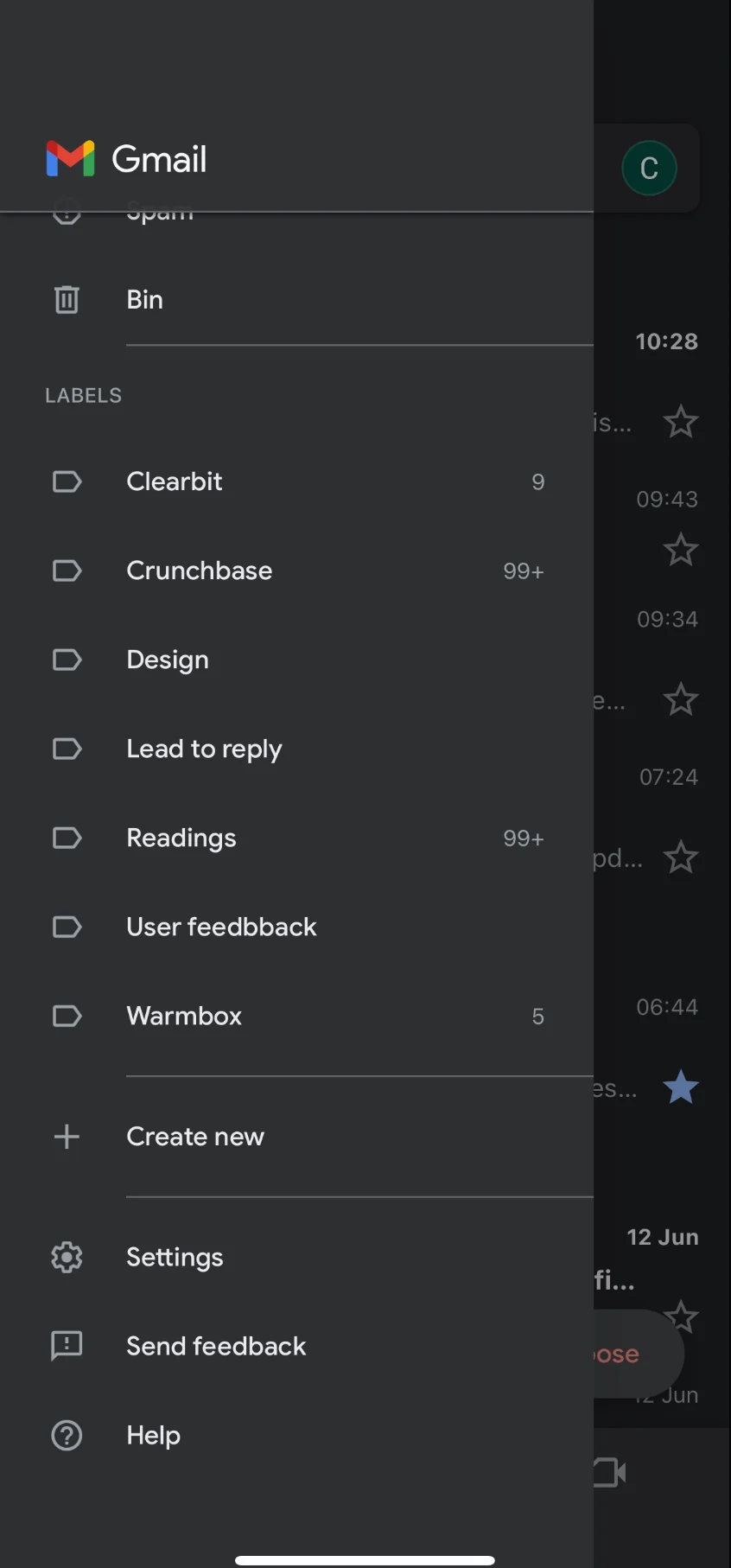
On the Gmail iOS app, go to "Settings."
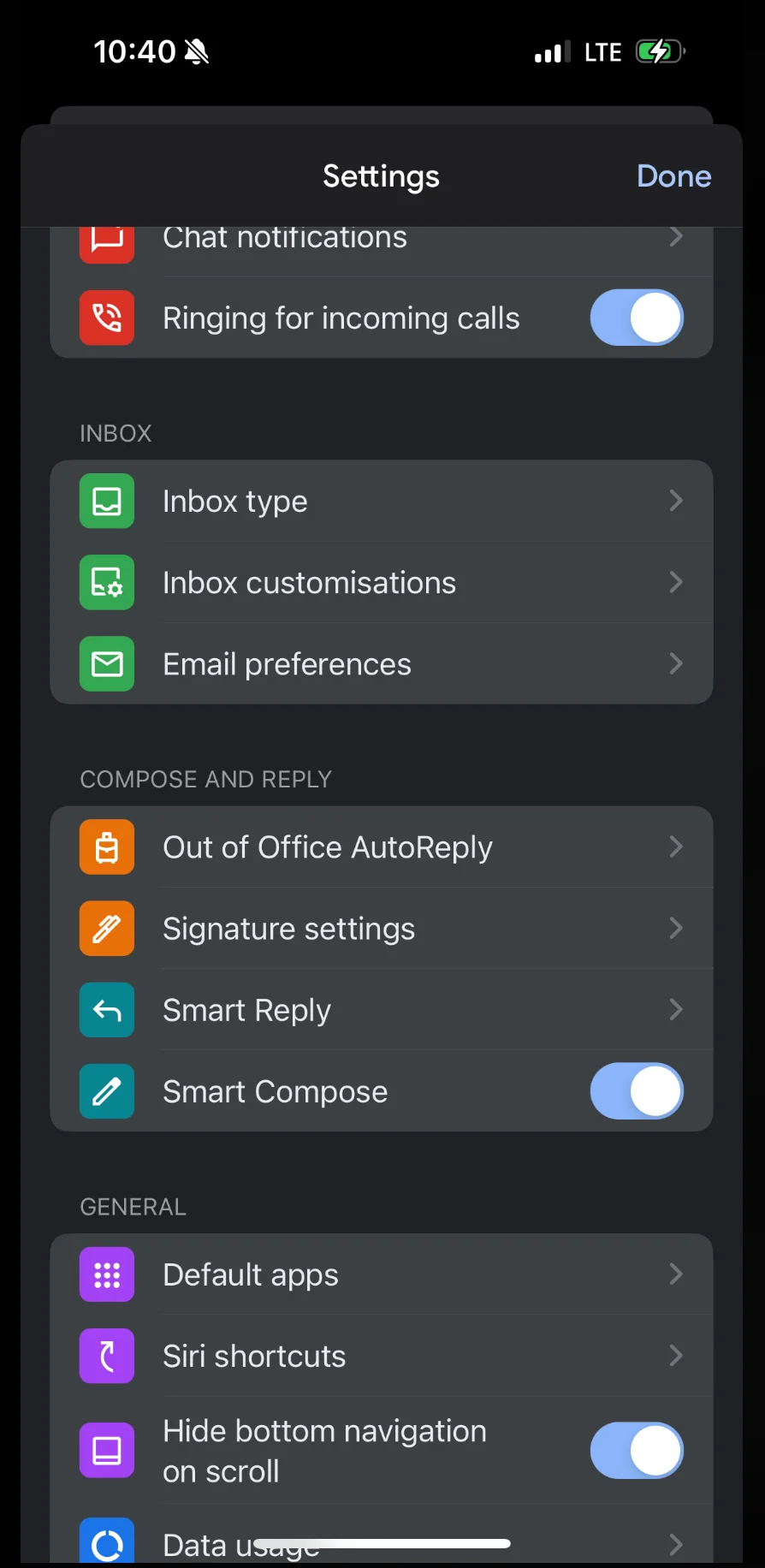
 In the Settings menu, tap on "Signature settings."
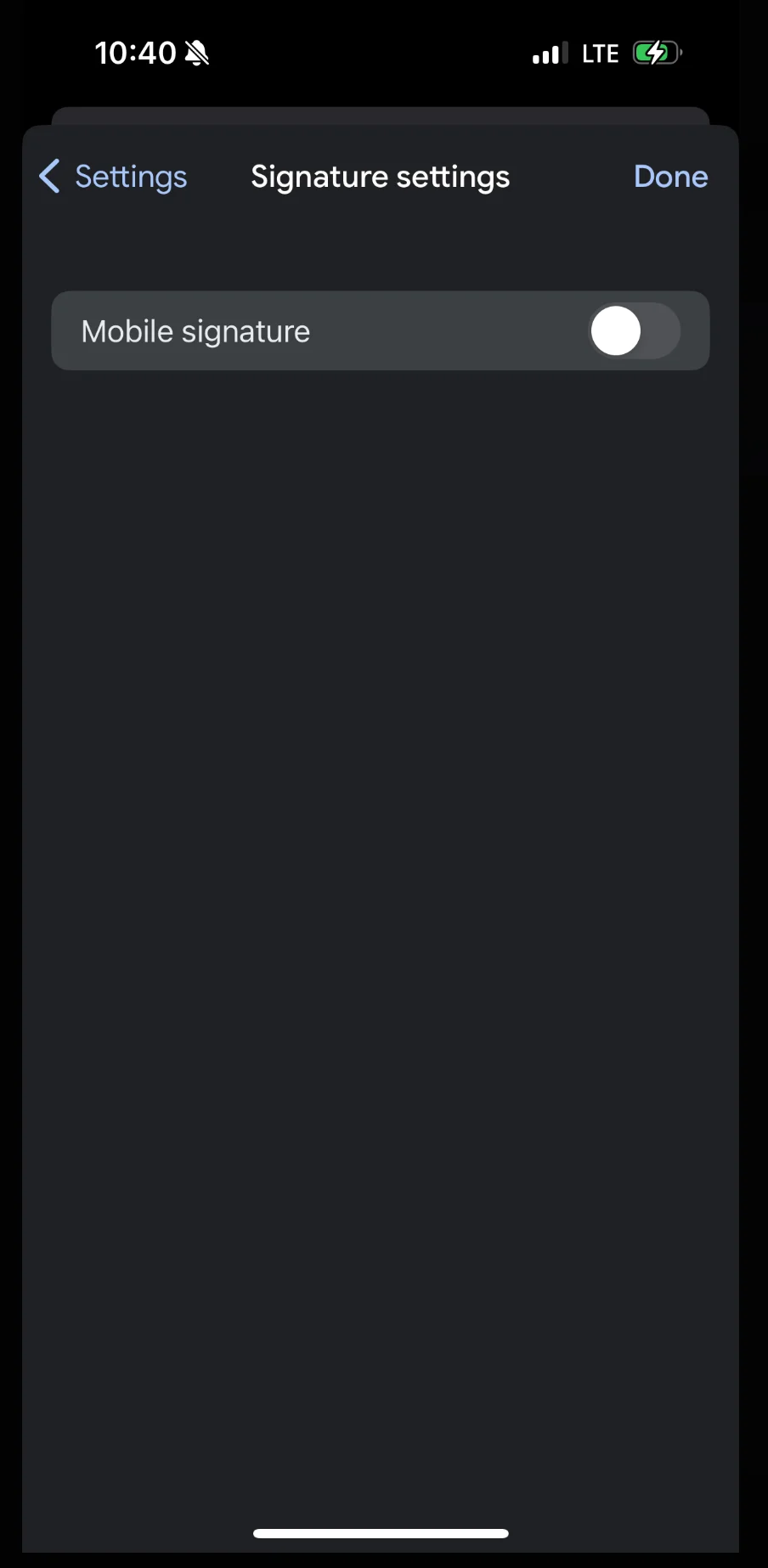
 Make sure the "Mobile Signature" option is turned off. This ensures the Scribe signature is used instead of a local mobile signature.
 ## Related articles
* [Signature not appearing](/en/troubleshooting/signature-not-appearing)
* [Is your Gmail settings correctly set up?](/en/troubleshooting/is-your-gmail-settings-correctly-set-up)
* [Setting up Gmail Auto Responder](/en/troubleshooting/setting-up-gmail-auto-responder)
## Related articles
* [Signature not appearing](/en/troubleshooting/signature-not-appearing)
* [Is your Gmail settings correctly set up?](/en/troubleshooting/is-your-gmail-settings-correctly-set-up)
* [Setting up Gmail Auto Responder](/en/troubleshooting/setting-up-gmail-auto-responder)