> ## Documentation Index
> Fetch the complete documentation index at: https://help.scribe-mail.com/llms.txt
> Use this file to discover all available pages before exploring further.
# 新しいバージョンのOutlookに切り替える
> 新しいOutlookに切り替えて、WindowsおよびmacOSでのScribe署名の挿入・表示の問題を解決する手順を、トグル切り替えのステップごとに解説します。
[Outlook](/ja/integrations/signatures/microsoft-365-client-side)で署名が挿入されない、または正しく表示されない場合は、新しいバージョンのOutlookに切り替えてください。
切り替えるには、Outlookウィンドウの右上にあるトグルスイッチをオンにします。
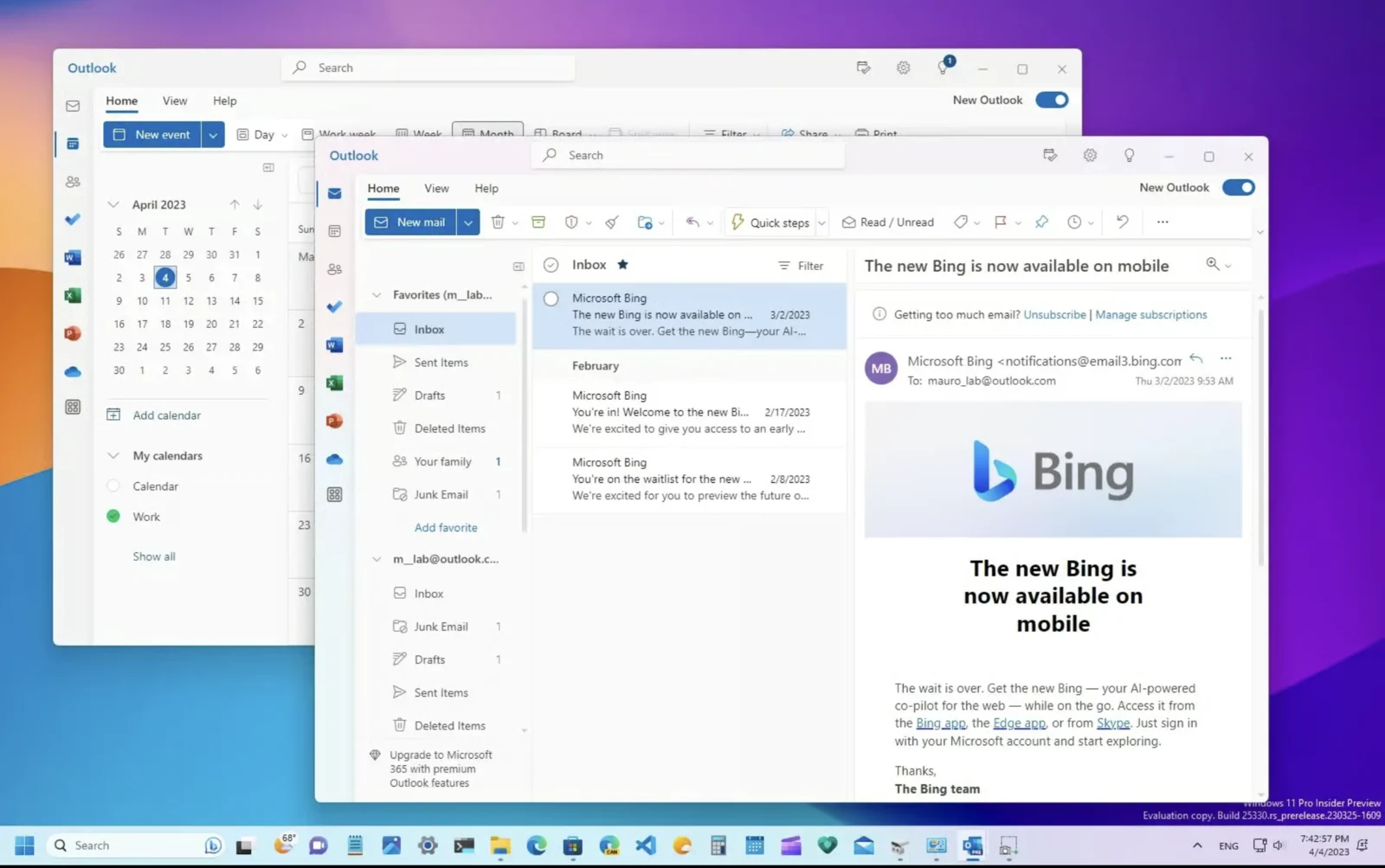 詳しい手順については、[新しいOutlook for Windowsの使用を開始するためのMicrosoftのチュートリアル動画](https://support.microsoft.com/en-us/office/getting-started-with-the-new-outlook-for-windows-656bb8d9-5a60-49b2-a98b-ba7822bc7627)をご覧ください。
## 関連記事
* [Outlookアドインのインストールが検証されない](/ja/troubleshooting/outlook-add-in-installation-not-validating)
* [Scribe Microsoftアドインの更新方法](/ja/troubleshooting/how-to-update-the-scribe-microsoft-add-in)
* [Outlook Webアドインの署名がインストールされない](/ja/troubleshooting/outlook-web-add-in-signatures-not-being-installed)
詳しい手順については、[新しいOutlook for Windowsの使用を開始するためのMicrosoftのチュートリアル動画](https://support.microsoft.com/en-us/office/getting-started-with-the-new-outlook-for-windows-656bb8d9-5a60-49b2-a98b-ba7822bc7627)をご覧ください。
## 関連記事
* [Outlookアドインのインストールが検証されない](/ja/troubleshooting/outlook-add-in-installation-not-validating)
* [Scribe Microsoftアドインの更新方法](/ja/troubleshooting/how-to-update-the-scribe-microsoft-add-in)
* [Outlook Webアドインの署名がインストールされない](/ja/troubleshooting/outlook-web-add-in-signatures-not-being-installed)