> ## Documentation Index
> Fetch the complete documentation index at: https://help.scribe-mail.com/llms.txt
> Use this file to discover all available pages before exploring further.

# 署名をインストールできない場合

> ScribeでのApple Mail署名のインストールに関するトラブルシューティング。Mail用のiCloud Drive設定や、署名を手動で更新する方法を解説します。

## 一覧に Scribe 署名が表示される場合

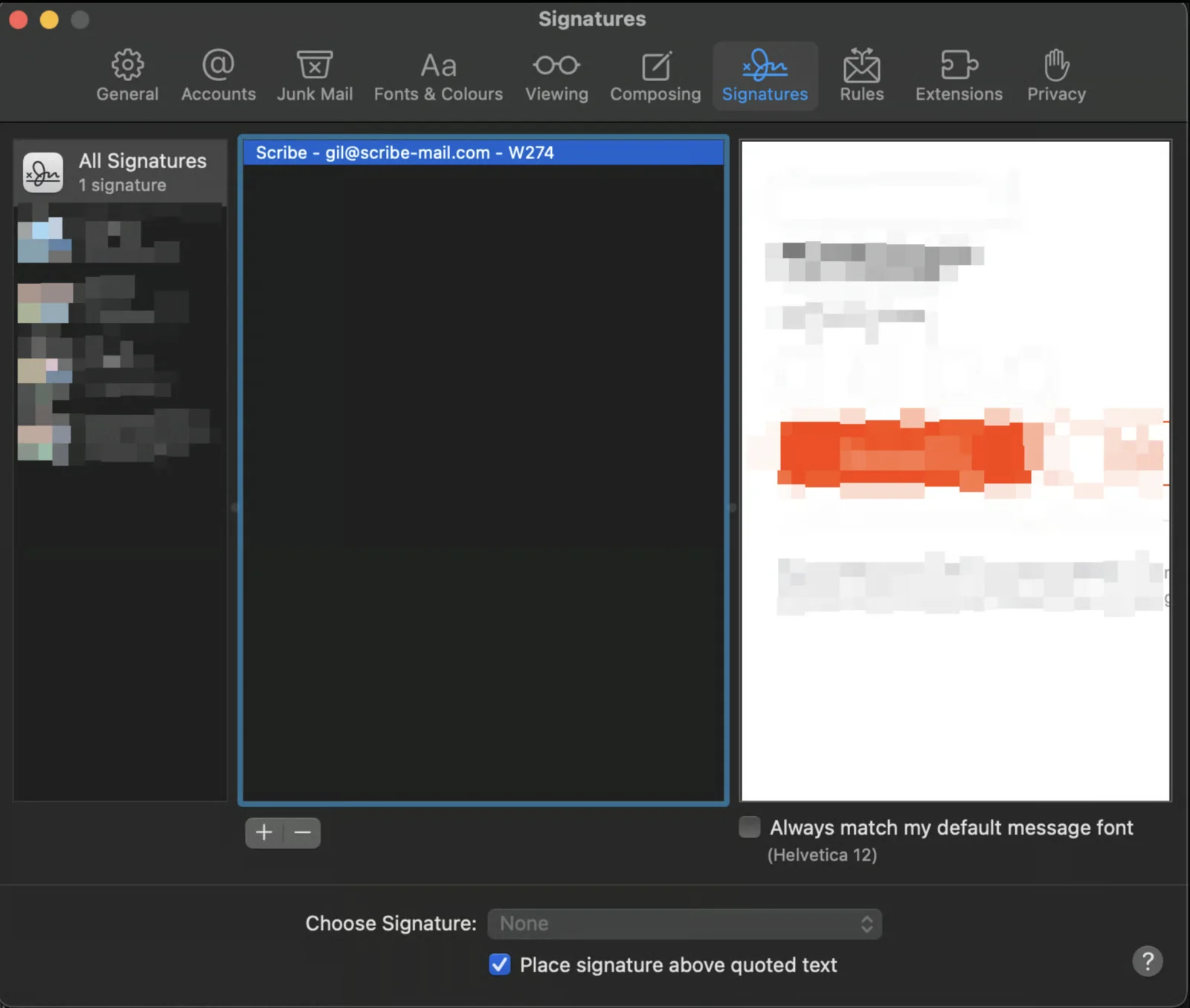
Scribe 署名は「Scribe」に続けてメールアドレスが表示されます。一覧に署名が表示されている場合は、[こちらの記事](/ja/integrations/signatures/apple-mail)に従ってインストールを完了してください。
<Frame>
  <img src="https://mintcdn.com/scribe/KUDX8_mR6_d8dnD-/images/unable-install-apple-mail-scribe-signature-in-list.png?fit=max&auto=format&n=KUDX8_mR6_d8dnD-&q=85&s=531016e2c0110feee7de67cac2836f5d" alt="Scribe 署名のエントリが表示された Apple Mail の署名一覧" title="Scribe 署名のエントリが表示された Apple Mail の署名一覧" width="1600" height="1355" data-path="images/unable-install-apple-mail-scribe-signature-in-list.png" />
</Frame>

## 一覧に Scribe 署名が表示されない場合

次の手順で、Mail に iCloud Drive を使用しているかどうかを確認してください。

<Steps>
  <Step title="iCloud 設定を開く">
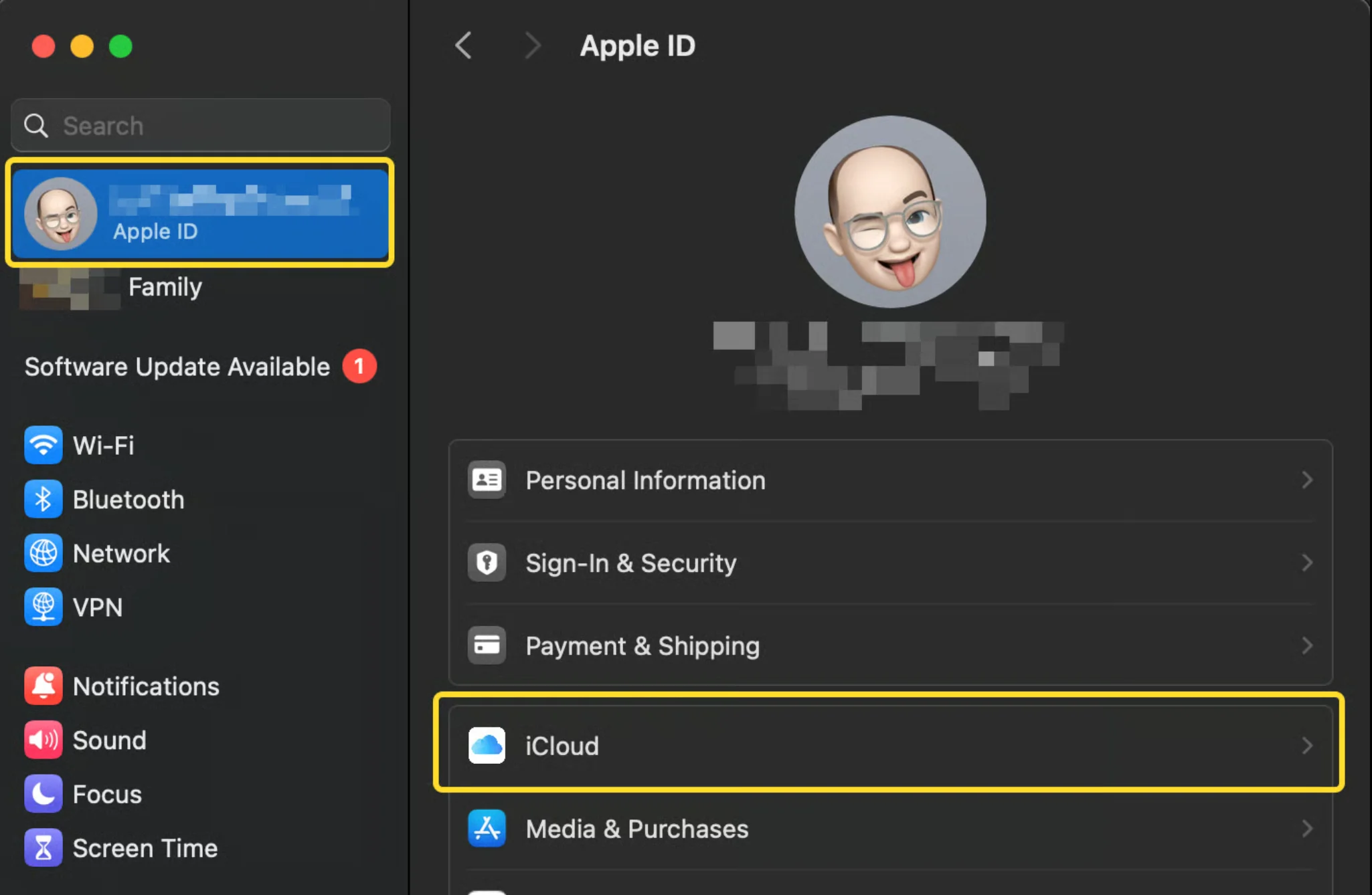
    システム設定を開き、Apple ID タブを開いて iCloud をクリックします。
    <Frame>
      <img src="https://mintcdn.com/scribe/xbQhr3JjkYildsKM/images/unable-install-icloud-settings-apple-id-tab.png?fit=max&auto=format&n=xbQhr3JjkYildsKM&q=85&s=ce147a3b951f5111c52cea407a4d7100" alt="Apple ID と iCloud タブを開いた macOS のシステム設定" width="2050" height="1338" data-path="images/unable-install-icloud-settings-apple-id-tab.png" />
    </Frame>
  </Step>

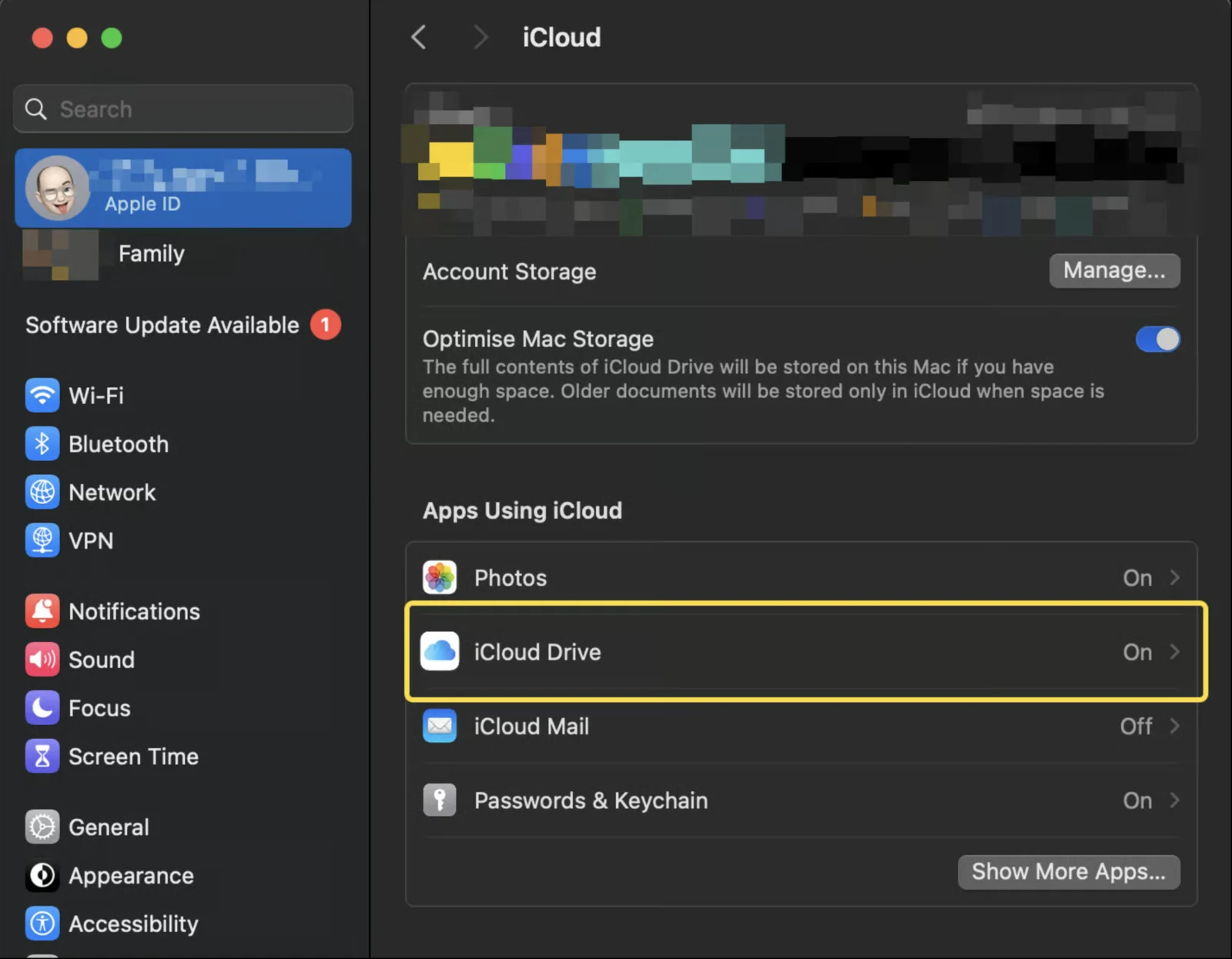
  <Step title="iCloud Drive を開く">
    iCloud セクションで iCloud Drive をクリックします。

    <Frame>
      <img src="https://mintcdn.com/scribe/KUDX8_mR6_d8dnD-/images/unable-install-icloud-drive-option.png?fit=max&auto=format&n=KUDX8_mR6_d8dnD-&q=85&s=5d416d9edbdc6480e8f84470b371a480" alt="iCloud Drive オプションが強調表示された iCloud 設定パネル" width="1600" height="1246" data-path="images/unable-install-icloud-drive-option.png" />
    </Frame>
  </Step>

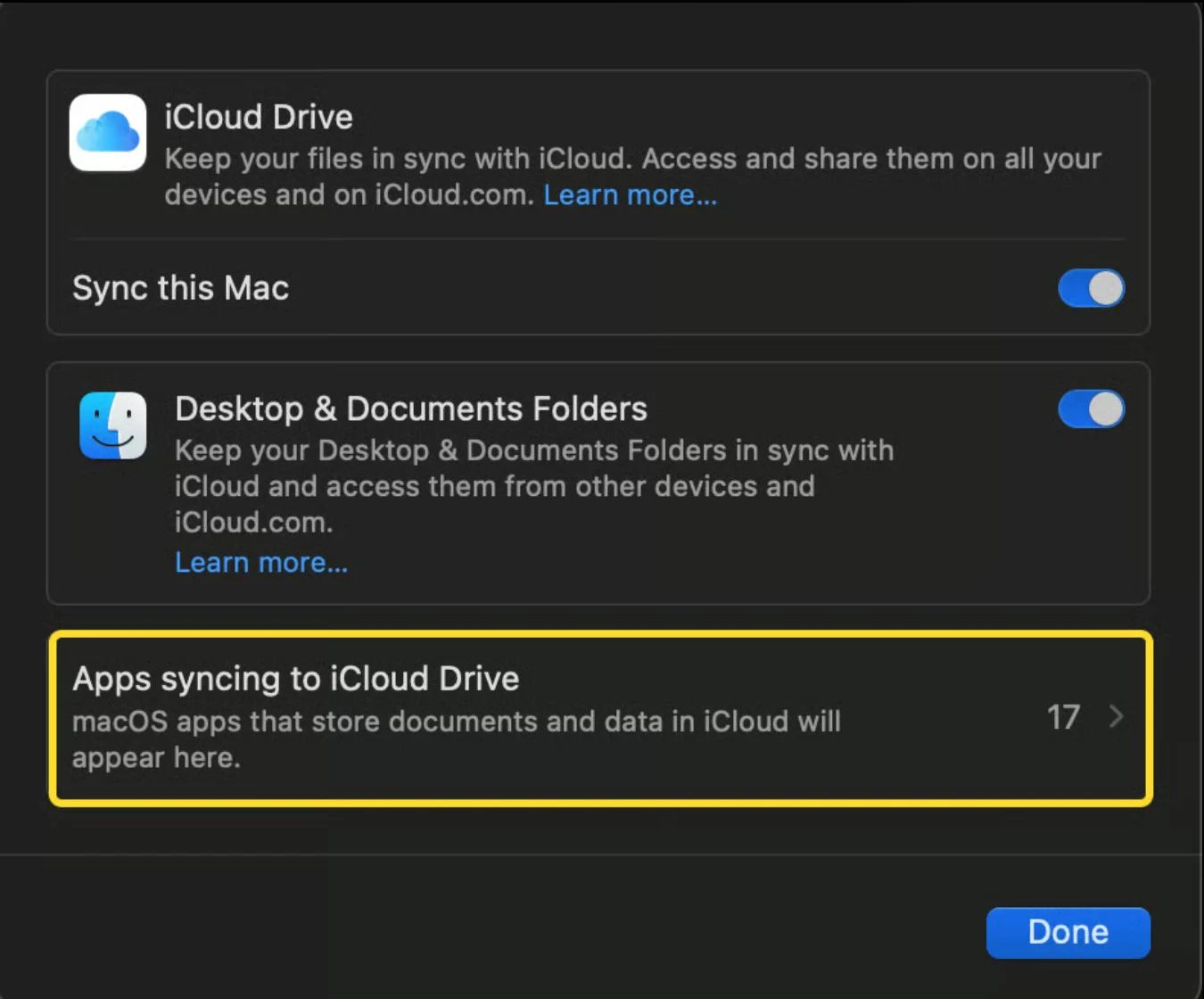
  <Step title="iCloud Drive に同期しているアプリを開く">
    次の画面で、"Apps syncing to iCloud Drive" をクリックします。
    <Frame>
      <img src="https://mintcdn.com/scribe/xbQhr3JjkYildsKM/images/unable-install-apps-syncing-icloud-drive.png?fit=max&auto=format&n=xbQhr3JjkYildsKM&q=85&s=1d294fd53101792bb5c590871bb11026" alt="Apps syncing to iCloud Drive のリンクがある iCloud Drive ウィンドウ" width="1350" height="1120" data-path="images/unable-install-apps-syncing-icloud-drive.png" />
    </Frame>
  </Step>

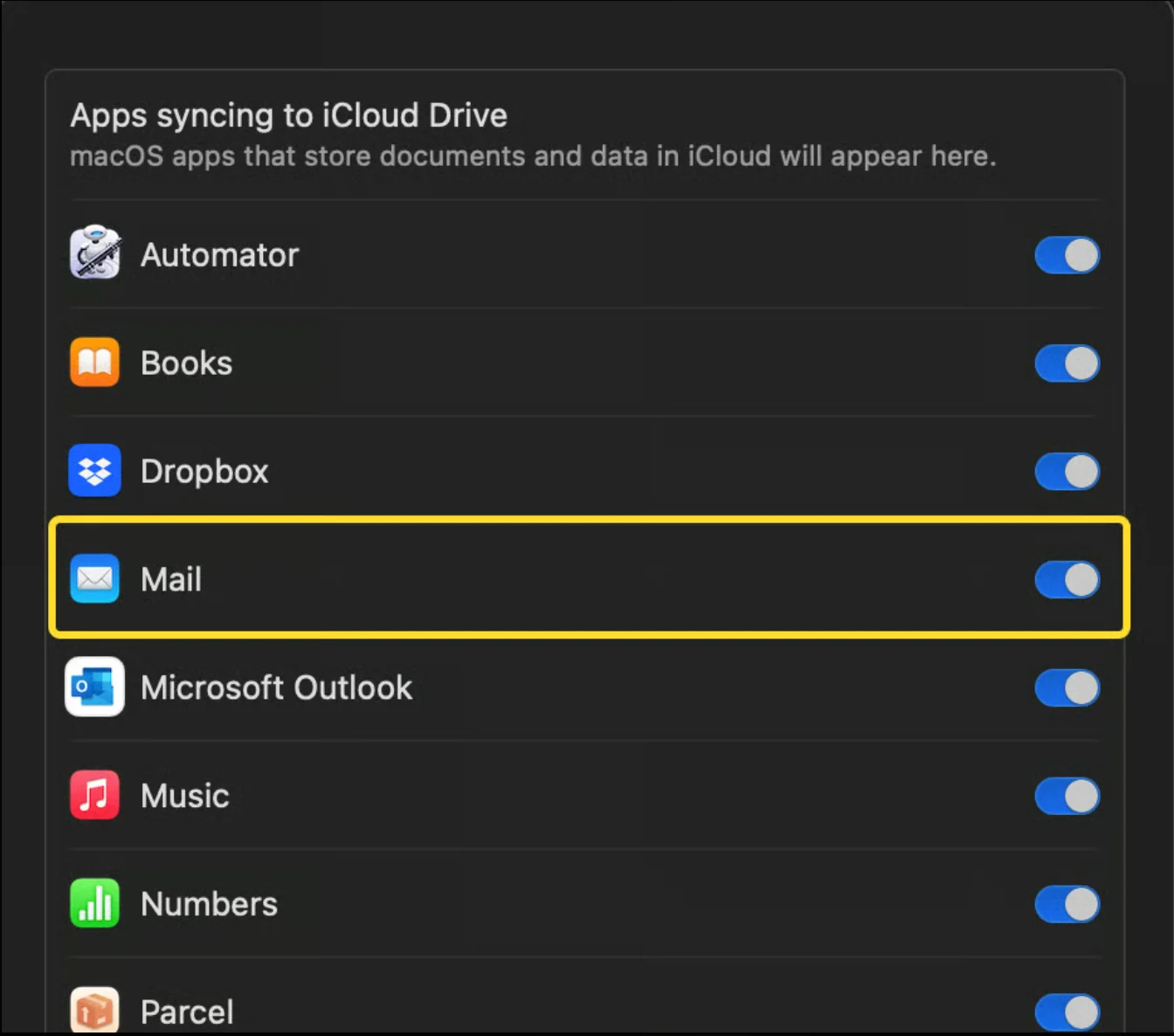
  <Step title="Mail オプションを確認する">
    次の画面で、Mail オプションが有効になっているかを確認します。

    <Frame>
      <img src="https://mintcdn.com/scribe/xbQhr3JjkYildsKM/images/unable-install-icloud-drive-mail-toggle.png?fit=max&auto=format&n=xbQhr3JjkYildsKM&q=85&s=dafea63cf47028df82a6acde34bcd043" alt="Mail のトグルが有効・無効の状態を示す iCloud Drive のアプリ一覧" width="1344" height="1186" data-path="images/unable-install-icloud-drive-mail-toggle.png" />
    </Frame>

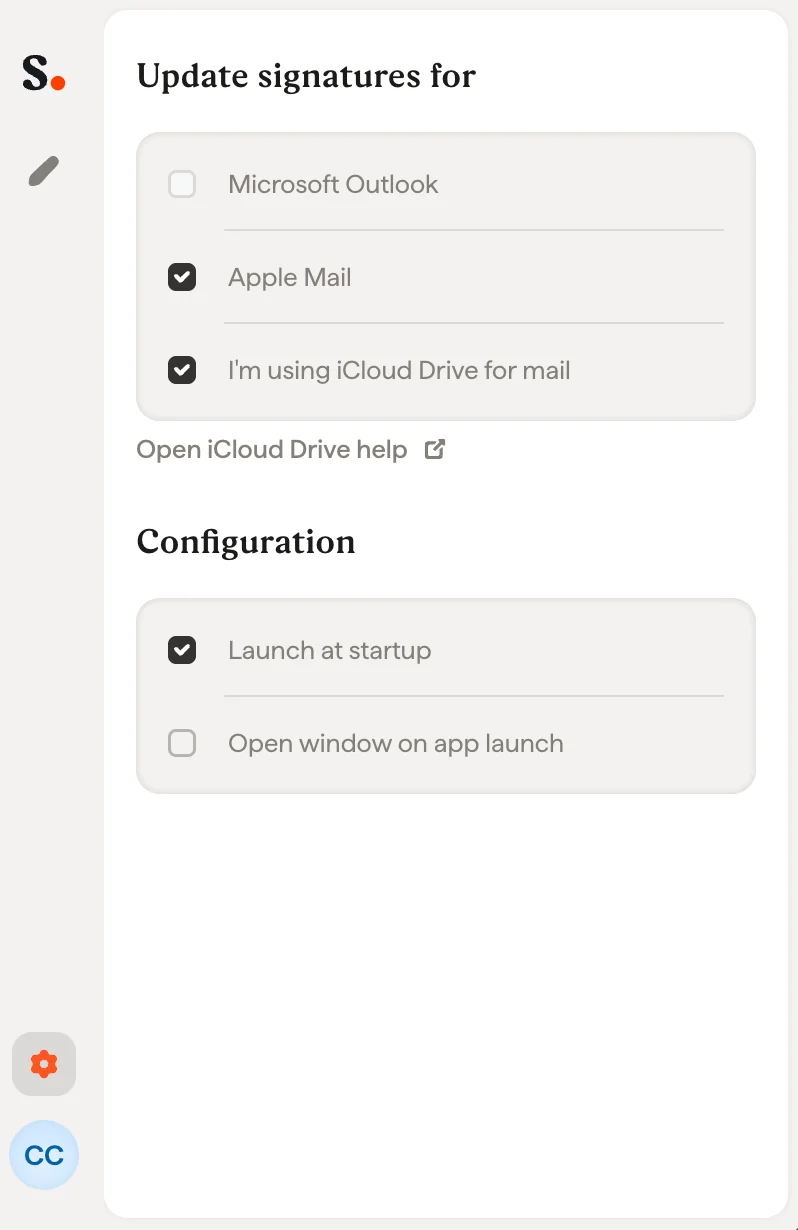
    Mail オプションが有効な場合は、Scribe アプリで "I am using iCloud Drive for Mail" のオプションを有効にできます。無効な場合は、Scribe アプリで同じオプションを無効にしてください。
    <Frame>
      <img src="https://mintcdn.com/scribe/xbQhr3JjkYildsKM/images/unable-install-scribe-app-icloud-drive-setting.png?fit=max&auto=format&n=xbQhr3JjkYildsKM&q=85&s=363b5c84081c461c5707ff9a0d9cbfb7" alt="Mail に iCloud Drive を使用するオプションを有効化する Scribe アプリの設定" title="Mail に iCloud Drive を使用するオプションを有効化する Scribe アプリの設定" className="mx-auto" style={{ width:"54%" }} width="798" height="1230" data-path="images/unable-install-scribe-app-icloud-drive-setting.png" />
    </Frame>
  </Step>
</Steps>