> ## Documentation Index
> Fetch the complete documentation index at: https://help.scribe-mail.com/llms.txt
> Use this file to discover all available pages before exploring further.
# 계정
> 모든 워크스페이스에서 사용하는 Scribe 개인 프로필을 관리하세요. 이름, 이메일, 프로필 사진을 업데이트하고, 비밀번호를 변경하며, 쿠키 환경설정을 지정할 수 있어요.
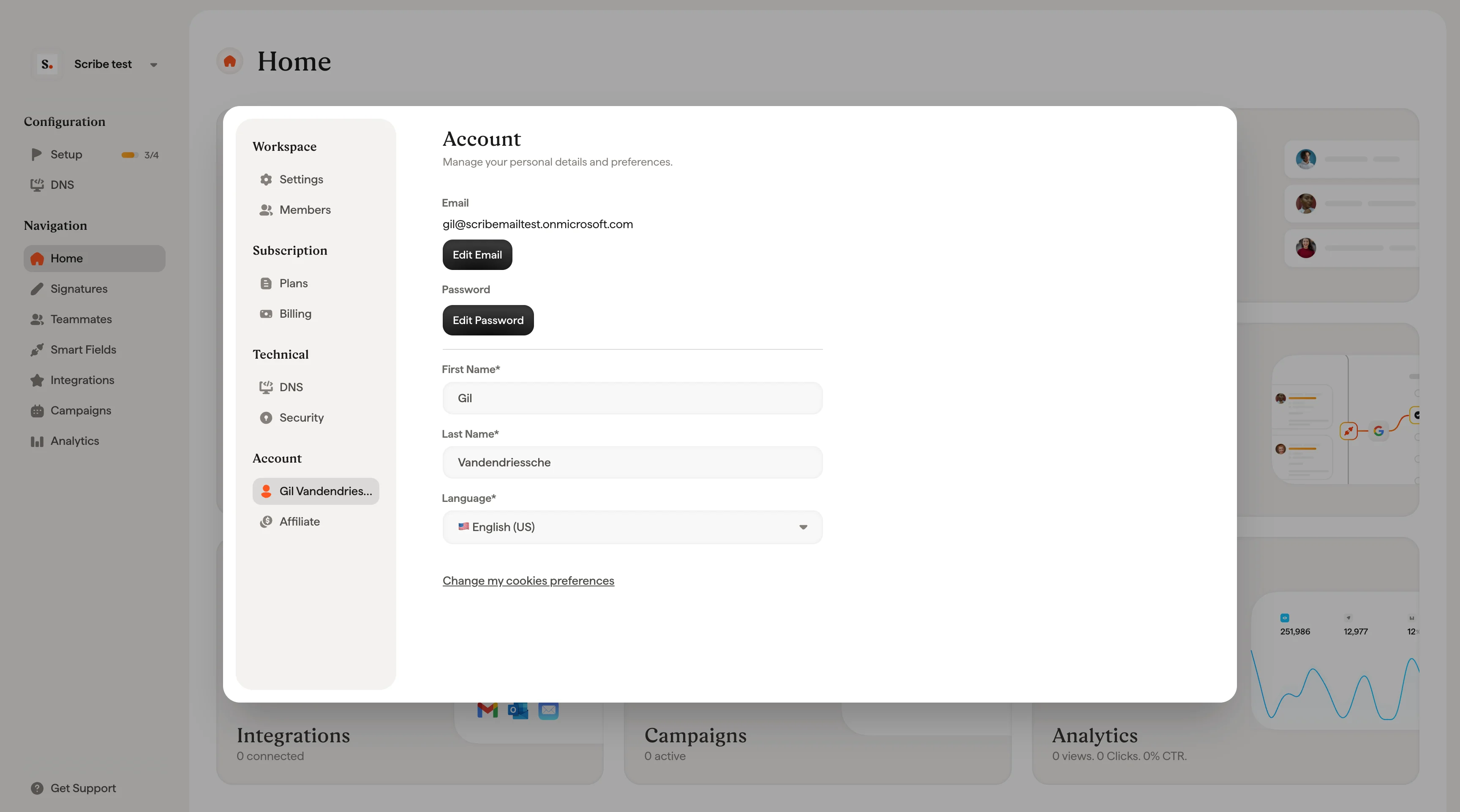
계정 페이지에서는 Scribe 개인 프로필을 관리해요. 여기에서의 변경 사항은 소속된 모든 [워크스페이스](/ko/workspaces)에 걸쳐 계정에 적용돼요. 특정 워크스페이스 하나에만 연결되지 않아요. 설정 사이드바의 **Account**에서 열 수 있어요.
 ## 프로필
프로필 사진, 이름, 성, 이메일 주소를 업데이트할 수 있어요. **Change Picture**를 클릭해 새 사진을 업로드하세요. **Email** 입력란을 수정해 Scribe 계정에 연결된 이메일 주소를 변경할 수 있어요. 이름, 성, 이메일은 모두 필수 입력 항목이에요.
## 개인정보
**Change my cookie preferences**를 클릭해 쿠키와 개인정보 설정을 관리하세요.
## 비밀번호
**Change Password**를 클릭해 계정 비밀번호를 변경하고 [안전하게 관리하세요](/ko/security/how-do-i-configure-2fa-in-scribe).
## 관련 문서
* [Members](/ko/members): 워크스페이스에 접근할 수 있는 사람과 권한을 관리해요.
* [Billing](/ko/billing): 구독, 결제 수단, 청구서를 관리해요.
* [Sign in and sign up](/ko/sign-in-and-sign-up): Scribe 계정에 접근하는 방법을 확인해요.
## 프로필
프로필 사진, 이름, 성, 이메일 주소를 업데이트할 수 있어요. **Change Picture**를 클릭해 새 사진을 업로드하세요. **Email** 입력란을 수정해 Scribe 계정에 연결된 이메일 주소를 변경할 수 있어요. 이름, 성, 이메일은 모두 필수 입력 항목이에요.
## 개인정보
**Change my cookie preferences**를 클릭해 쿠키와 개인정보 설정을 관리하세요.
## 비밀번호
**Change Password**를 클릭해 계정 비밀번호를 변경하고 [안전하게 관리하세요](/ko/security/how-do-i-configure-2fa-in-scribe).
## 관련 문서
* [Members](/ko/members): 워크스페이스에 접근할 수 있는 사람과 권한을 관리해요.
* [Billing](/ko/billing): 구독, 결제 수단, 청구서를 관리해요.
* [Sign in and sign up](/ko/sign-in-and-sign-up): Scribe 계정에 접근하는 방법을 확인해요.