> ## Documentation Index
> Fetch the complete documentation index at: https://help.scribe-mail.com/llms.txt
> Use this file to discover all available pages before exploring further.
# Hibob
> HR 플랫폼인 HiBob에서 직책, 부서, 근무지 등 임직원 정보를 동기화해 이메일 서명을 정확하고 항상 최신 상태로 유지하세요.
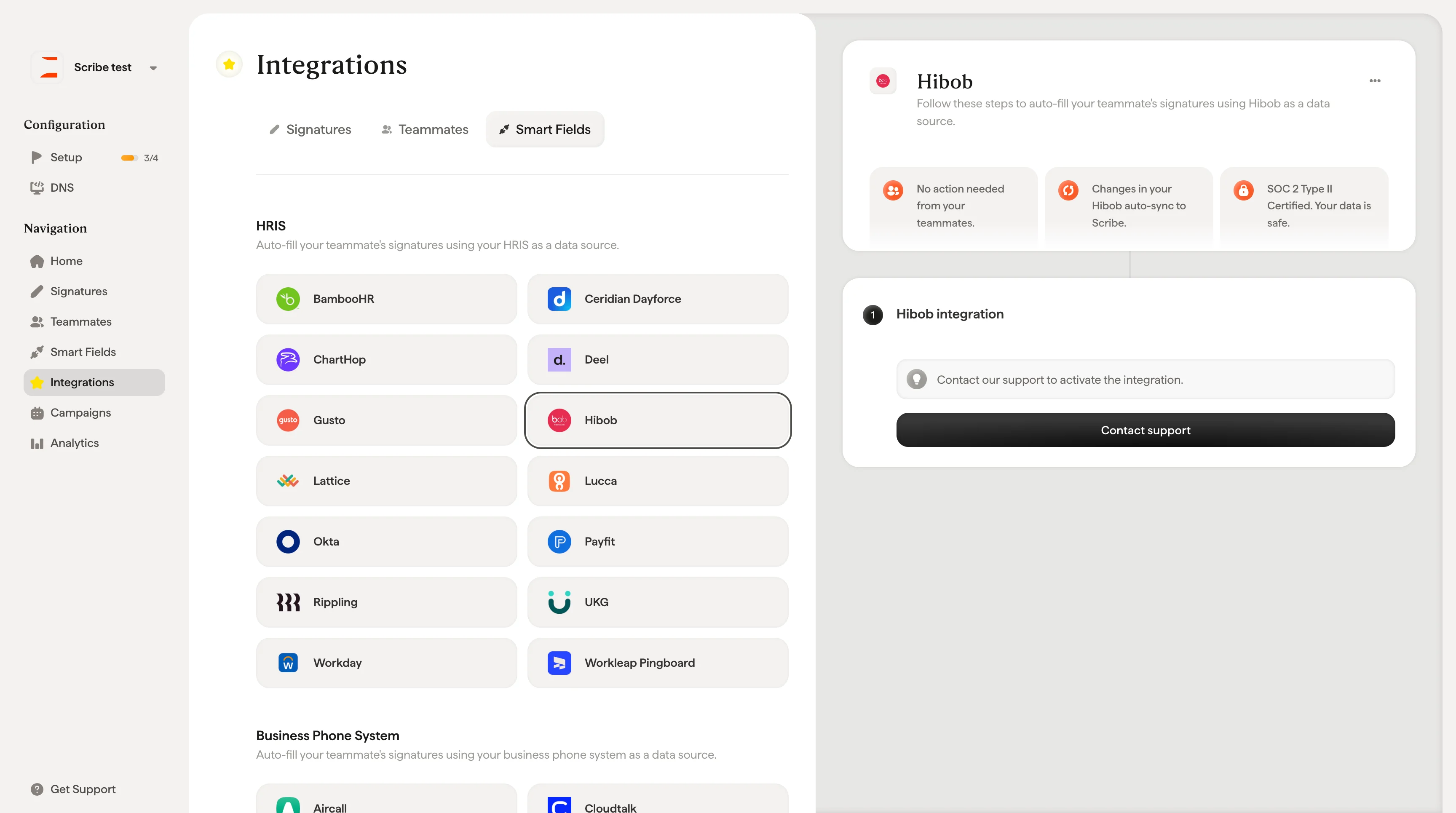
Hibob을 데이터 소스로 사용해 [팀원의 서명을 자동 입력](/ko/smart-fields)하려면 다음 단계를 따르세요.
**팀원이 별도로 할 작업은 없어요.**
**Hibob의 변경 사항은 Scribe에 자동으로 동기화돼요.**
**SOC 2 Type II 인증.** [데이터는 안전하게 보호됩니다](/ko/what-scribe-does-concerning-security).
## 설치 가이드
### 사전 준비
* 관리자 권한이 있는 Scribe 계정
이 연동은 Scribe 팀의 활성화가 필요해요. 시작하려면 **Contact support**를 클릭하세요.
 ## 관련 문서
* [Lattice](/ko/integrations/smart-fields/lattice-smart-fields): Lattice 데이터를 서명에 동기화합니다.
* [Lucca](/ko/integrations/smart-fields/lucca-smart-fields): Lucca 데이터를 서명에 동기화합니다.
* [팀원에게 서명 할당](/ko/assign-teammates-to-a-signature): Smartfield 조건을 사용해 서명을 자동으로 할당합니다.
## 관련 문서
* [Lattice](/ko/integrations/smart-fields/lattice-smart-fields): Lattice 데이터를 서명에 동기화합니다.
* [Lucca](/ko/integrations/smart-fields/lucca-smart-fields): Lucca 데이터를 서명에 동기화합니다.
* [팀원에게 서명 할당](/ko/assign-teammates-to-a-signature): Smartfield 조건을 사용해 서명을 자동으로 할당합니다.