> ## Documentation Index
> Fetch the complete documentation index at: https://help.scribe-mail.com/llms.txt
> Use this file to discover all available pages before exploring further.

# Microsoft Entra ID

> Microsoft Entra ID를 Scribe에 연결하고 관리 단위 및 그룹에서 원하는 팀원을 선택해 동기화하세요. 변경 사항은 자동으로 최신 상태로 유지돼요.

다음 단계를 따라 Entra ID의 관리 단위, 그룹, 팀원을 Scribe와 동기화하세요.

<Info>
  **Scribe와 동기화할 팀원만 선택하세요.**
</Info>

<Info>
  **Entra ID의 변경 사항은 Scribe에 자동으로 동기화돼요.**
</Info>

<Info>
  **SOC 2 Type II 인증.** 데이터는 안전하게 보호돼요.
</Info>

## 설치 가이드

### 사전 준비

* 관리자 권한이 있는 Scribe 계정
* **Global Admin** 권한이 있는 Microsoft Entra ID 계정

<Steps>
  <Step title="Entra ID 연동 연결">
    <Warning>
      이 연동을 설치하려면 **Entra ID의 Global Admin**이어야 해요.
    </Warning>

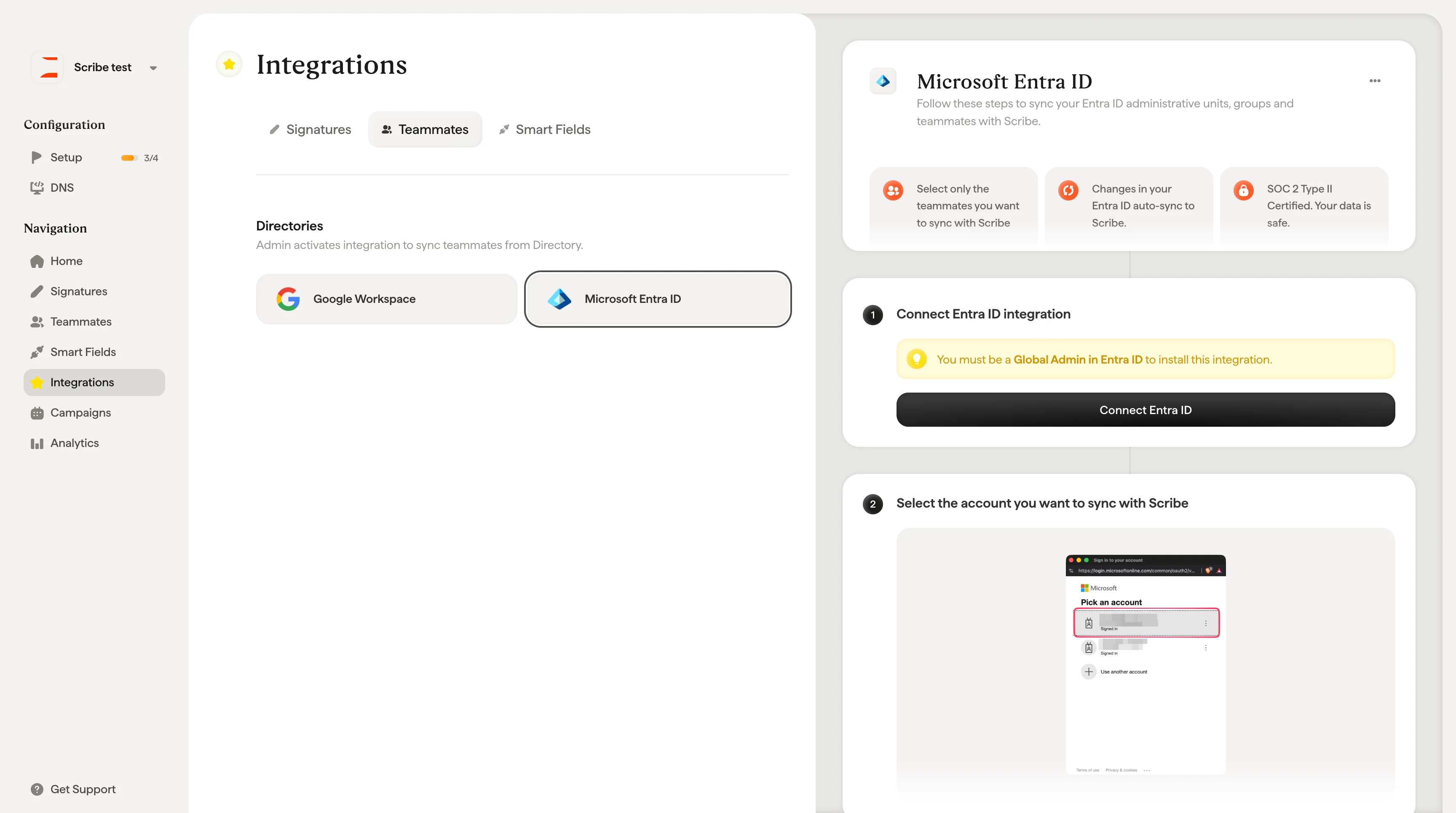
    \*\*"Connect Entra ID"\*\*를 클릭해 설정을 시작하세요.
    <Frame>
      <img src="https://mintcdn.com/scribe/xbQhr3JjkYildsKM/images/microsoft-entra-id-connect-button.png?fit=max&auto=format&n=xbQhr3JjkYildsKM&q=85&s=bee2def472c84e1391bf3b385db79459" alt="Scribe 팀원 설정의 Connect Entra ID 버튼" width="3456" height="1930" data-path="images/microsoft-entra-id-connect-button.png" />
    </Frame>
  </Step>

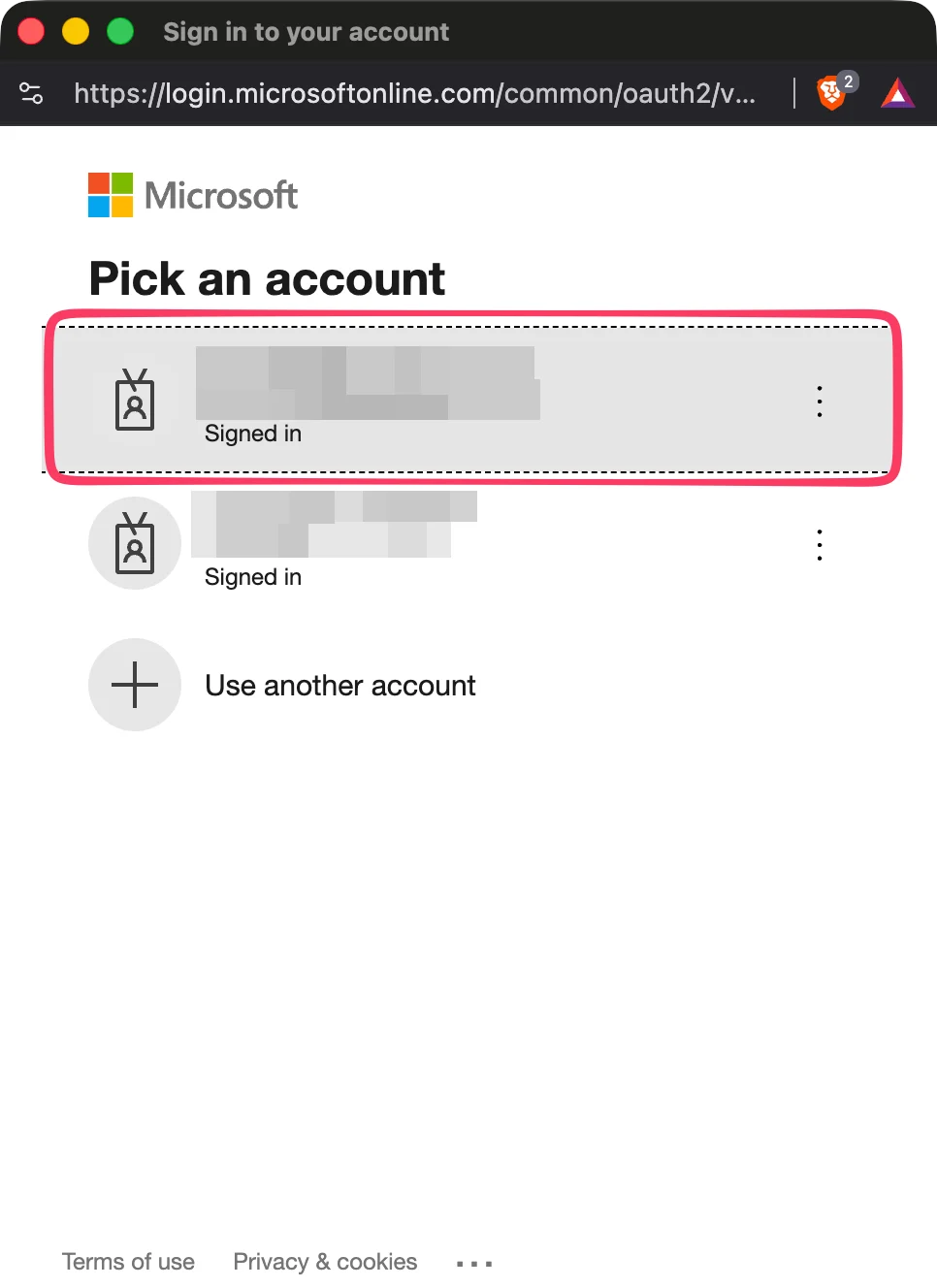
  <Step title="Scribe와 동기화할 계정 선택">
    <Frame>
      <img src="https://mintcdn.com/scribe/pvZJQ56rCCLLmCwt/integrations/teammates/images/microsoft-entra-id-step-2.png?fit=max&auto=format&n=pvZJQ56rCCLLmCwt&q=85&s=2c7ec2306747f5202532069d5b800132" alt="Microsoft 계정 선택 화면" className="mx-auto" style={{ width:"48%" }} width="966" height="1328" data-path="integrations/teammates/images/microsoft-entra-id-step-2.png" />
    </Frame>
  </Step>

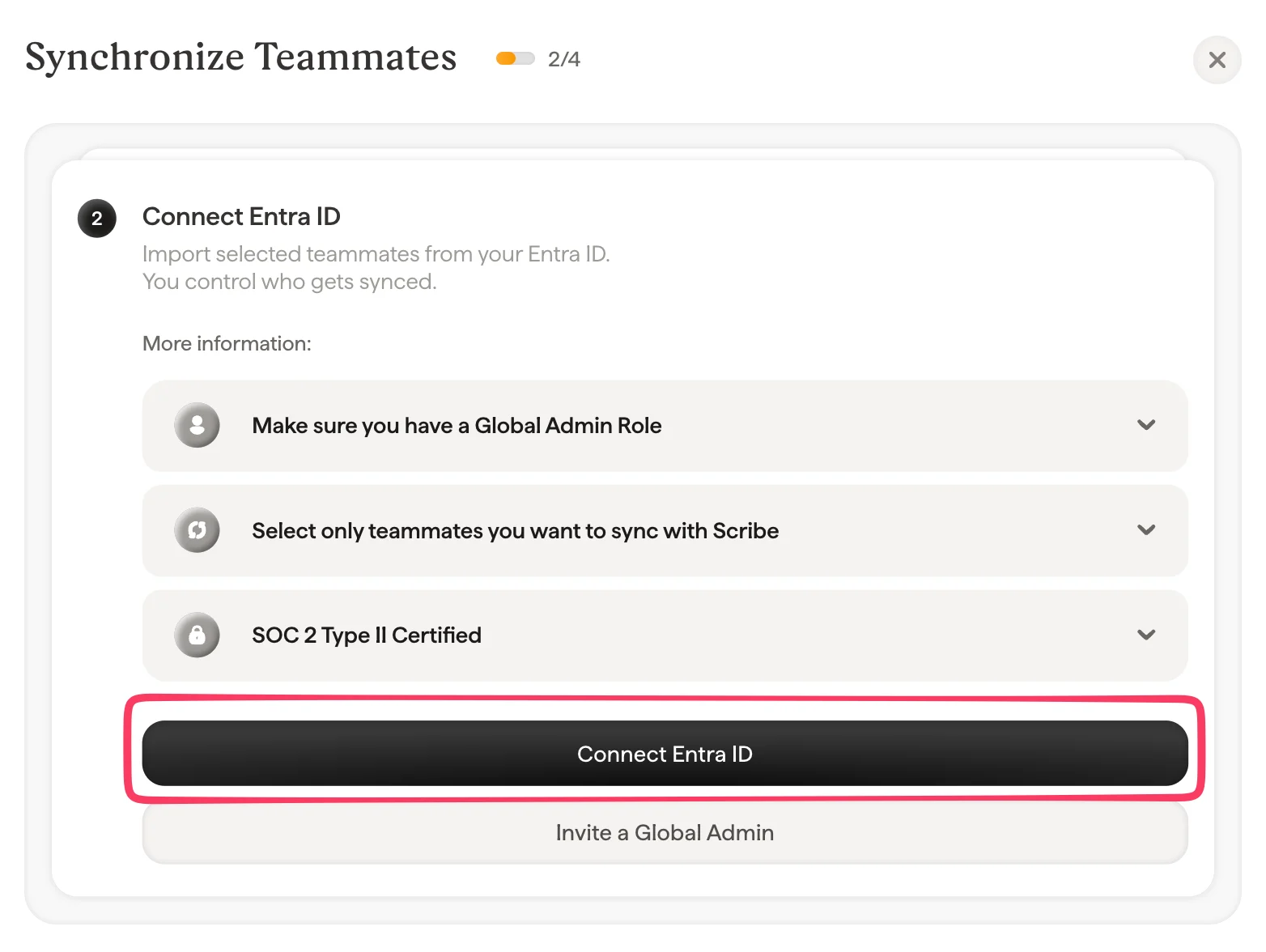
  <Step title="&#x22;Connect Entra ID&#x22; 클릭">
    Entra ID에서 선택한 팀원을 가져오세요. 동기화 대상은 직접 정할 수 있어요.
    <Frame>
      <img src="https://mintcdn.com/scribe/pvZJQ56rCCLLmCwt/integrations/teammates/images/microsoft-entra-id-step-3.png?fit=max&auto=format&n=pvZJQ56rCCLLmCwt&q=85&s=fc8b0f9bf4c7fe39199de3740d3e6e53" alt="Connect Entra ID 버튼이 있는 팀원 동기화 대화상자" style={{ width:"94%" }} width="1564" height="1176" data-path="integrations/teammates/images/microsoft-entra-id-step-3.png" />
    </Frame>
  </Step>

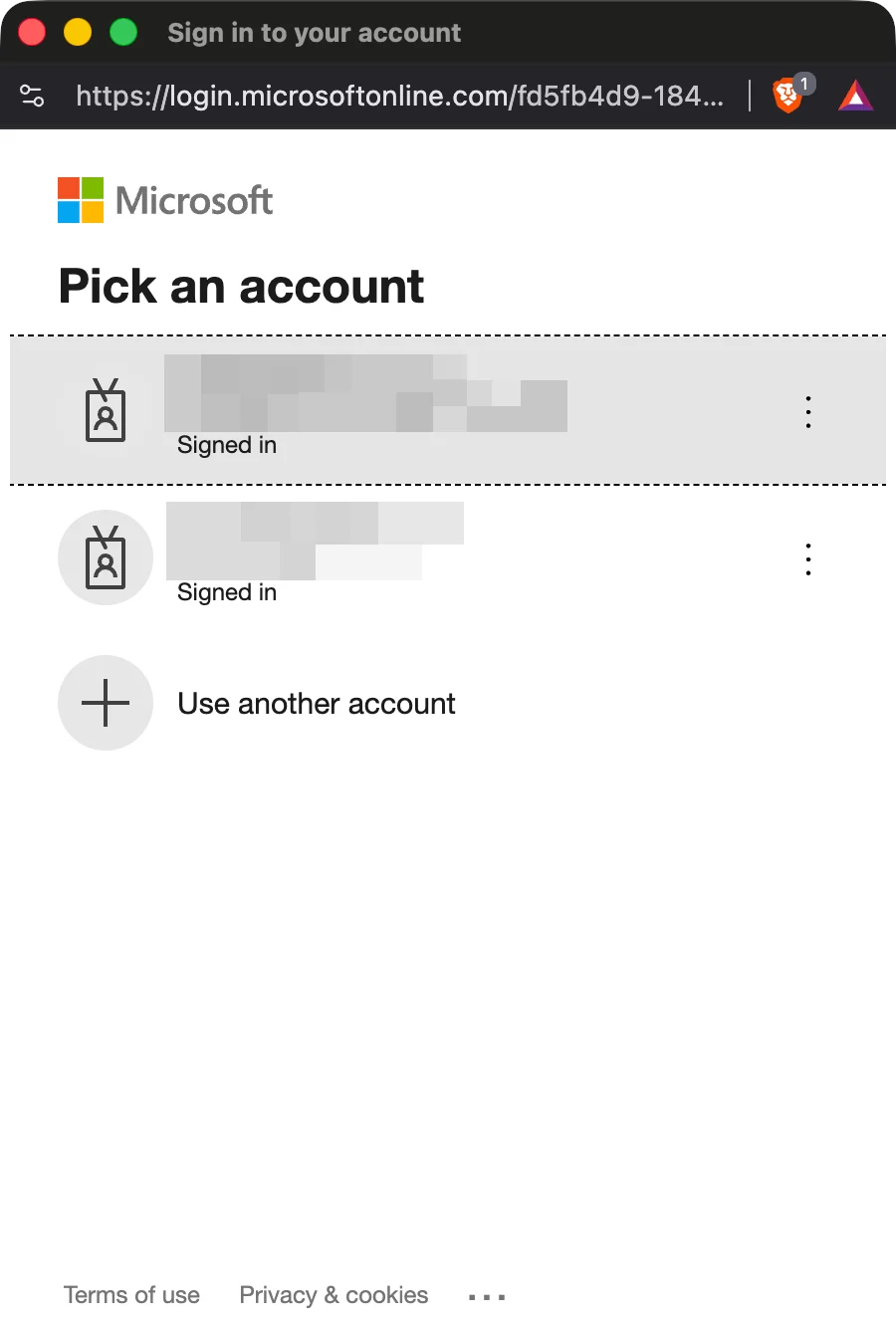
  <Step title="2단계에서 선택한 계정과 동일한 계정 선택">
    <Frame>
      <img src="https://mintcdn.com/scribe/pvZJQ56rCCLLmCwt/integrations/teammates/images/microsoft-entra-id-step-4.png?fit=max&auto=format&n=pvZJQ56rCCLLmCwt&q=85&s=1f3c245d8f398a557581faafcf8afb8c" alt="Microsoft 계정 선택 확인 화면" className="mx-auto" style={{ width:"54%" }} width="900" height="1328" data-path="integrations/teammates/images/microsoft-entra-id-step-4.png" />
    </Frame>
  </Step>

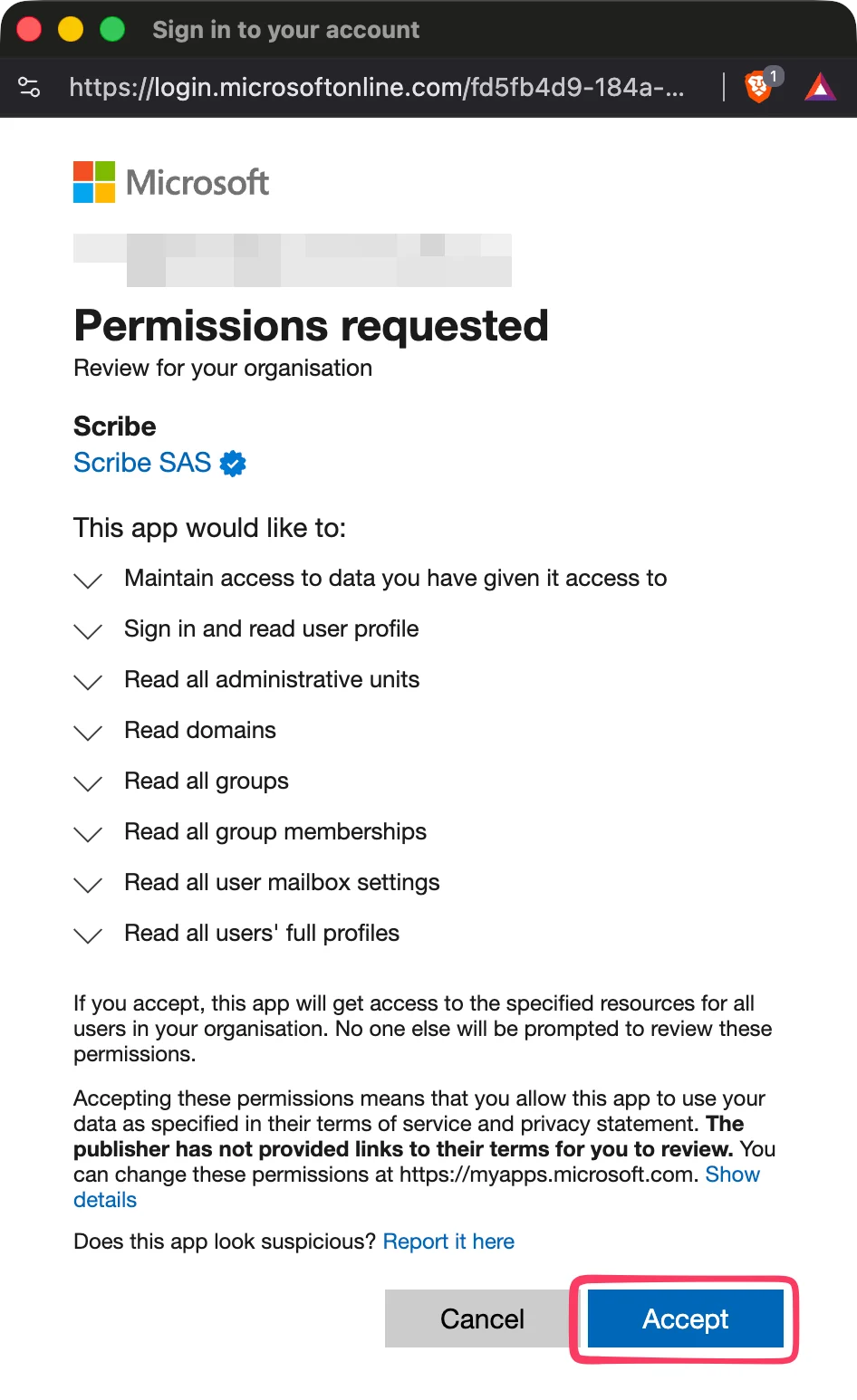
  <Step title="모든 권한 범위 수락">
    Scribe는 SOC 2 Type II 규정을 준수해요. 이메일을 보내거나 읽을 수 없어요.
    <Frame>
      <img src="https://mintcdn.com/scribe/pvZJQ56rCCLLmCwt/integrations/teammates/images/microsoft-entra-id-step-5.png?fit=max&auto=format&n=pvZJQ56rCCLLmCwt&q=85&s=5ea496e7a34415cc3fba1a13000faa09" alt="Microsoft 권한 요청 대화상자" className="mx-auto" style={{ width:"46%" }} width="946" height="1546" data-path="integrations/teammates/images/microsoft-entra-id-step-5.png" />
    </Frame>
  </Step>

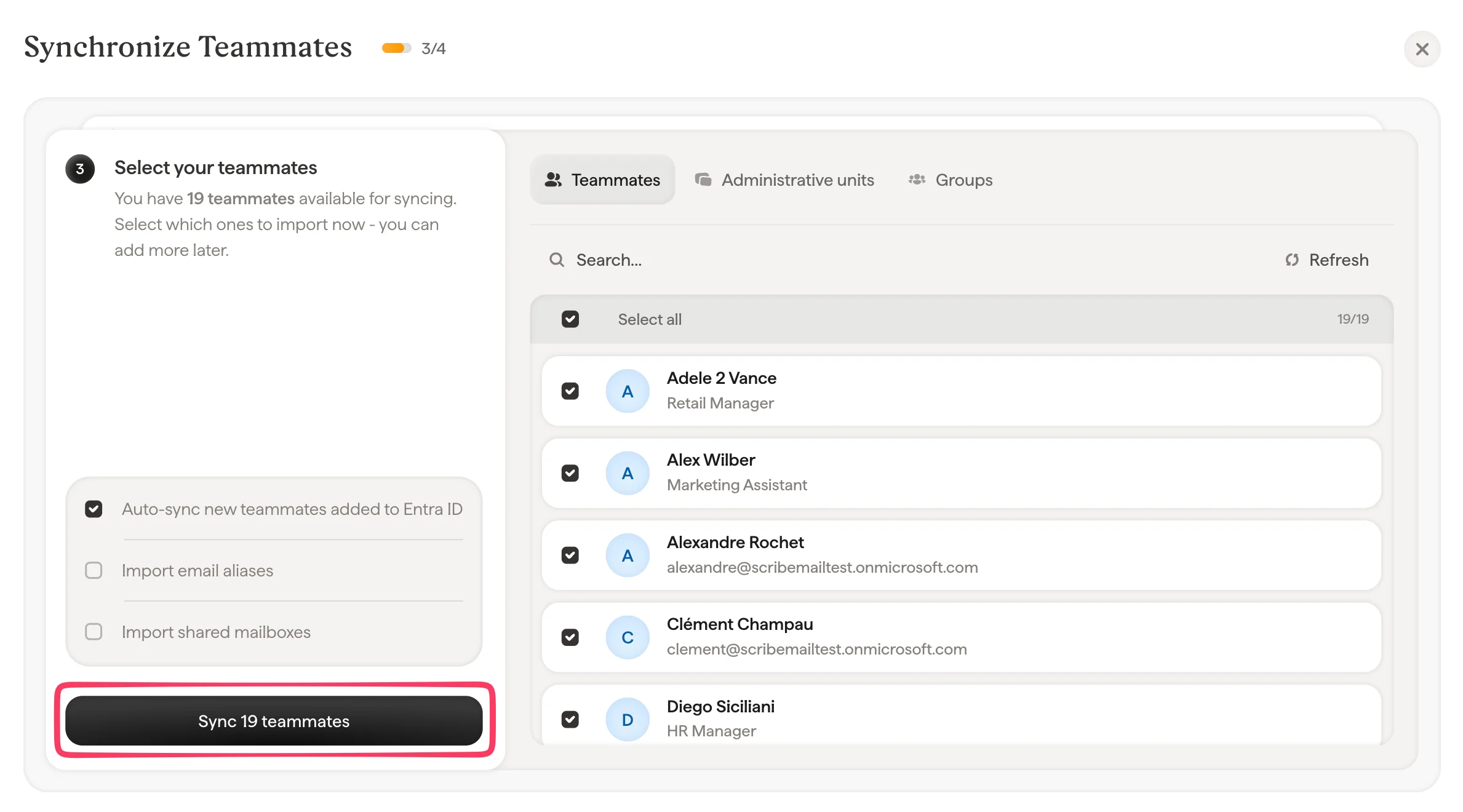
  <Step title="Scribe와 동기화할 팀원 선택">
    팀원 목록, 관리 단위 또는 그룹에서 팀원을 선택할 수 있어요. 지금 가져올 대상을 선택하세요. 나중에 추가할 수도 있어요. 팀원 정보도 함께 동기화되므로 [Smartfield](/ko/smart-fields)를 사용해 서명을 자동 입력할 수 있어요.
    <Frame>
      <img src="https://mintcdn.com/scribe/pvZJQ56rCCLLmCwt/integrations/teammates/images/microsoft-entra-id-step-6.png?fit=max&auto=format&n=pvZJQ56rCCLLmCwt&q=85&s=29d335449d2b88bb31ab2cb48e2f53a4" alt="팀원 동기화 선택 대화상자" width="2378" height="1320" data-path="integrations/teammates/images/microsoft-entra-id-step-6.png" />
    </Frame>
  </Step>

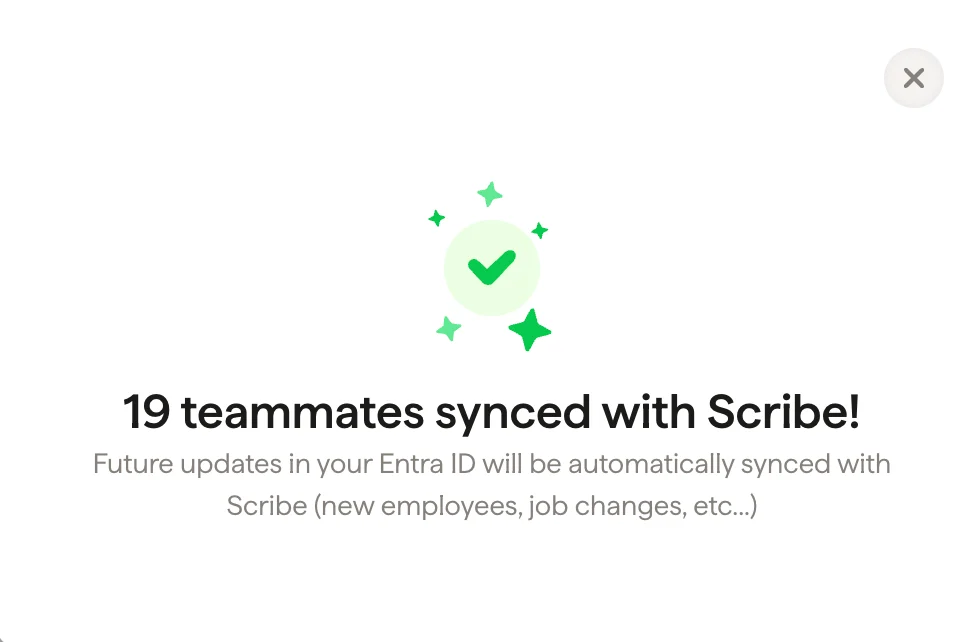
  <Step title="완료, 팀원이 Scribe와 동기화되었어요">
    서명으로 이동해 [팀원을 할당](/ko/assign-teammates-to-a-signature)하고 서명을 만드세요. 앞으로 Entra ID에서 발생하는 변경 사항(신규 입사자, 직무 변경 등)은 Scribe와 자동으로 동기화돼요.
    <Frame>
      <img src="https://mintcdn.com/scribe/pvZJQ56rCCLLmCwt/integrations/teammates/images/microsoft-entra-id-step-7.png?fit=max&auto=format&n=pvZJQ56rCCLLmCwt&q=85&s=d56918539a14c2a661cadf7764404261" alt="팀원 동기화 완료 확인" className="mx-auto" style={{ width:"69%" }} width="978" height="642" data-path="integrations/teammates/images/microsoft-entra-id-step-7.png" />
    </Frame>
  </Step>
</Steps>

## 관련 문서

* [팀원 개요](/ko/teammates/teammates-overview)
* [Google Workspace](/ko/integrations/teammates/google-workspace-teammates)
* [Scribe의 보안 관련 정책](/ko/what-scribe-does-concerning-security)