> ## Documentation Index
> Fetch the complete documentation index at: https://help.scribe-mail.com/llms.txt
> Use this file to discover all available pages before exploring further.
# 접근 권한 없음
> Front 개인 설정에서 개별 리소스에 대한 API 접근을 활성화하여 Front API 접근 권한 오류를 해결하는 방법을 알아보세요.
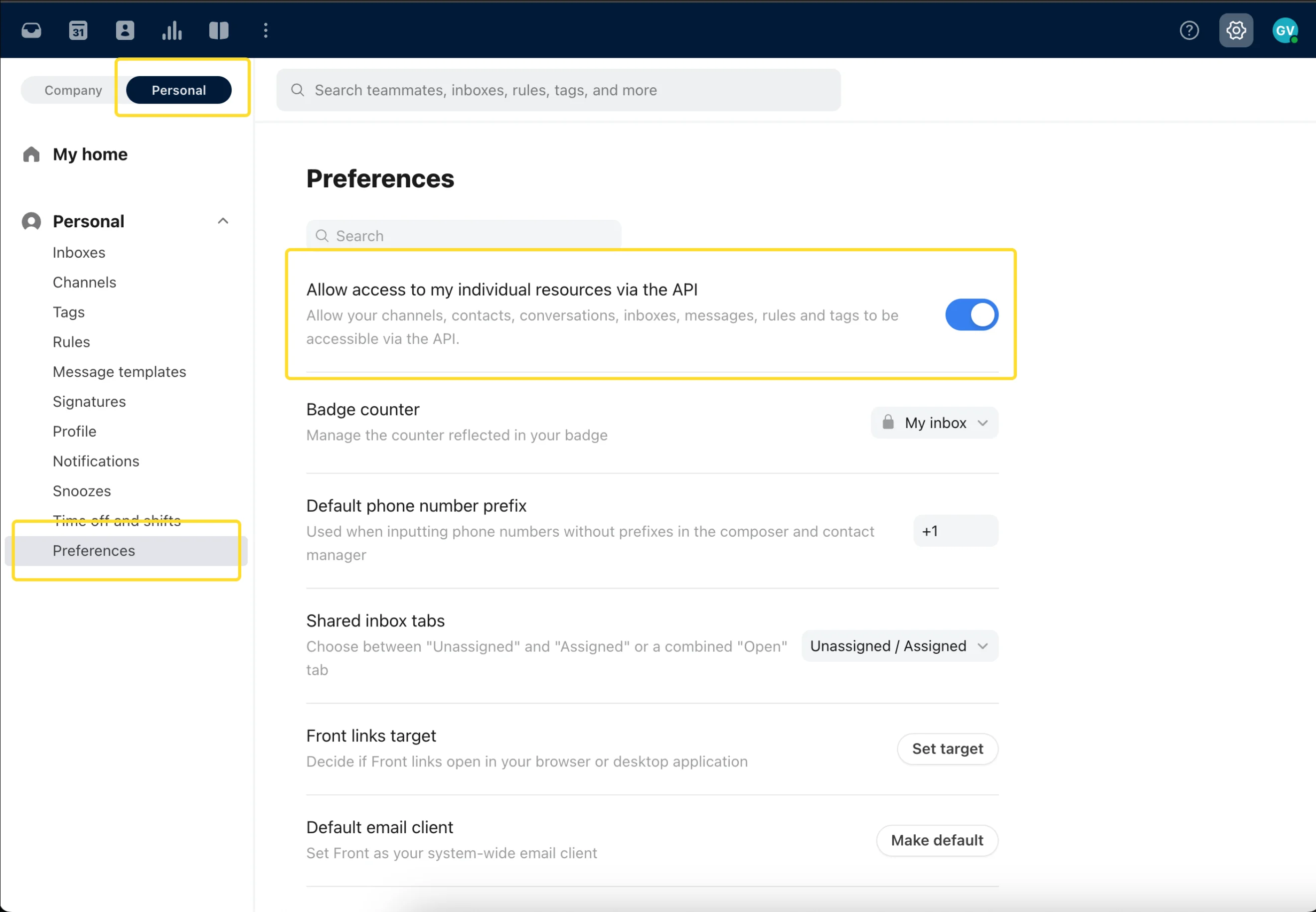
"Front API has forbidden access to this teammate's signature" 메시지를 받는 경우, 해당 사용자가 [Front](/ko/integrations/signatures/front-client-side) 개인 설정에서 자신의 개별 리소스에 대한 API 액세스를 활성화하지 않은 상태예요.
## 해결 방법
사용자가 Front 개인 설정에 접속해 개별 리소스에 대한 API 접근을 활성화한 다음, Scribe가 서명을 설치하도록 허용해야 해요.
 ## 관련 문서
* [User not found](/ko/troubleshooting/user-not-found)
* [Signature installation statuses and errors](/ko/signature-installation-statuses-and-errors)
* [Unable to install signature](/ko/troubleshooting/unable-to-install-signature)
## 관련 문서
* [User not found](/ko/troubleshooting/user-not-found)
* [Signature installation statuses and errors](/ko/signature-installation-statuses-and-errors)
* [Unable to install signature](/ko/troubleshooting/unable-to-install-signature)