> ## Documentation Index
> Fetch the complete documentation index at: https://help.scribe-mail.com/llms.txt
> Use this file to discover all available pages before exploring further.
# 새 Outlook 버전으로 전환하기
> 새 Outlook 버전으로 전환해 Windows와 macOS에서 Scribe 서명 삽입·표시 문제를 해결하는 방법을 단계별 전환 안내와 함께 알아보세요.
[Outlook](/ko/integrations/signatures/microsoft-365-client-side)에서 서명이 삽입되지 않거나 올바르게 표시되지 않으면 새 Outlook 버전으로 전환하세요.
Outlook 창의 오른쪽 상단에 있는 토글 스위치를 켜면 됩니다.
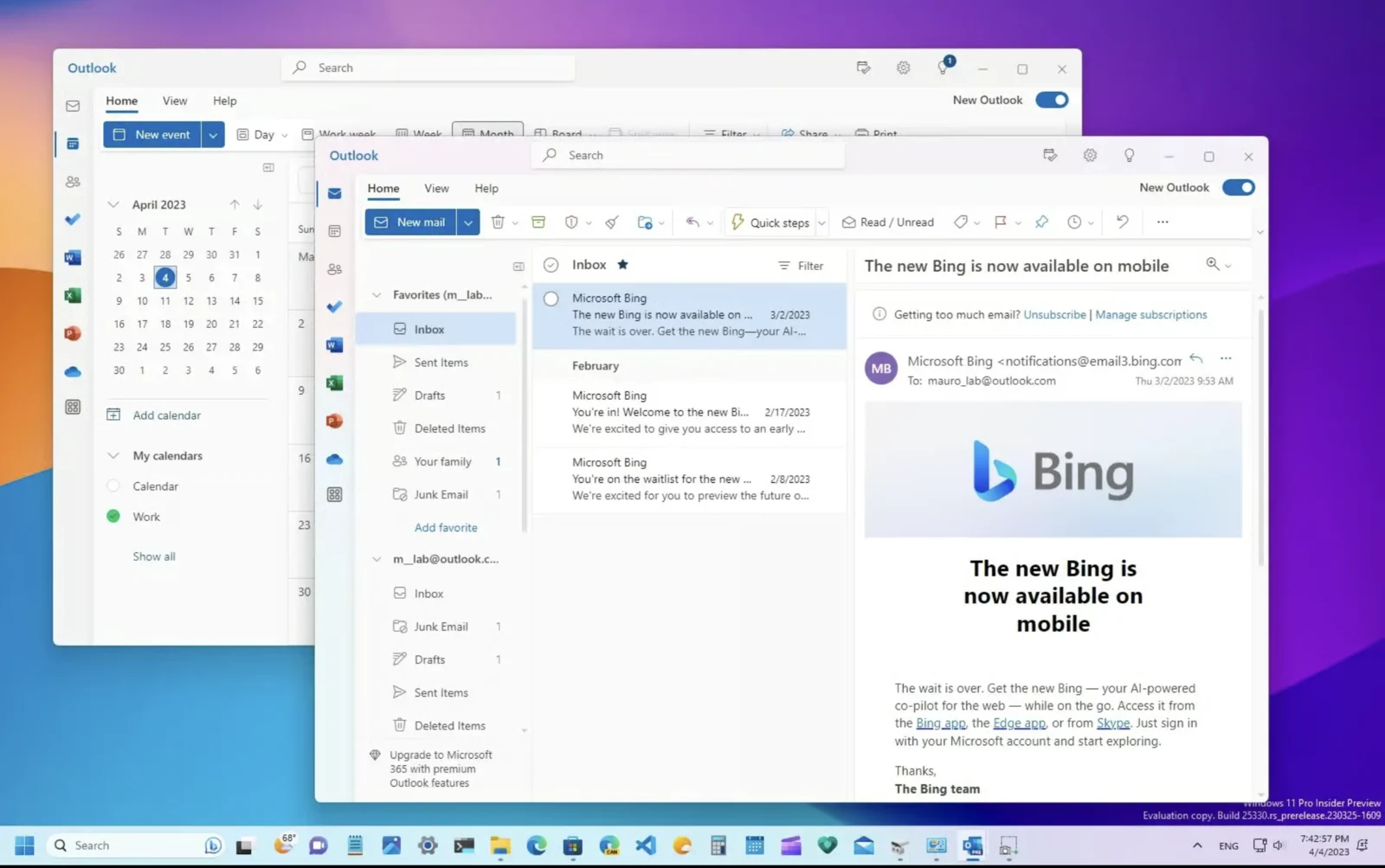 자세한 안내는 [Windows용 새 Outlook 시작하기에 관한 Microsoft 튜토리얼 영상](https://support.microsoft.com/en-us/office/getting-started-with-the-new-outlook-for-windows-656bb8d9-5a60-49b2-a98b-ba7822bc7627)을 참고하세요.
## 관련 문서
* [Outlook 추가 기능 설치가 검증되지 않음](/ko/troubleshooting/outlook-add-in-installation-not-validating)
* [Scribe Microsoft 추가 기능 업데이트 방법](/ko/troubleshooting/how-to-update-the-scribe-microsoft-add-in)
* [Outlook Web 추가 기능 서명이 설치되지 않음](/ko/troubleshooting/outlook-web-add-in-signatures-not-being-installed)
자세한 안내는 [Windows용 새 Outlook 시작하기에 관한 Microsoft 튜토리얼 영상](https://support.microsoft.com/en-us/office/getting-started-with-the-new-outlook-for-windows-656bb8d9-5a60-49b2-a98b-ba7822bc7627)을 참고하세요.
## 관련 문서
* [Outlook 추가 기능 설치가 검증되지 않음](/ko/troubleshooting/outlook-add-in-installation-not-validating)
* [Scribe Microsoft 추가 기능 업데이트 방법](/ko/troubleshooting/how-to-update-the-scribe-microsoft-add-in)
* [Outlook Web 추가 기능 서명이 설치되지 않음](/ko/troubleshooting/outlook-web-add-in-signatures-not-being-installed)