> ## Documentation Index
> Fetch the complete documentation index at: https://help.scribe-mail.com/llms.txt
> Use this file to discover all available pages before exploring further.
# Outlook Windows (remote monitoring)
> Rol Scribe-handtekeningen in één keer uit naar de Outlook voor Windows van je hele team door de Scribe-app en een registersleutel stilletjes uit te rollen via je RMM-tool.
Volg de onderstaande stappen om je handtekeningen in Outlook Windows te installeren.
**Elke gebruiker moet de integratie zelf installeren en configureren.**
**Gebruikers zien hun handtekening tijdens het opstellen van een e-mail.**
**Installatie via de cloud.** E-mails lopen niet via de servers van Scribe.
## Geavanceerde installatie
Dit is een functie voor gevorderde gebruikers. IT-ondersteuning is vereist om deze integratie op te zetten.
* Deze integratie is alleen nodig voor gebruikers zonder Microsoft 365-cloudlicentie. Gebruik anders onze [Microsoft 365-integratie](/nl/integrations/signatures/microsoft-365-client-side) voor volledige automatisering.
* Zodra je de Scribe-app installeert op de apparaten van je team via je remote monitoring-tools, worden teamleden automatisch aangemeld en worden hun handtekeningen in Outlook geïnstalleerd. Zij hoeven niets te doen.
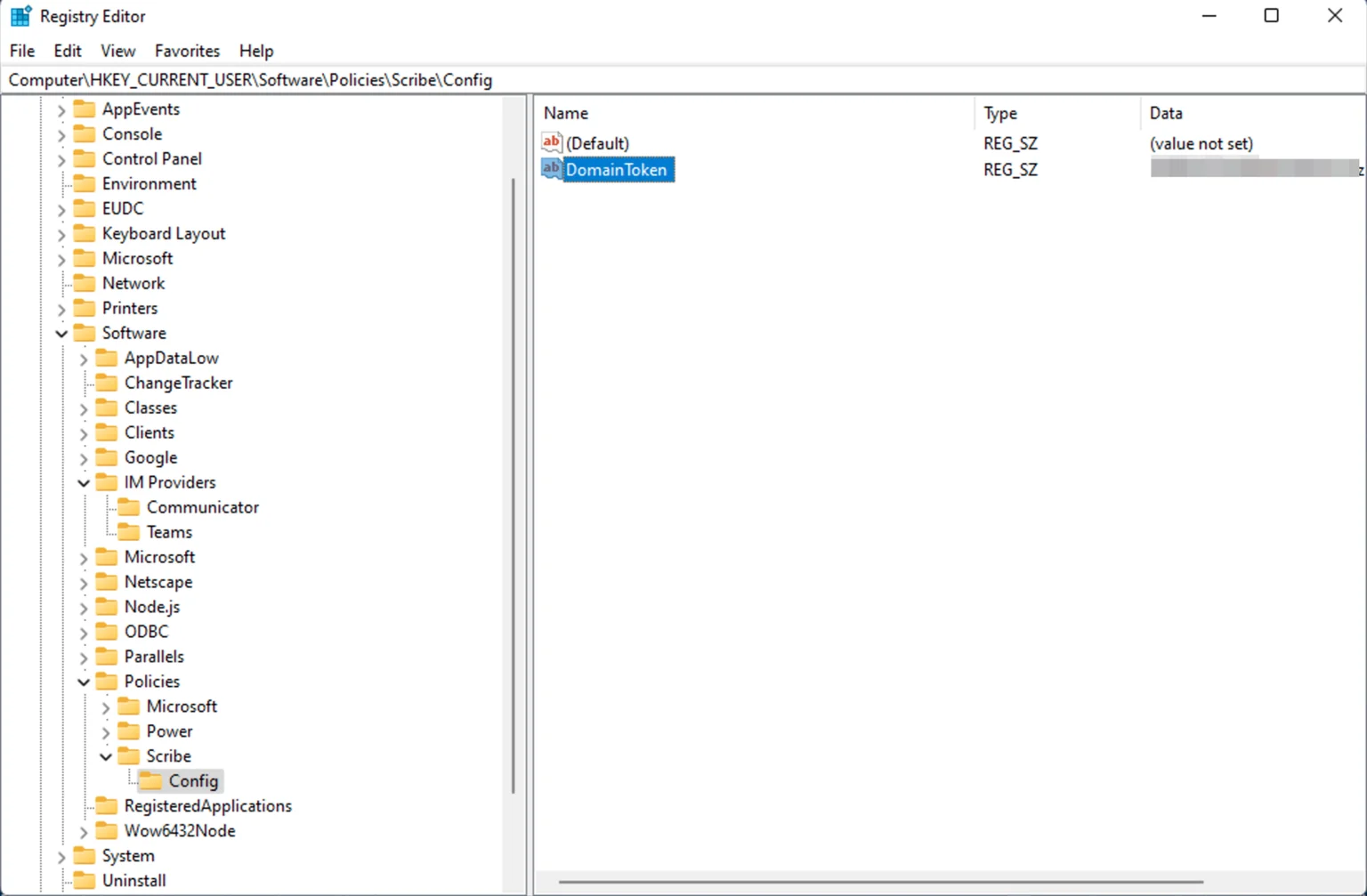
Rol een registersleutel uit op elke computer via je remote monitoring management-tool.
De naam van de sleutel is "DomainToken"
De sleutel moet zich bevinden op `HKLM:\SOFTWARE\Policies\Scribe\Config`
De waarde van de sleutel is je domeintoken. Je kopieert je domeintoken op de integratiepagina.
 Gebruik de stille installer van Scribe in combinatie met een willekeurige remote monitoring and management-tool:
```text theme={null}
https://scribe-mail.com/desktop-app/windows-installer/latest
```
Voer de installer uit met het volgende commando om de applicatie stil te installeren:
```powershell theme={null}
Scribe-Setup-X.X.X.exe /S
```
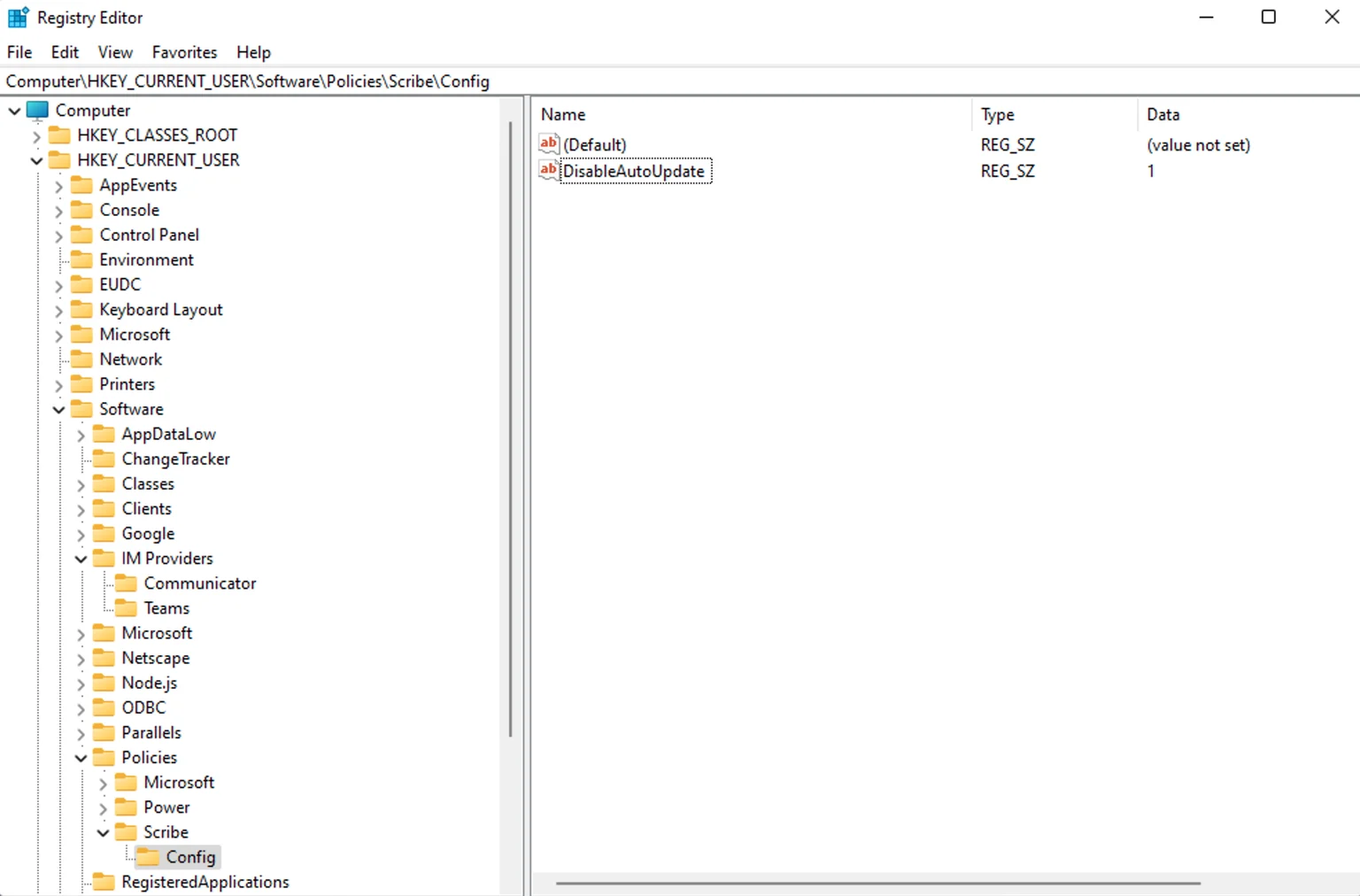
De Scribe-app wordt standaard automatisch bijgewerkt. Implementeer een registersleutel op elke computer om dit uit te schakelen.
De sleutelnaam is "DisableAutoUpdate"
De sleutel moet zich bevinden op `HKLM:\SOFTWARE\Policies\Scribe\Config`
De sleutelwaarde moet "1" zijn
Gebruik de stille installer van Scribe in combinatie met een willekeurige remote monitoring and management-tool:
```text theme={null}
https://scribe-mail.com/desktop-app/windows-installer/latest
```
Voer de installer uit met het volgende commando om de applicatie stil te installeren:
```powershell theme={null}
Scribe-Setup-X.X.X.exe /S
```
De Scribe-app wordt standaard automatisch bijgewerkt. Implementeer een registersleutel op elke computer om dit uit te schakelen.
De sleutelnaam is "DisableAutoUpdate"
De sleutel moet zich bevinden op `HKLM:\SOFTWARE\Policies\Scribe\Config`
De sleutelwaarde moet "1" zijn
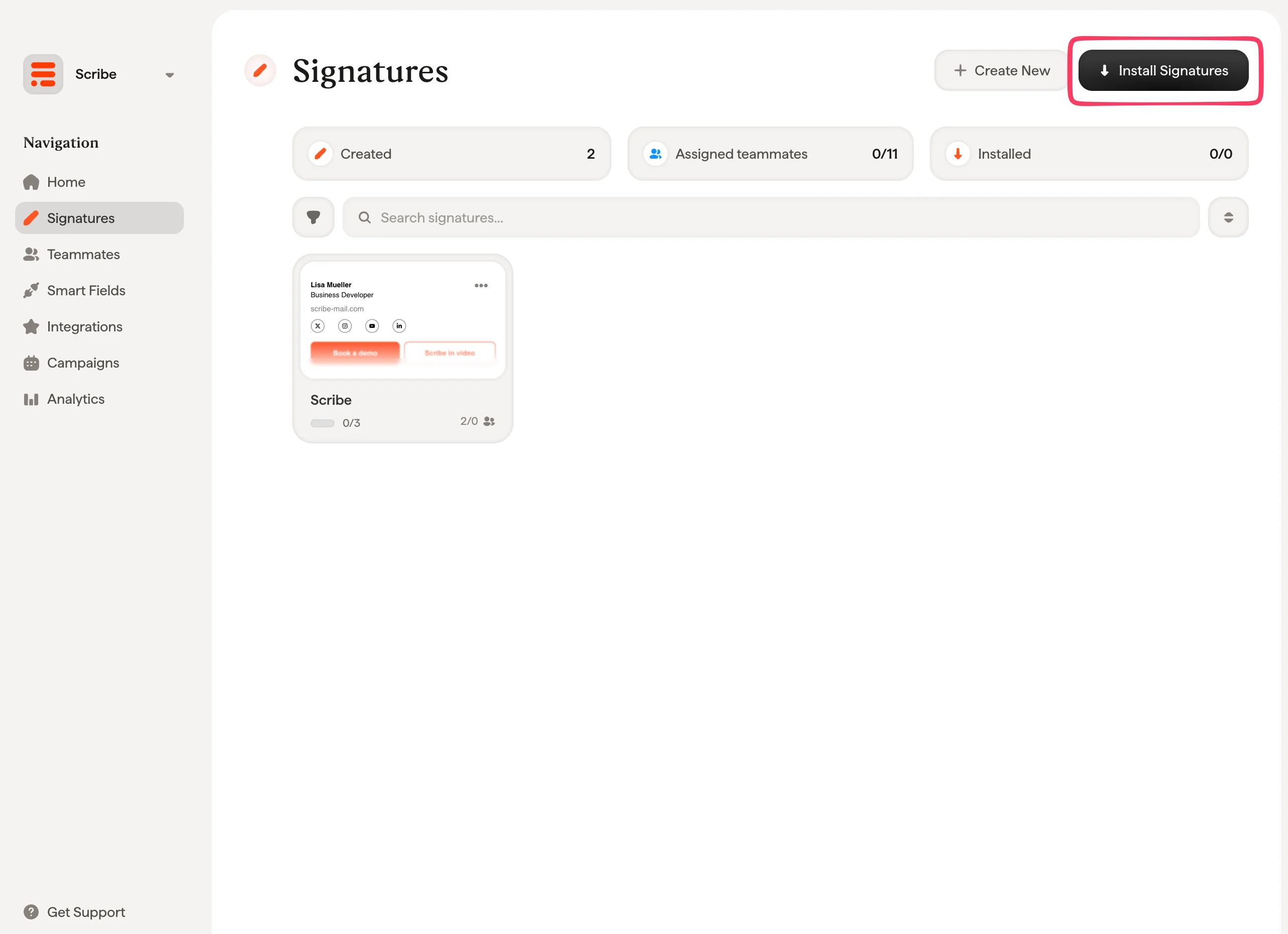
 Vanuit je handtekeningenlijst kun je [alle handtekeningen in één keer installeren voor je teamleden](/nl/install-signatures) of ze één voor één installeren voor een gefaseerde uitrol.
 ## Gerelateerde artikelen
* [Overzicht van integraties](/nl/integrations-overview): alle manieren om Scribe-handtekeningen uit te rollen, in de cloud of aan de serverzijde.
* [Outlook Windows](/nl/integrations/signatures/outlook-windows): handmatige installatie per gebruiker in Outlook voor Windows.
* [Installatiestatussen en -fouten](/nl/signature-installation-statuses-and-errors): wat elke installatiestatus betekent en hoe je fouten oplost.
## Gerelateerde artikelen
* [Overzicht van integraties](/nl/integrations-overview): alle manieren om Scribe-handtekeningen uit te rollen, in de cloud of aan de serverzijde.
* [Outlook Windows](/nl/integrations/signatures/outlook-windows): handmatige installatie per gebruiker in Outlook voor Windows.
* [Installatiestatussen en -fouten](/nl/signature-installation-statuses-and-errors): wat elke installatiestatus betekent en hoe je fouten oplost.