> ## Documentation Index
> Fetch the complete documentation index at: https://help.scribe-mail.com/llms.txt
> Use this file to discover all available pages before exploring further.
# BambooHR
> Houd e-mailhandtekeningen accuraat en automatisch up-to-date door medewerkergegevens zoals naam, functietitel en aangepaste velden te synchroniseren vanuit je HR-systeem BambooHR.
Volg deze stappen om de [handtekeningen van je teamleden automatisch in te vullen](/nl/smart-fields) met BambooHR als gegevensbron.
**Je teamleden hoeven niets te doen.**
**Wijzigingen in BambooHR synchroniseren automatisch met Scribe.**
**SOC 2 Type II-gecertificeerd.** [Je gegevens zijn veilig](/nl/security/data-collection/bamboohr).
## Installatiehandleiding
### Vereisten
* Een Scribe-account met beheerderstoegang
* Een BambooHR-account met toegang tot een API-sleutel
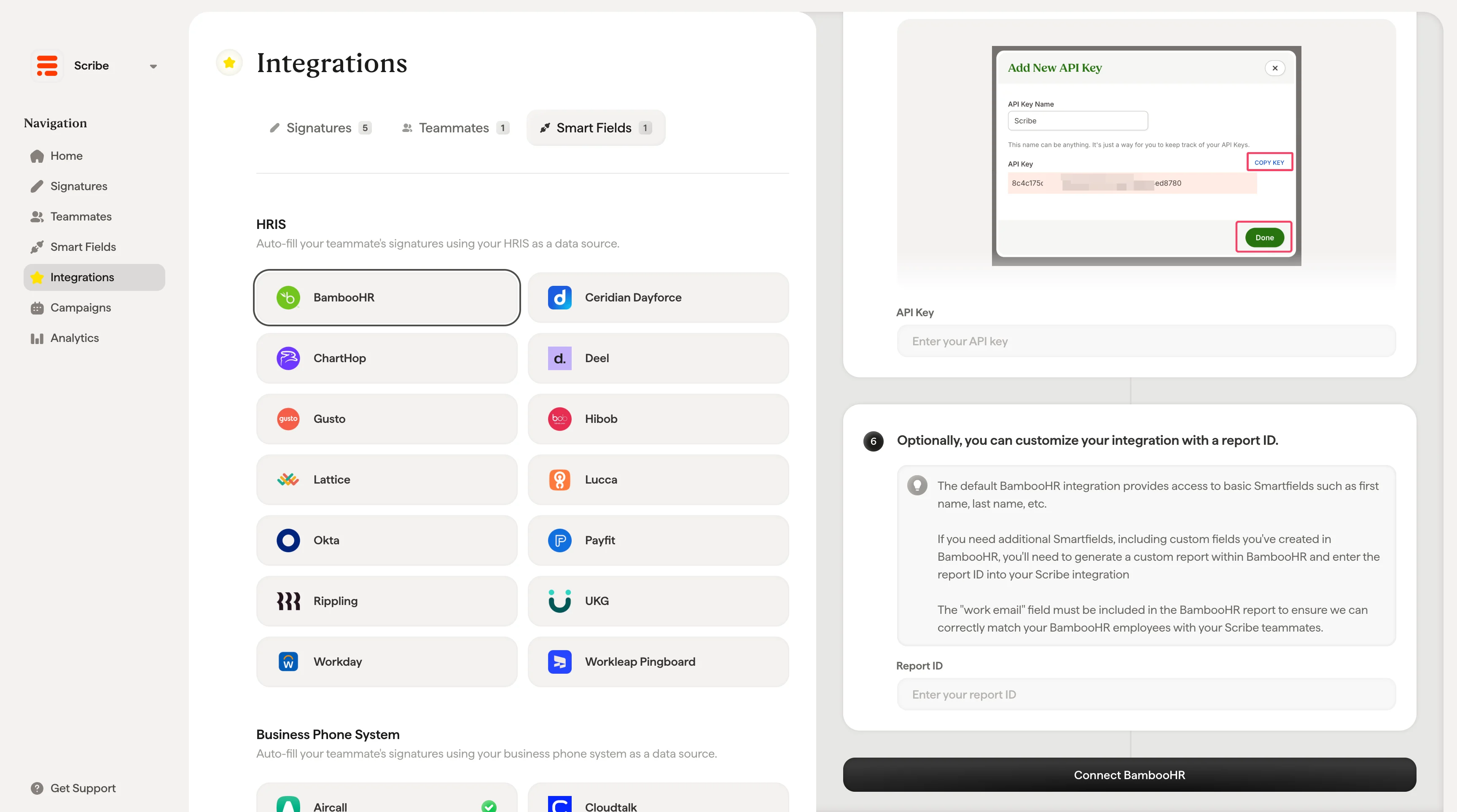
Je subdomein is het deel vóór `.bamboohr.com` in je BambooHR-URL. Vul het in bij het veld **Subdomain** in Scribe.

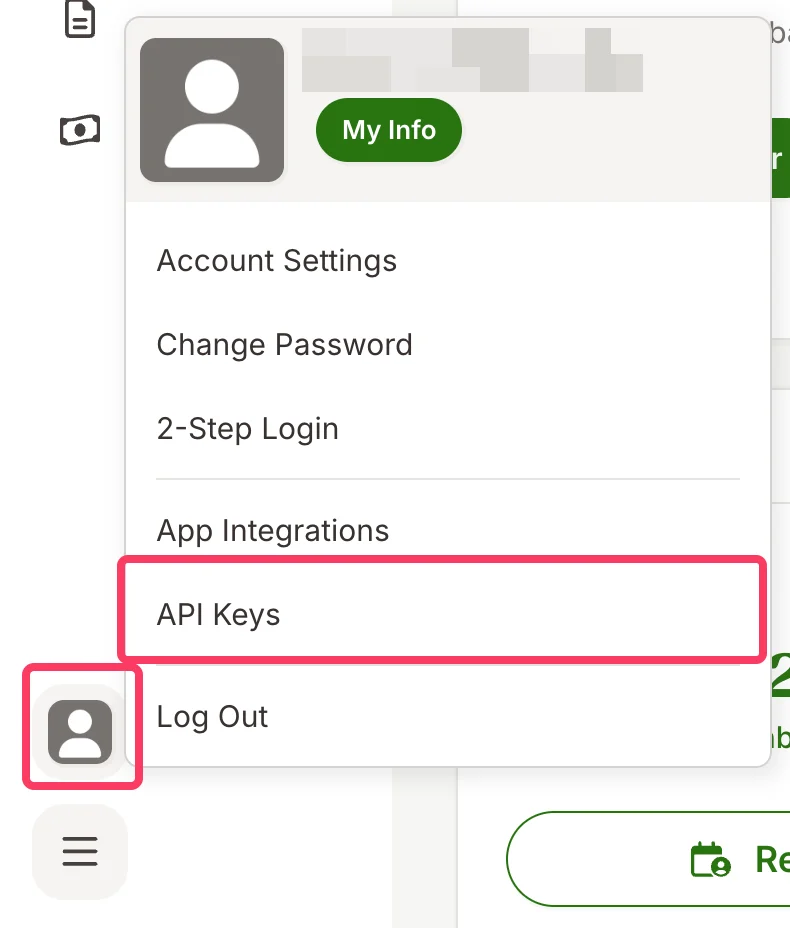
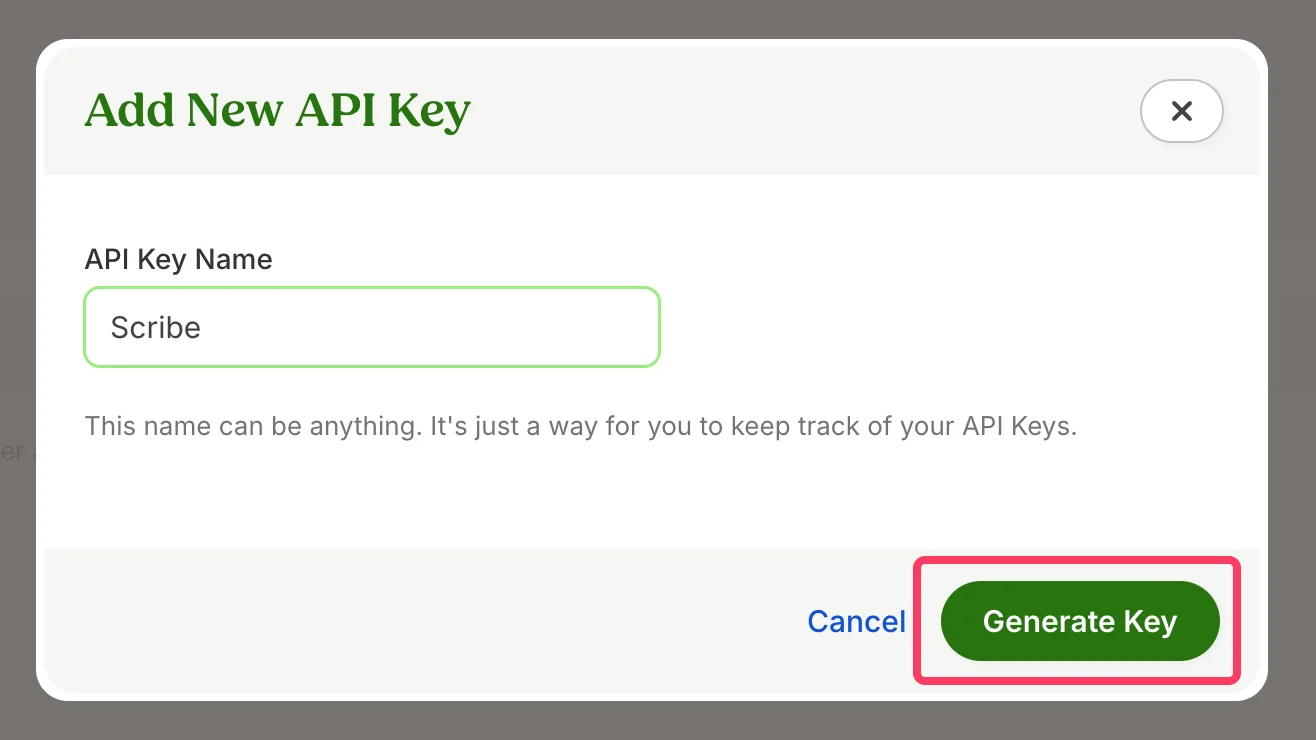
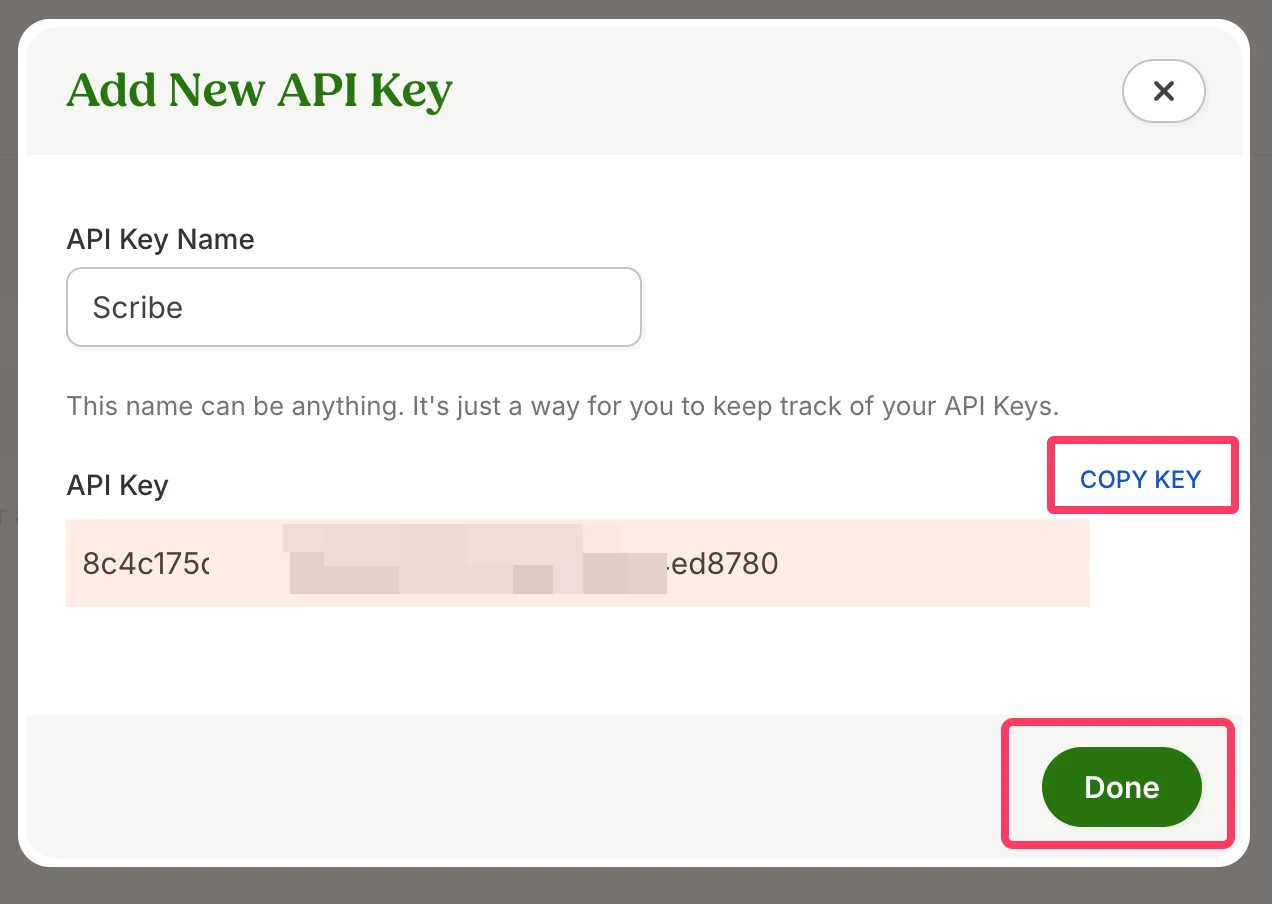
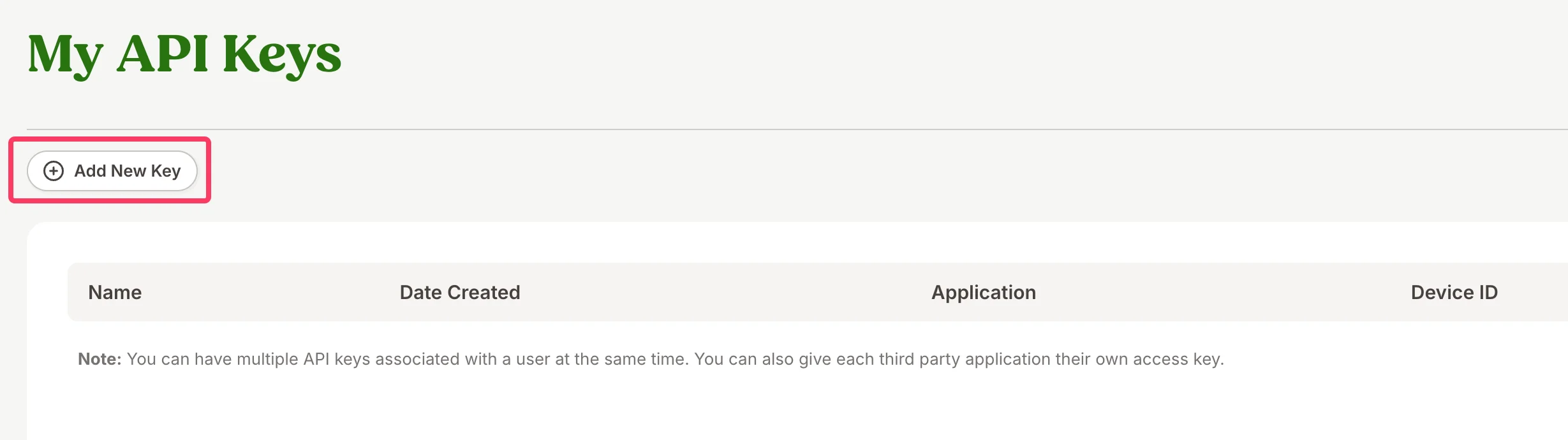 Je mag de sleutel elke gewenste naam geven (bijv. "Scribe"). Het is gewoon een manier om je API-sleutels te onderscheiden.
 De standaard BambooHR-integratie biedt toegang tot basis-Smartfields zoals voornaam, achternaam enzovoort.
Als je aanvullende Smartfields nodig hebt, waaronder aangepaste velden die je in BambooHR hebt aangemaakt, moet je een aangepast rapport genereren in BambooHR en de rapport-ID invoeren in je Scribe-integratie.
Het veld "work email" moet in het BambooHR-rapport worden opgenomen, zodat we je BambooHR-medewerkers correct kunnen koppelen aan je Scribe-teamleden.
Voer je rapport-ID in en klik op **Connect BambooHR**.
De standaard BambooHR-integratie biedt toegang tot basis-Smartfields zoals voornaam, achternaam enzovoort.
Als je aanvullende Smartfields nodig hebt, waaronder aangepaste velden die je in BambooHR hebt aangemaakt, moet je een aangepast rapport genereren in BambooHR en de rapport-ID invoeren in je Scribe-integratie.
Het veld "work email" moet in het BambooHR-rapport worden opgenomen, zodat we je BambooHR-medewerkers correct kunnen koppelen aan je Scribe-teamleden.
Voer je rapport-ID in en klik op **Connect BambooHR**.
 ## Gerelateerde artikelen
* [Ceridian Dayforce](/nl/integrations/smart-fields/ceridian-dayforce-smart-fields): synchroniseer Ceridian Dayforce-gegevens met je handtekeningen.
* [ChartHop](/nl/integrations/smart-fields/charthop-smart-fields): synchroniseer ChartHop-gegevens met je handtekeningen.
* [Teamleden aan een handtekening toewijzen](/nl/assign-teammates-to-a-signature): gebruik Smartfield-voorwaarden om handtekeningen automatisch toe te wijzen.
## Gerelateerde artikelen
* [Ceridian Dayforce](/nl/integrations/smart-fields/ceridian-dayforce-smart-fields): synchroniseer Ceridian Dayforce-gegevens met je handtekeningen.
* [ChartHop](/nl/integrations/smart-fields/charthop-smart-fields): synchroniseer ChartHop-gegevens met je handtekeningen.
* [Teamleden aan een handtekening toewijzen](/nl/assign-teammates-to-a-signature): gebruik Smartfield-voorwaarden om handtekeningen automatisch toe te wijzen.