> ## Documentation Index
> Fetch the complete documentation index at: https://help.scribe-mail.com/llms.txt
> Use this file to discover all available pages before exploring further.
# Gusto
> Houd e-mailhandtekeningen accuraat en automatisch up-to-date door werknemersgegevens zoals functietitel en afdeling te synchroniseren vanuit Gusto, je HR- en salarisplatform.
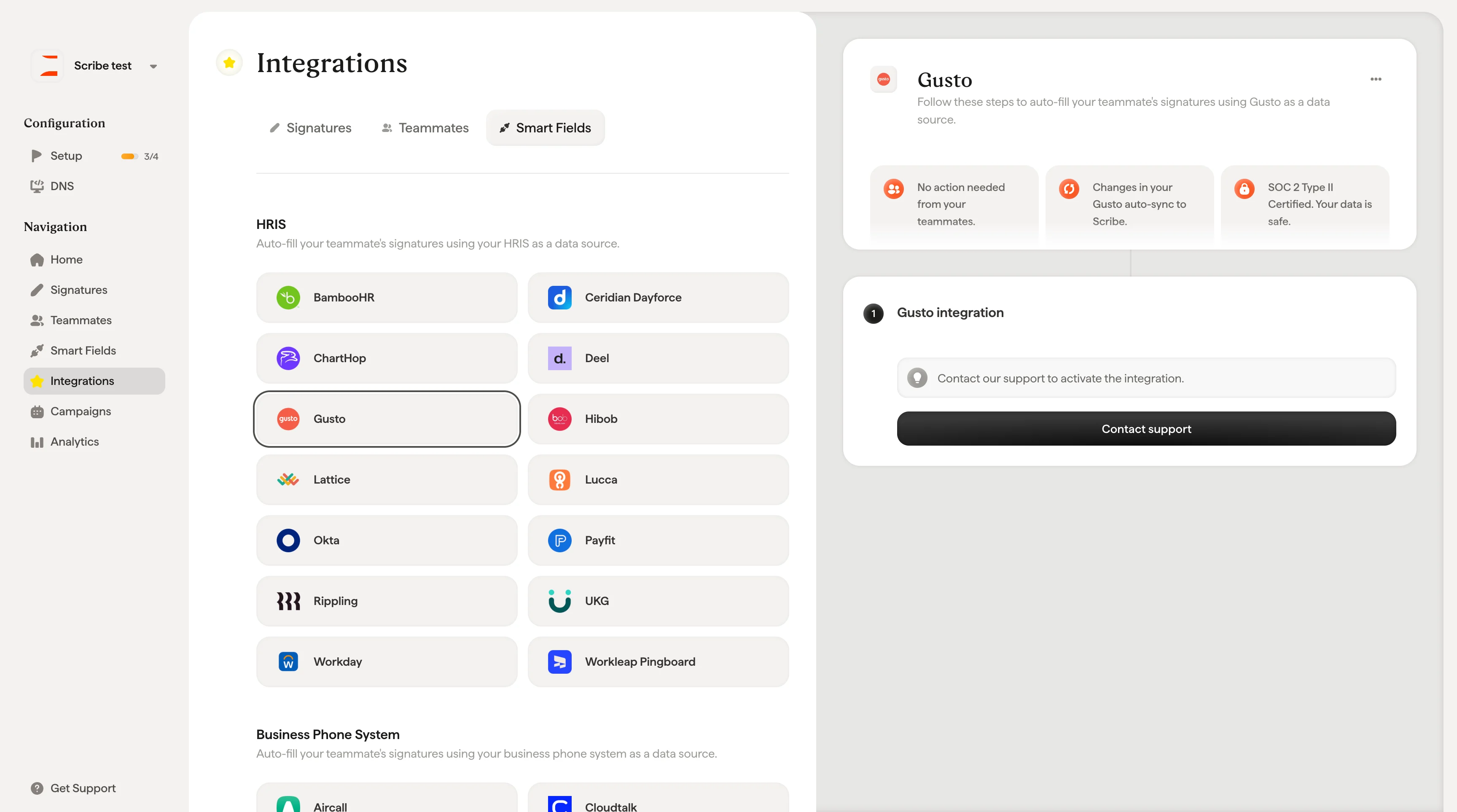
Volg deze stappen om [de handtekeningen van je teamleden automatisch in te vullen](/nl/smart-fields) met Gusto als gegevensbron.
**Je teamleden hoeven niets te doen.**
**Wijzigingen in Gusto worden automatisch gesynchroniseerd met Scribe.**
**SOC 2 Type II-gecertificeerd.** [Je gegevens zijn veilig](/nl/what-scribe-does-concerning-security).
## Installatiegids
### Vereisten
* Een Scribe-account met beheerderstoegang
Deze integratie moet door ons team worden geactiveerd. Klik op **Contact support** om te beginnen.
 ## Gerelateerde artikelen
* [Hibob](/nl/integrations/smart-fields/hibob-smart-fields): synchroniseer Hibob-gegevens met je handtekeningen.
* [Lattice](/nl/integrations/smart-fields/lattice-smart-fields): synchroniseer Lattice-gegevens met je handtekeningen.
* [Teamleden aan een handtekening toewijzen](/nl/assign-teammates-to-a-signature): gebruik Smartfield-voorwaarden om handtekeningen automatisch toe te wijzen.
## Gerelateerde artikelen
* [Hibob](/nl/integrations/smart-fields/hibob-smart-fields): synchroniseer Hibob-gegevens met je handtekeningen.
* [Lattice](/nl/integrations/smart-fields/lattice-smart-fields): synchroniseer Lattice-gegevens met je handtekeningen.
* [Teamleden aan een handtekening toewijzen](/nl/assign-teammates-to-a-signature): gebruik Smartfield-voorwaarden om handtekeningen automatisch toe te wijzen.