> ## Documentation Index
> Fetch the complete documentation index at: https://help.scribe-mail.com/llms.txt
> Use this file to discover all available pages before exploring further.

# Lucca

> Houd e-mailhandtekeningen kloppend en automatisch up-to-date door medewerkergegevens zoals naam, functie en afdeling te synchroniseren vanuit Lucca, je HR-software.

Volg deze stappen om [de handtekeningen van je teamleden automatisch in te vullen](/nl/smart-fields) met Lucca als gegevensbron.

<Info>
  **Je teamleden hoeven niets te doen.**
</Info>

<Info>
  **Wijzigingen in Lucca worden automatisch gesynchroniseerd met Scribe.**
</Info>

<Info>
  **SOC 2 Type II-gecertificeerd.** [Je gegevens zijn veilig](/nl/security/data-collection/lucca).
</Info>

## Installatiehandleiding

### Vereisten

* Beheerderstoegang tot je Lucca-account
* Een Scribe-account met beheerderstoegang

<Steps>
  <Step title="Ga naar je Lucca-account en kopieer het instance-domein uit de URL-balk">
    Je Lucca-domein ziet eruit als `your-company.ilucca.net`. Kopieer het uit de URL-balk en plak het in het veld **Domein** in Scribe.

    <Frame>
      <img src="https://mintcdn.com/scribe/pvZJQ56rCCLLmCwt/integrations/smart-fields/images/lucca-step-1.png?fit=max&auto=format&n=pvZJQ56rCCLLmCwt&q=85&s=307de25cb7860b39ebccc35073690481" alt="Lucca-URL-balk met het instance-domein" className="mx-auto" style={{ width:"72%" }} width="974" height="152" data-path="integrations/smart-fields/images/lucca-step-1.png" />
    </Frame>
  </Step>

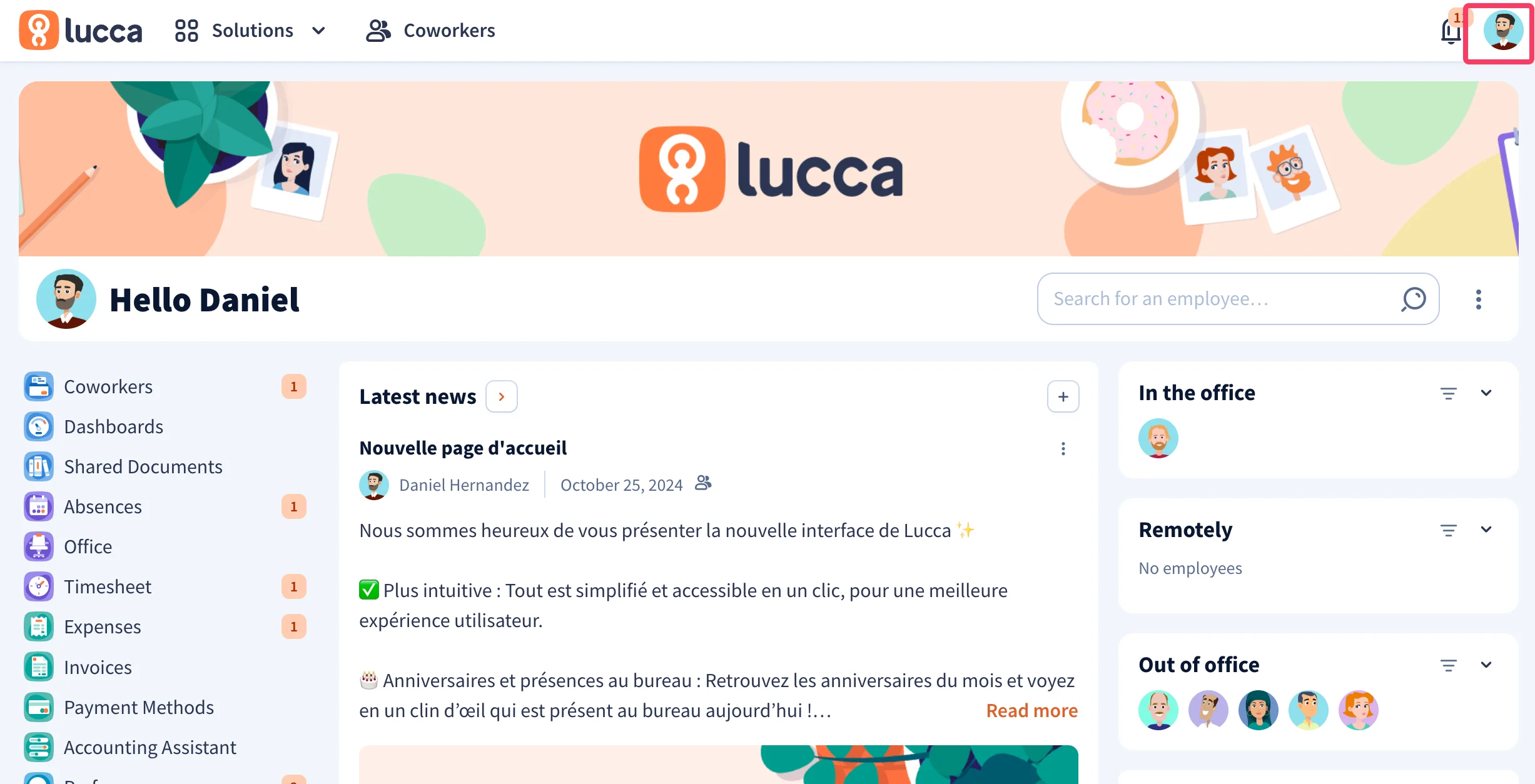
  <Step title="Klik in je Lucca-account op je profielfoto rechtsboven">
    <Frame>
      <img src="https://mintcdn.com/scribe/pvZJQ56rCCLLmCwt/integrations/smart-fields/images/lucca-step-2.png?fit=max&auto=format&n=pvZJQ56rCCLLmCwt&q=85&s=7da338e927e45cf875e330d1966f0647" alt="Lucca-dashboard met profielfoto gemarkeerd rechtsboven" className="mx-auto" style={{ width:"78%" }} width="2454" height="1254" data-path="integrations/smart-fields/images/lucca-step-2.png" />
    </Frame>
  </Step>

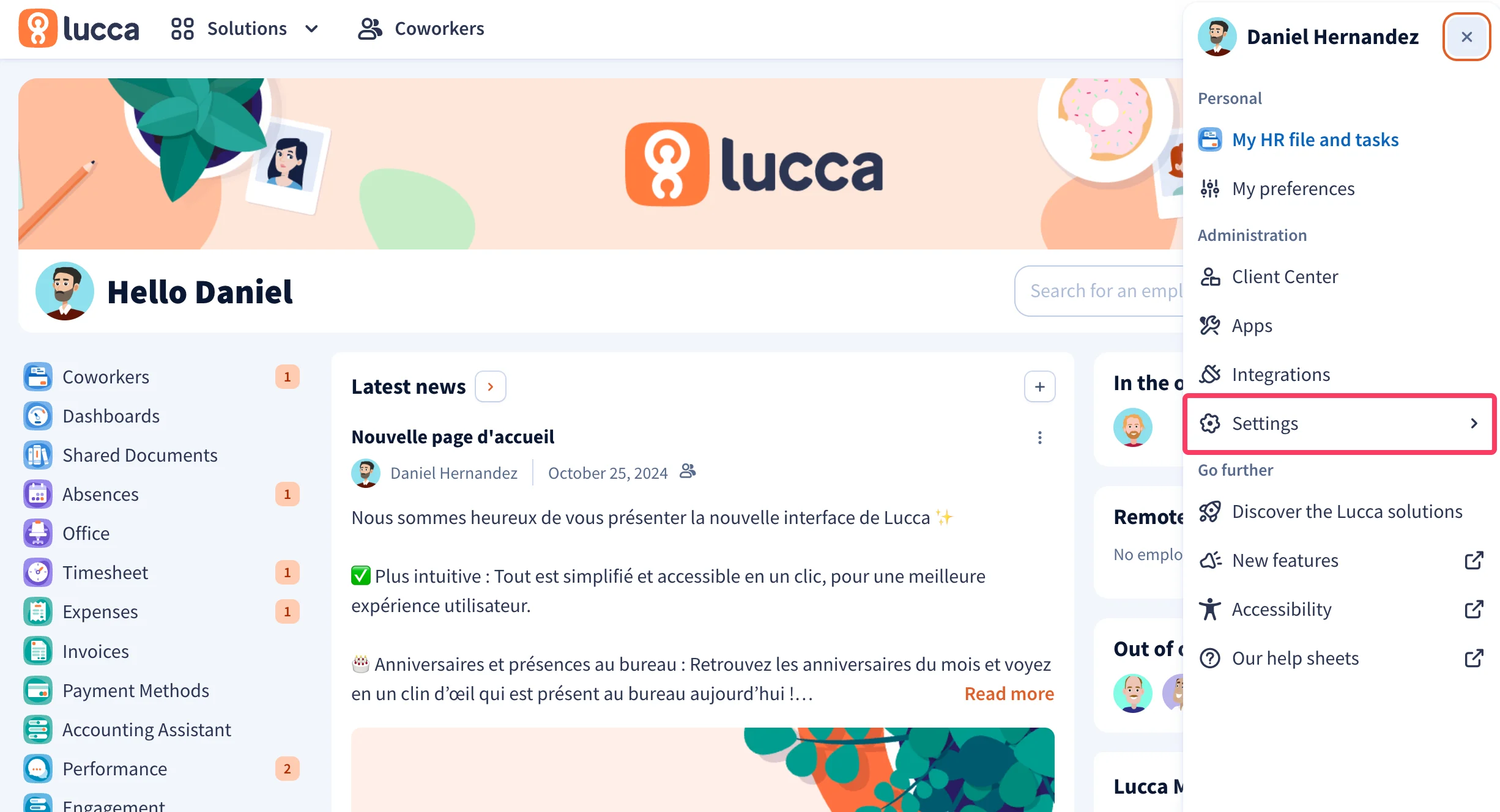
  <Step title="Klik in het dropdownmenu op 'Settings'">
    <Frame>
      <img src="https://mintcdn.com/scribe/pvZJQ56rCCLLmCwt/integrations/smart-fields/images/lucca-step-3.png?fit=max&auto=format&n=pvZJQ56rCCLLmCwt&q=85&s=9750472f86ed179d4904c277eb55ac8b" alt="Lucca-dropdownmenu met de optie Settings gemarkeerd" className="mx-auto" style={{ width:"88%" }} width="2452" height="1328" data-path="integrations/smart-fields/images/lucca-step-3.png" />
    </Frame>
  </Step>

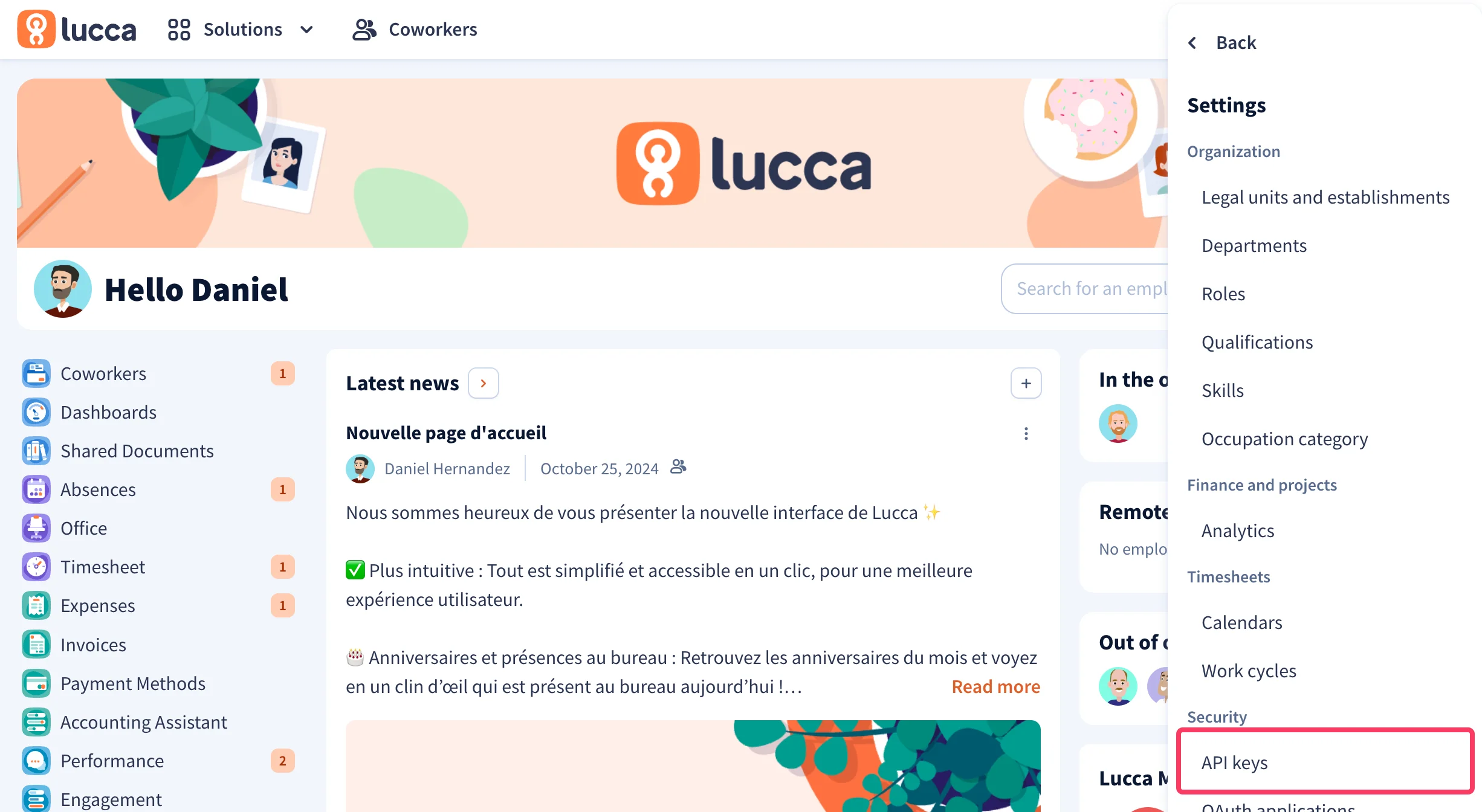
  <Step title="Klik in het dropdownmenu op 'API Keys'">
    Klik onder **Security** op **API keys**.
    <Frame>
      <img src="https://mintcdn.com/scribe/pvZJQ56rCCLLmCwt/integrations/smart-fields/images/lucca-step-4.png?fit=max&auto=format&n=pvZJQ56rCCLLmCwt&q=85&s=369206d41d382ce4ad42f2046d8b9888" alt="Lucca-instellingenmenu met de optie API Keys gemarkeerd onder Security" className="mx-auto" style={{ width:"80%" }} width="2452" height="1344" data-path="integrations/smart-fields/images/lucca-step-4.png" />
    </Frame>
  </Step>

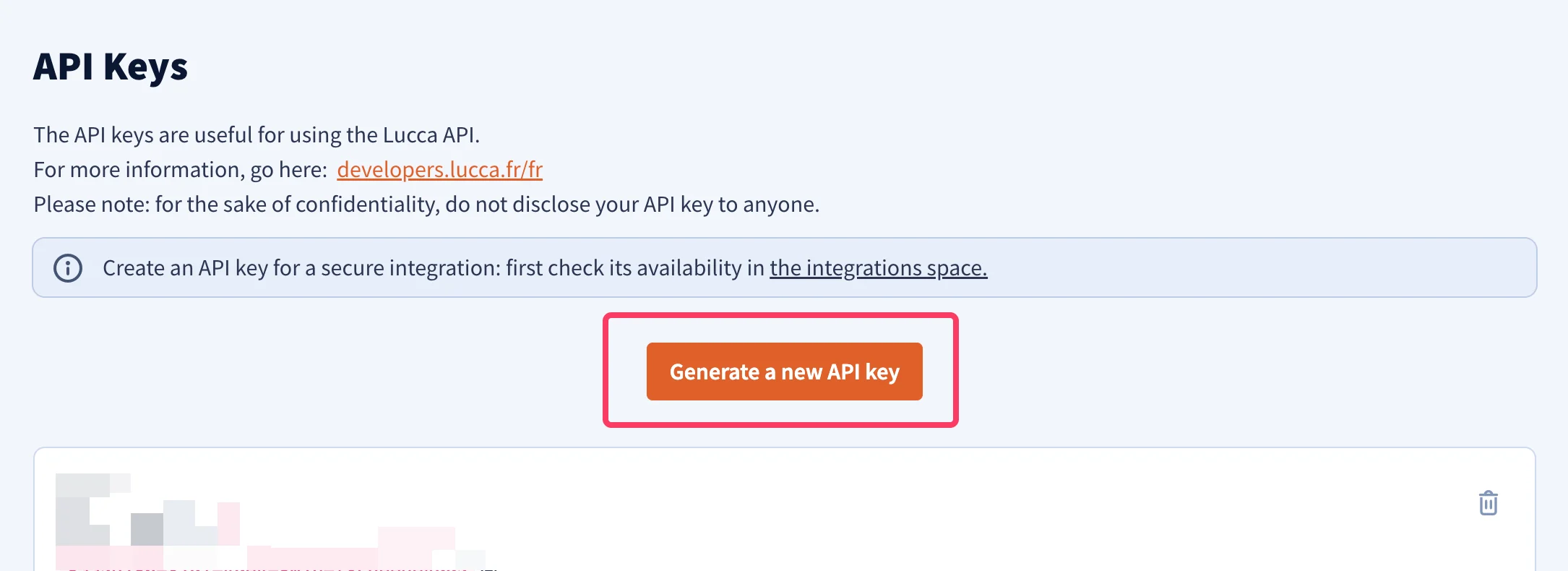
  <Step title="Klik op de knop 'Generate a new API key'">
    <Frame>
      <img src="https://mintcdn.com/scribe/pvZJQ56rCCLLmCwt/integrations/smart-fields/images/lucca-step-5.png?fit=max&auto=format&n=pvZJQ56rCCLLmCwt&q=85&s=26b65f4e5c6653f0821dc39b7538dcbd" alt="Lucca API Keys-pagina met de knop Generate a new API key" className="mx-auto" style={{ width:"85%" }} width="2170" height="790" data-path="integrations/smart-fields/images/lucca-step-5.png" />
    </Frame>
  </Step>

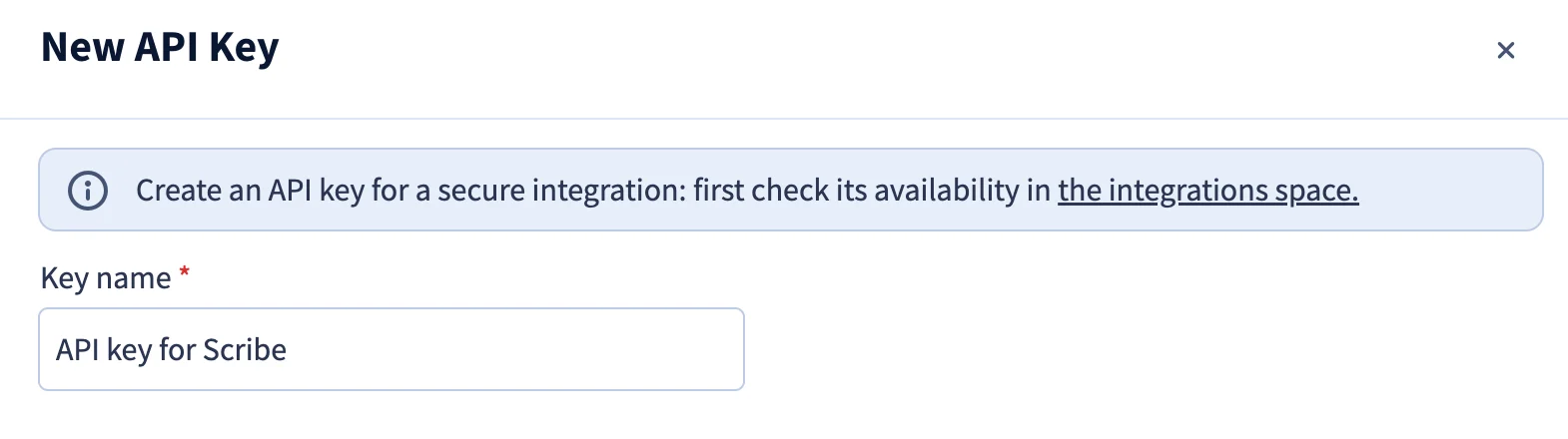
  <Step title="Geef je API-sleutel een naam">
    Voer bijvoorbeeld `API key for Scribe` in.
    <Frame>
      <img src="https://mintcdn.com/scribe/pvZJQ56rCCLLmCwt/integrations/smart-fields/images/lucca-step-6.png?fit=max&auto=format&n=pvZJQ56rCCLLmCwt&q=85&s=b01dad542cb54f4635beeb92923982bf" alt="Dialoogvenster Nieuwe API-sleutel met veld voor sleutelnaam" className="mx-auto" style={{ width:"85%" }} width="1570" height="440" data-path="integrations/smart-fields/images/lucca-step-6.png" />
    </Frame>
  </Step>

  <Step title="Selecteer het bereik 'Co-workers'">
    Vink de machtiging **Consult / create / modify users** aan onder het bereik **Co-workers**.

    <Frame>
      <img src="https://mintcdn.com/scribe/pvZJQ56rCCLLmCwt/integrations/smart-fields/images/lucca-step-7.png?fit=max&auto=format&n=pvZJQ56rCCLLmCwt&q=85&s=46b4801fdc2854d906a31d20cd6fedda" alt="Bereik Co-workers met Consult / create / modify users geselecteerd" className="mx-auto" style={{ width:"90%" }} width="1202" height="186" data-path="integrations/smart-fields/images/lucca-step-7.png" />
    </Frame>
  </Step>

  <Step title="Vul een technisch contact-e-mailadres in">
    <Frame>
      <img src="https://mintcdn.com/scribe/pvZJQ56rCCLLmCwt/integrations/smart-fields/images/lucca-step-8.png?fit=max&auto=format&n=pvZJQ56rCCLLmCwt&q=85&s=f903fea34a611b045586b9e06d4c906d" alt="Veld voor technisch contact-e-mailadres" className="mx-auto" style={{ width:"86%" }} width="1118" height="218" data-path="integrations/smart-fields/images/lucca-step-8.png" />
    </Frame>
  </Step>

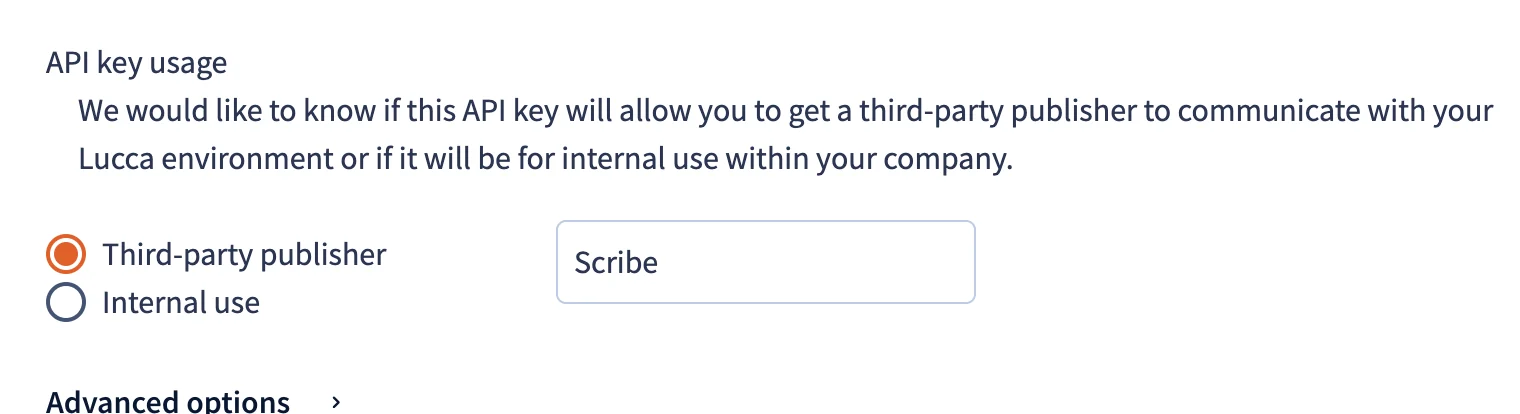
  <Step title="Voer Scribe in als Third-party publisher name">
    Selecteer onder **API key usage** de optie **Third-party publisher** en voer `Scribe` in als naam van de uitgever.

    <Frame>
      <img src="https://mintcdn.com/scribe/pvZJQ56rCCLLmCwt/integrations/smart-fields/images/lucca-step-9.png?fit=max&auto=format&n=pvZJQ56rCCLLmCwt&q=85&s=2f86a3183d22b08e3caab3669dcb752c" alt="Sectie API key usage met Third-party publisher geselecteerd en Scribe ingevoerd" className="mx-auto" style={{ width:"80%" }} width="1520" height="414" data-path="integrations/smart-fields/images/lucca-step-9.png" />
    </Frame>
  </Step>

  <Step title="Klik op de knop 'Generate a new API key'">
    <Frame>
      <img src="https://mintcdn.com/scribe/pvZJQ56rCCLLmCwt/integrations/smart-fields/images/lucca-step-10.png?fit=max&auto=format&n=pvZJQ56rCCLLmCwt&q=85&s=4faf52c4c595a6428408f0ca1f4c0333" alt="Bevestigingsknop Generate a new API key" className="mx-auto" style={{ width:"75%" }} width="1122" height="196" data-path="integrations/smart-fields/images/lucca-step-10.png" />
    </Frame>
  </Step>

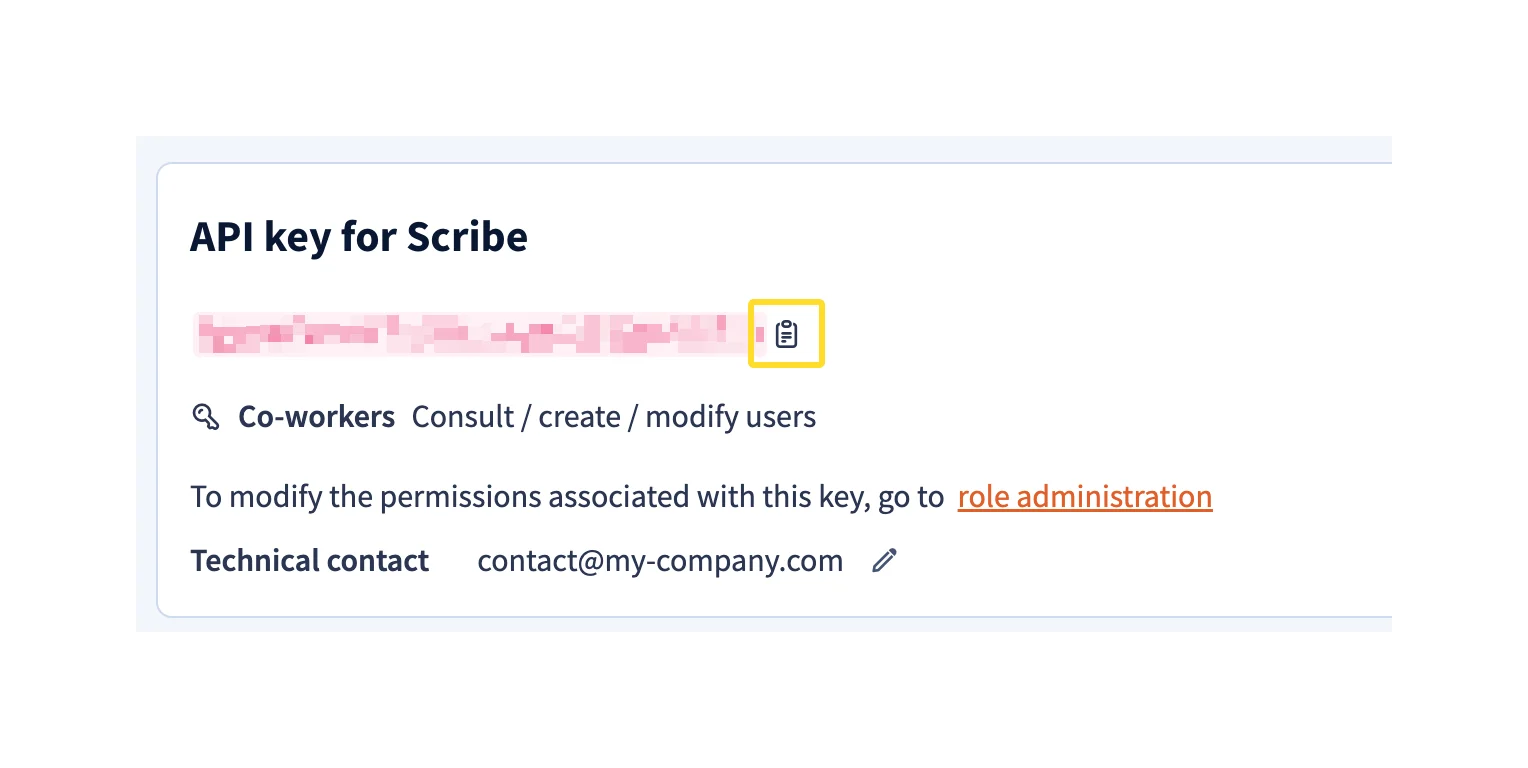
  <Step title="Kopieer de gegenereerde API-sleutel en plak deze in Scribe">
    Kopieer de API-sleutel uit Lucca en plak deze in het veld **API Key** in Scribe. Klik vervolgens op **Connect Lucca**.
    <Frame>
      <img src="https://mintcdn.com/scribe/pvZJQ56rCCLLmCwt/integrations/smart-fields/images/lucca-step-11.png?fit=max&auto=format&n=pvZJQ56rCCLLmCwt&q=85&s=f3584db41ca03567c0156ef1ecedc053" alt="Gegenereerde API-sleutel met kopieerknop en het veld API Key in Scribe met de knop Connect Lucca" className="mx-auto" style={{ width:"84%" }} width="1528" height="768" data-path="integrations/smart-fields/images/lucca-step-11.png" />
    </Frame>
  </Step>
</Steps>

## Gerelateerde artikelen

* [Okta](/nl/integrations/smart-fields/okta-smart-fields): synchroniseer Okta-gegevens met je handtekeningen.
* [Payfit](/nl/integrations/smart-fields/payfit-smart-fields): synchroniseer Payfit-gegevens met je handtekeningen.
* [Teamleden aan een handtekening toewijzen](/nl/assign-teammates-to-a-signature): gebruik Smartfield-voorwaarden om handtekeningen automatisch toe te wijzen.