> ## Documentation Index
> Fetch the complete documentation index at: https://help.scribe-mail.com/llms.txt
> Use this file to discover all available pages before exploring further.
# Google-add-in wordt niet gevalideerd
> Problemen oplossen met de Scribe Google-add-in wanneer het validatieproces van Google Workspace te lang duurt, vastloopt of niet succesvol wordt voltooid.
Als je al langer dan 30 minuten wacht tot je [Google add-in](/nl/integrations/signatures/google-workspace-client-side) wordt gevalideerd, controleer dan het volgende.
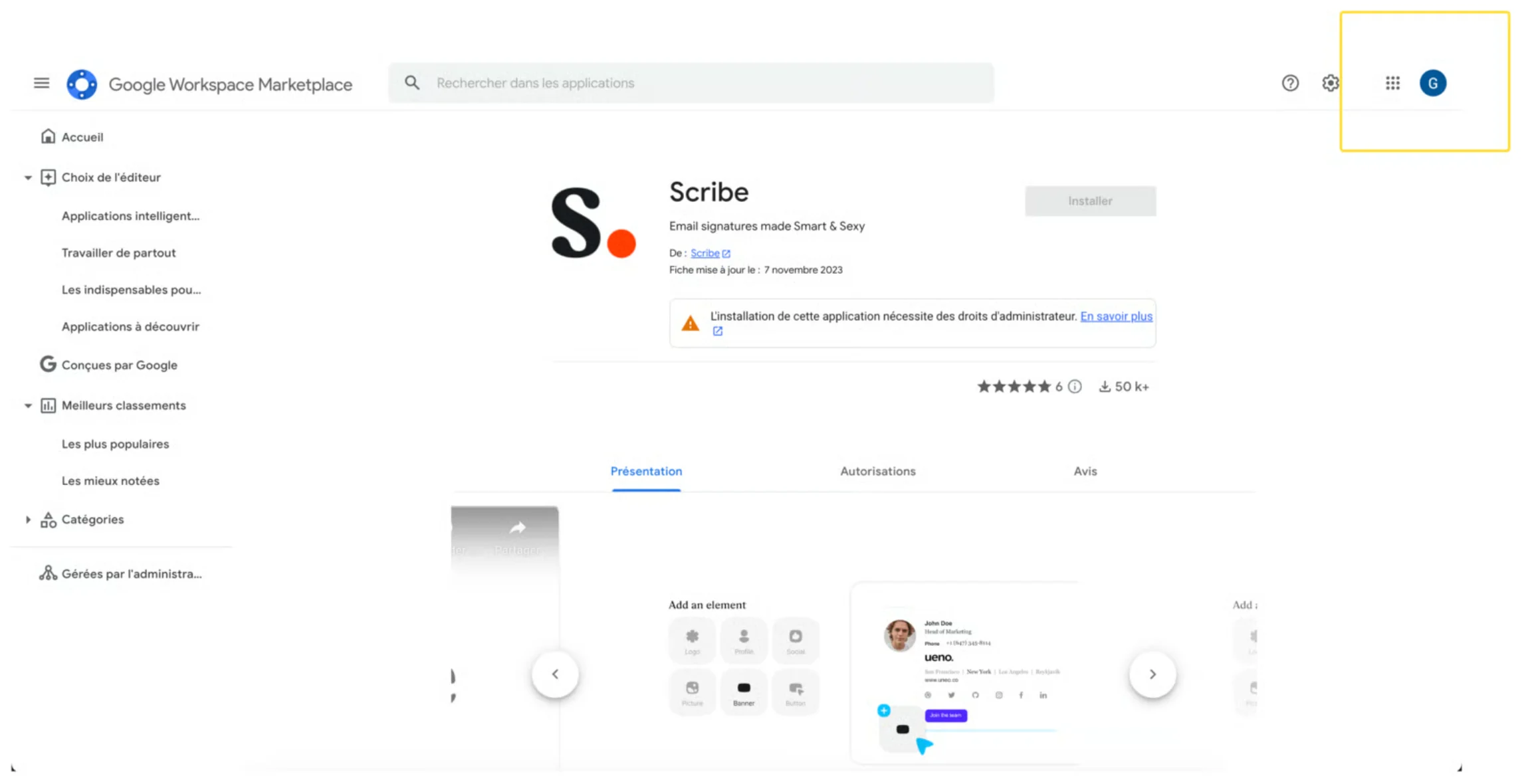
Controleer of je het juiste Google-account hebt geselecteerd bij het installeren van de add-in via de [Google Workspace Marketplace](https://workspace.google.com/marketplace/app/scribe/456495922678). Soms selecteren gebruikers per ongeluk een ander domein binnen hun Google-account.
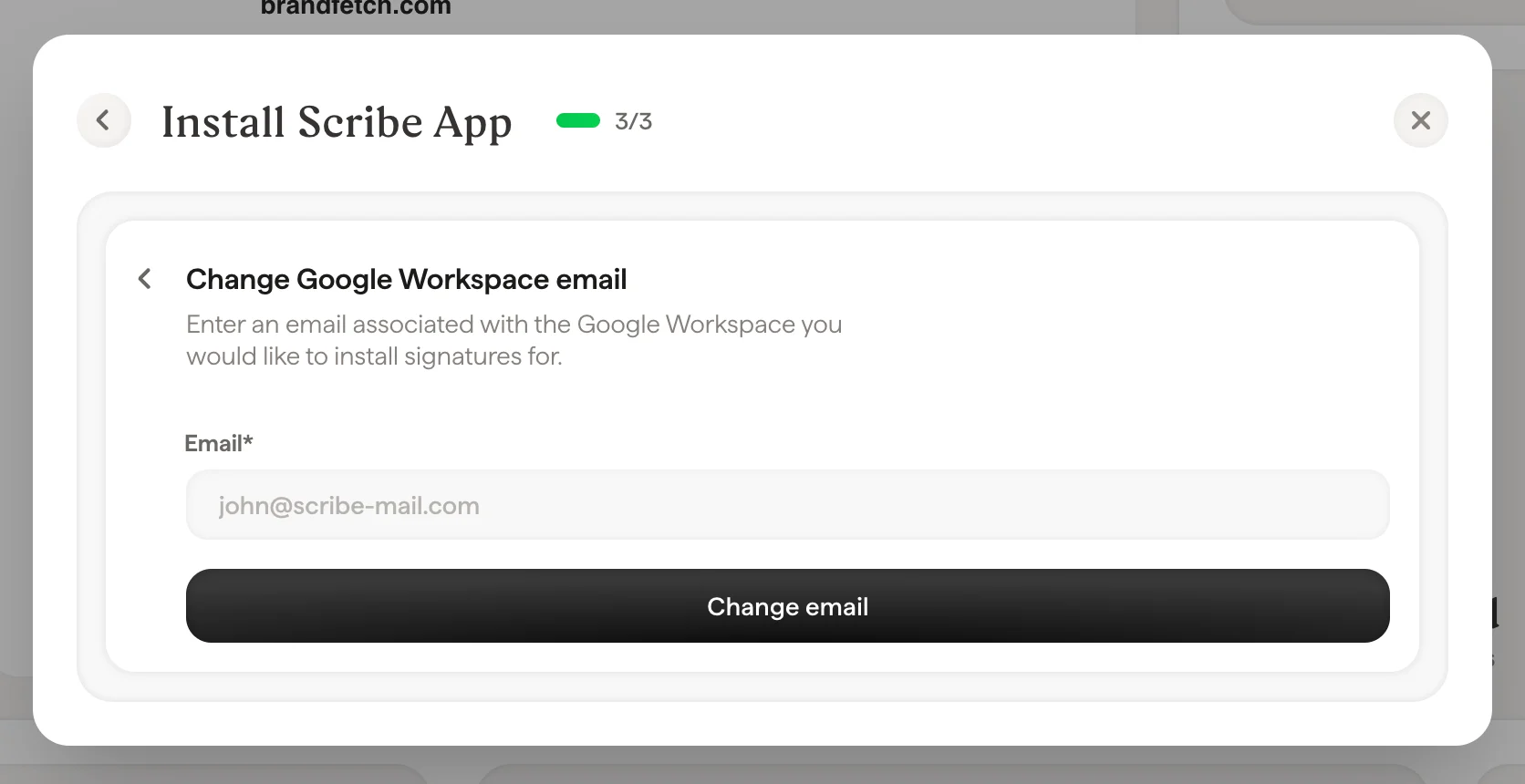
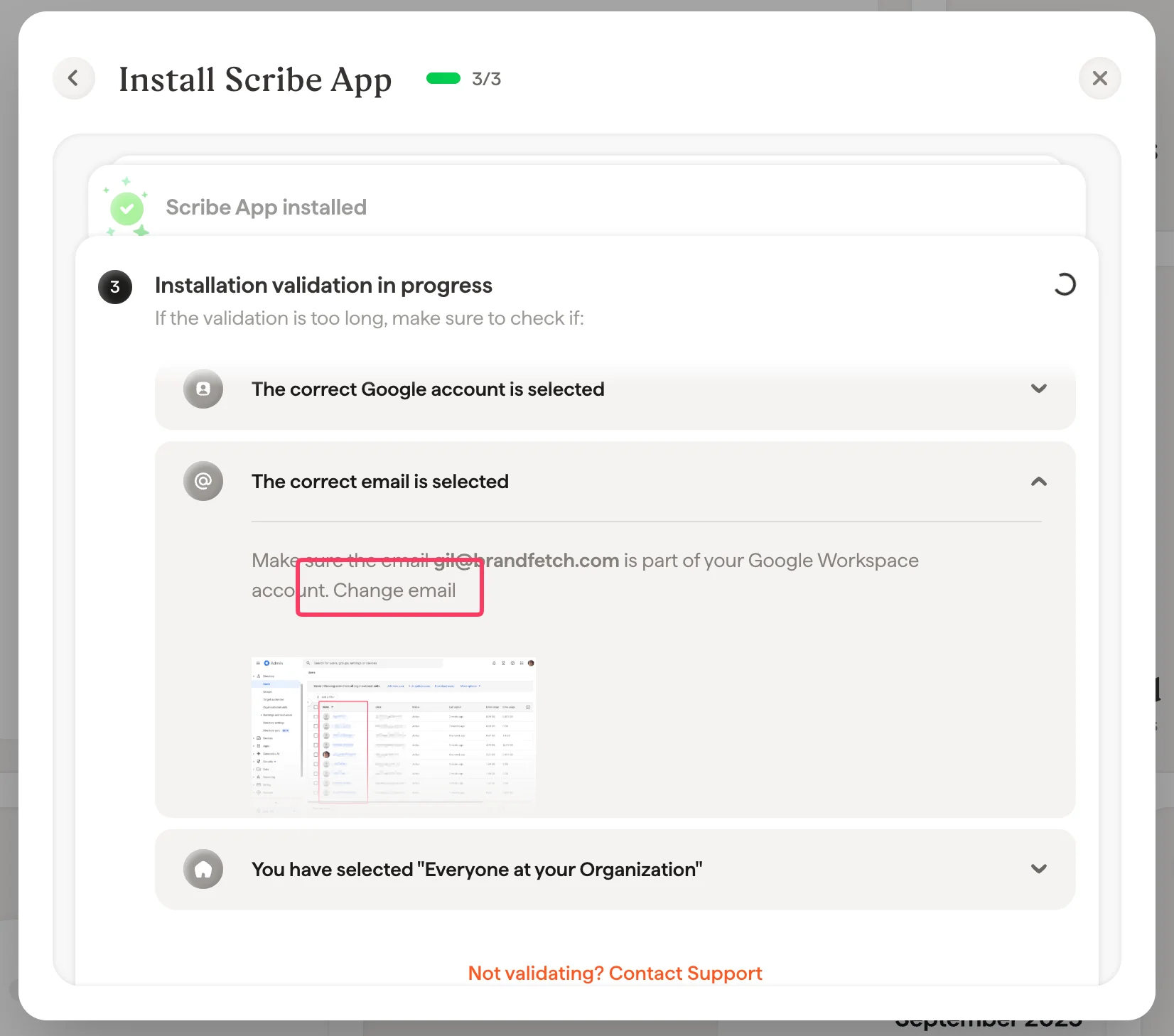
 Zorg ervoor dat het e-mailadres dat je hebt gekozen om de add-in te installeren, deel uitmaakt van je Google Workspace-account. Je wijzigt dit e-mailadres in Scribe via de [integratiepagina](/nl/integrations-overview) en open je vervolgens de Google Workspace-integratie:
 Selecteer bij het installeren van de app de optie "Everyone at your organization".
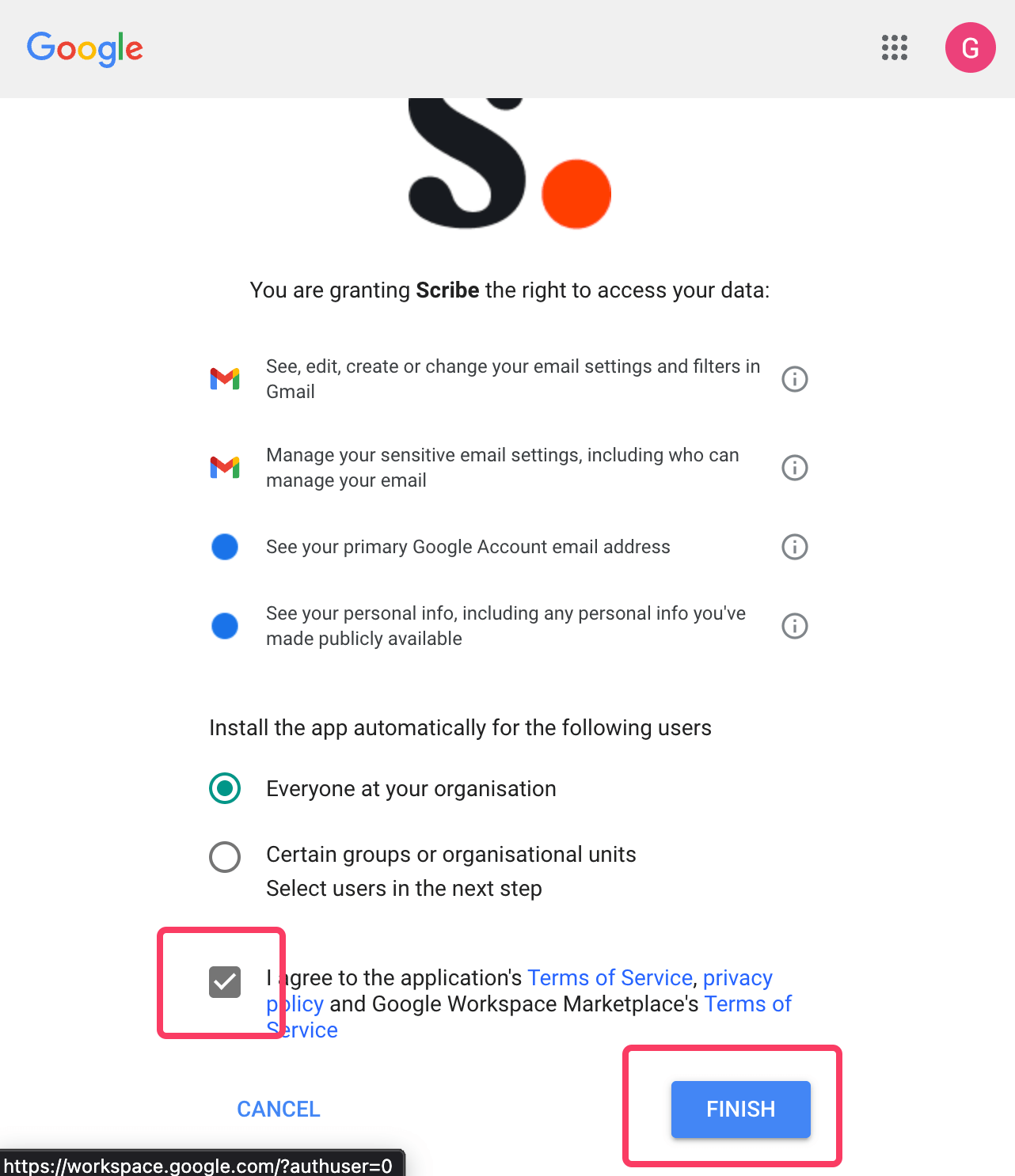 Om Scribe de vereiste rechten te geven, moet je hoofdbeheerder zijn in je Google Workspace. Nodig iemand van IT uit als je geen hoofdbeheerder bent.
Deze integratie werkt voor gebruikers van Google Workspace, niet voor persoonlijke Gmail-accounts.
## Gerelateerde artikelen
* [Beheerdersbeleid afgedwongen](/nl/troubleshooting/admin-policy-enforced)
* [Toegang tot Google Workspace verloren](/nl/troubleshooting/google-workspace-access-lost)
* [Installatie van Outlook add-in wordt niet gevalideerd](/nl/troubleshooting/outlook-add-in-installation-not-validating)
Om Scribe de vereiste rechten te geven, moet je hoofdbeheerder zijn in je Google Workspace. Nodig iemand van IT uit als je geen hoofdbeheerder bent.
Deze integratie werkt voor gebruikers van Google Workspace, niet voor persoonlijke Gmail-accounts.
## Gerelateerde artikelen
* [Beheerdersbeleid afgedwongen](/nl/troubleshooting/admin-policy-enforced)
* [Toegang tot Google Workspace verloren](/nl/troubleshooting/google-workspace-access-lost)
* [Installatie van Outlook add-in wordt niet gevalideerd](/nl/troubleshooting/outlook-add-in-installation-not-validating)