> ## Documentation Index
> Fetch the complete documentation index at: https://help.scribe-mail.com/llms.txt
> Use this file to discover all available pages before exploring further.
# Google-tillegg validerer ikke
> Feilsøk Scribe-tillegget for Google når valideringsprosessen for Google Workspace tar for lang tid, står fast eller ikke fullføres.
Hvis du har ventet i mer enn 30 minutter på at [Google-tillegget](/no/integrations/signatures/google-workspace-client-side) skal valideres, sjekk følgende.
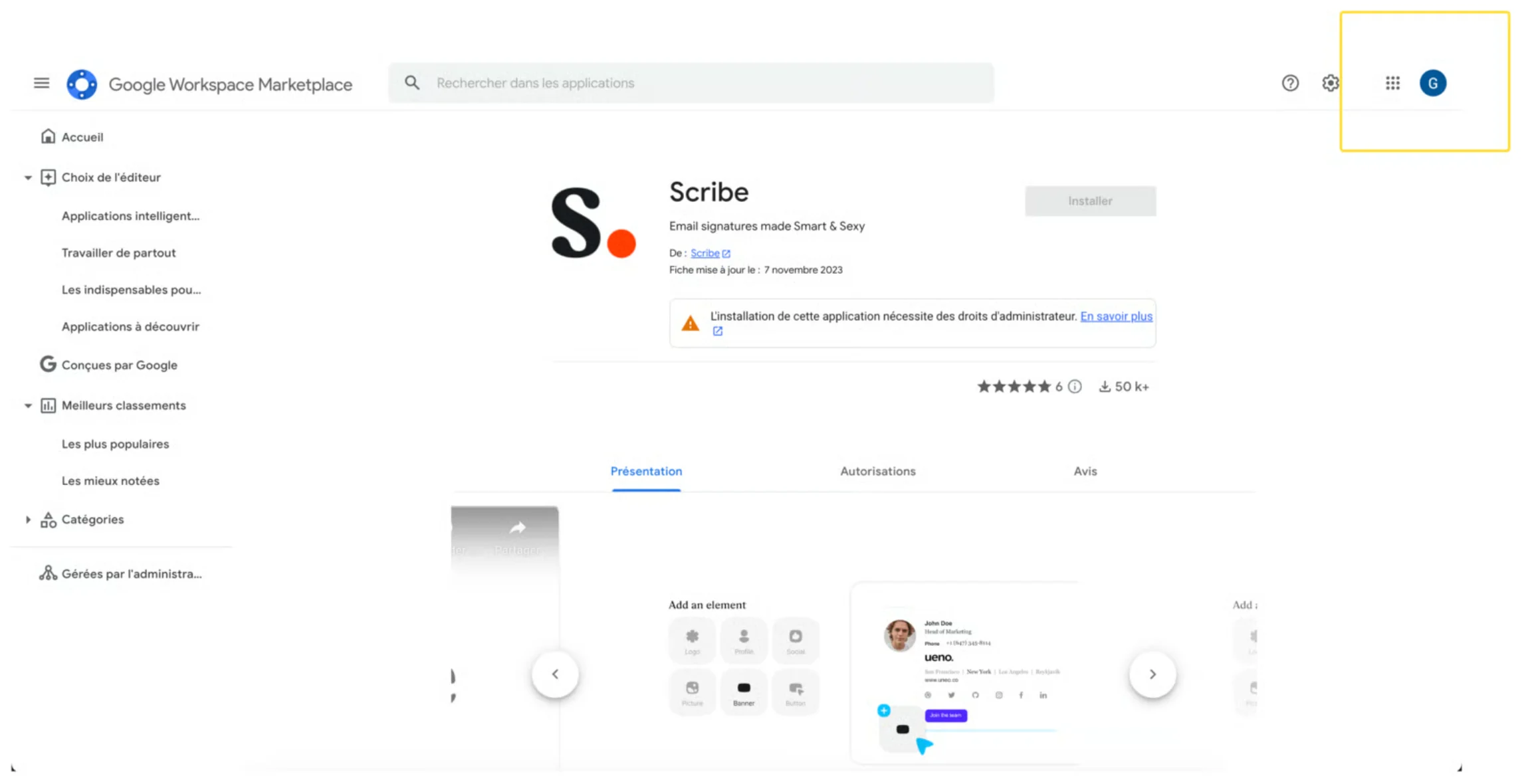
Sørg for at du valgte riktig Google-konto da du installerte tillegget fra [Google Workspace Marketplace](https://workspace.google.com/marketplace/app/scribe/456495922678). Noen ganger velger brukere et annet domenenavn fra Google-kontoen sin.
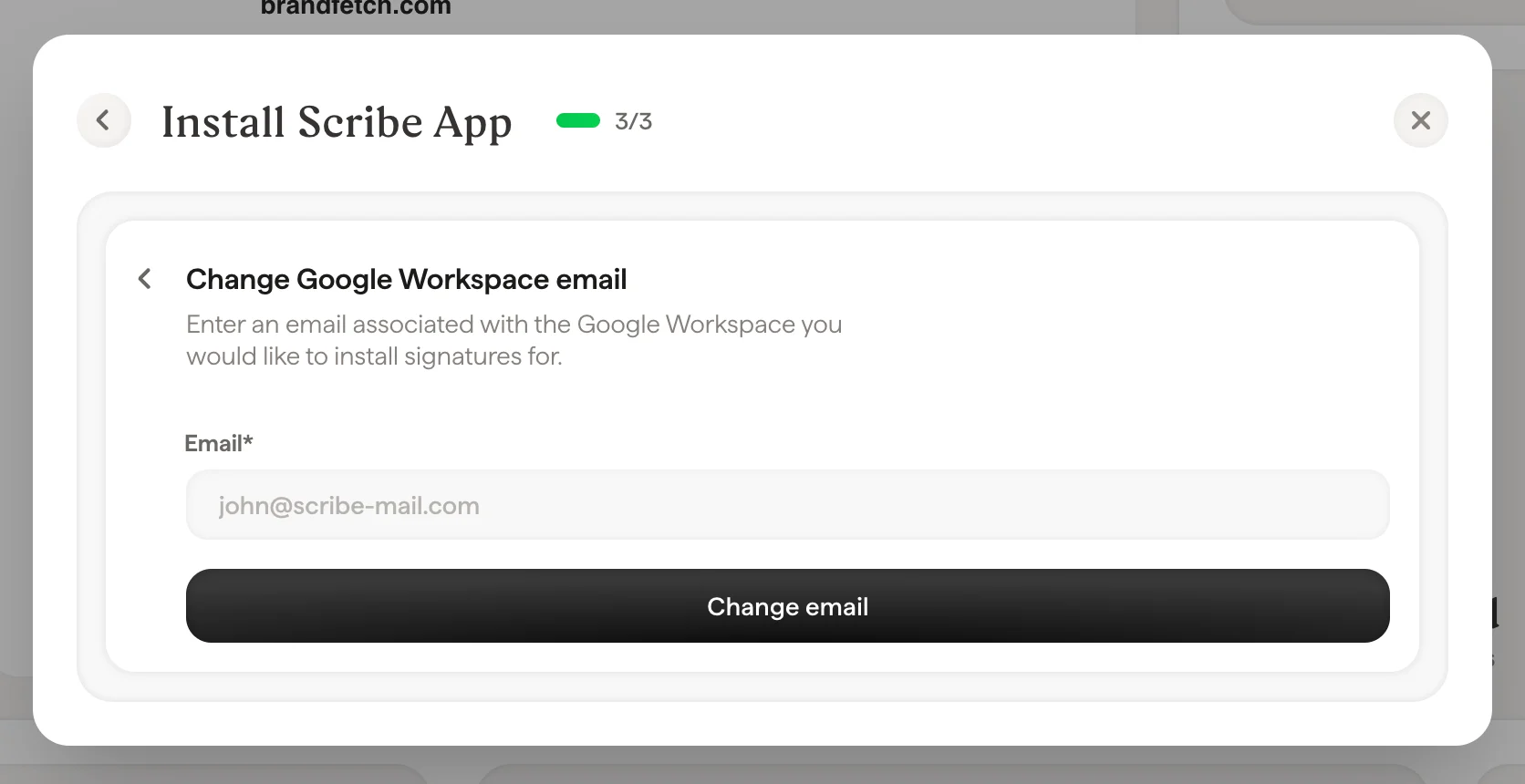
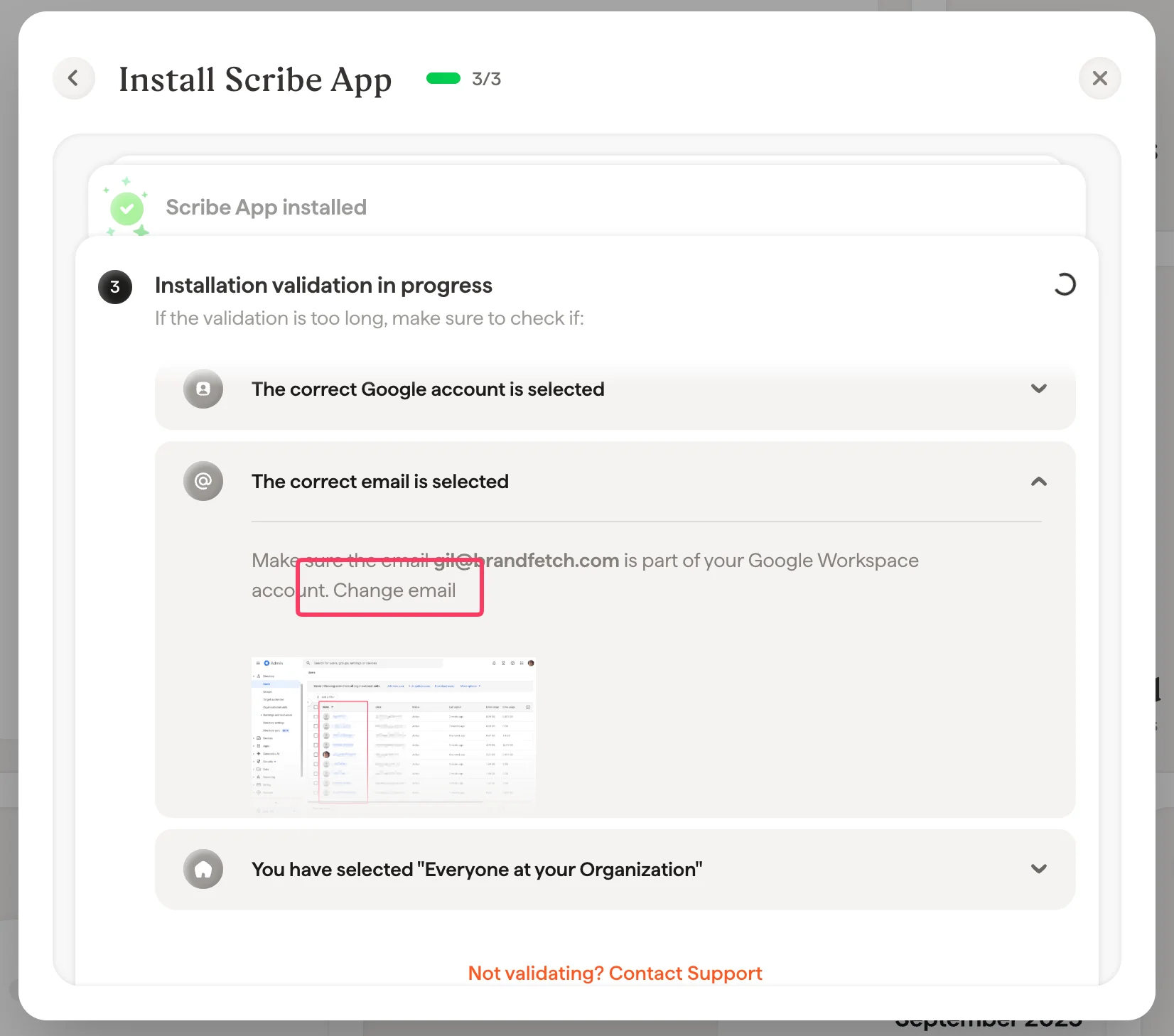
 Sørg for at e-posten du valgte for å installere tillegget er en del av Google Workspace-kontoen din. Du kan endre denne e-posten i Scribe ved å gå til [integrasjonssiden](/no/integrations-overview) og åpne Google Workspace-integrasjonen:
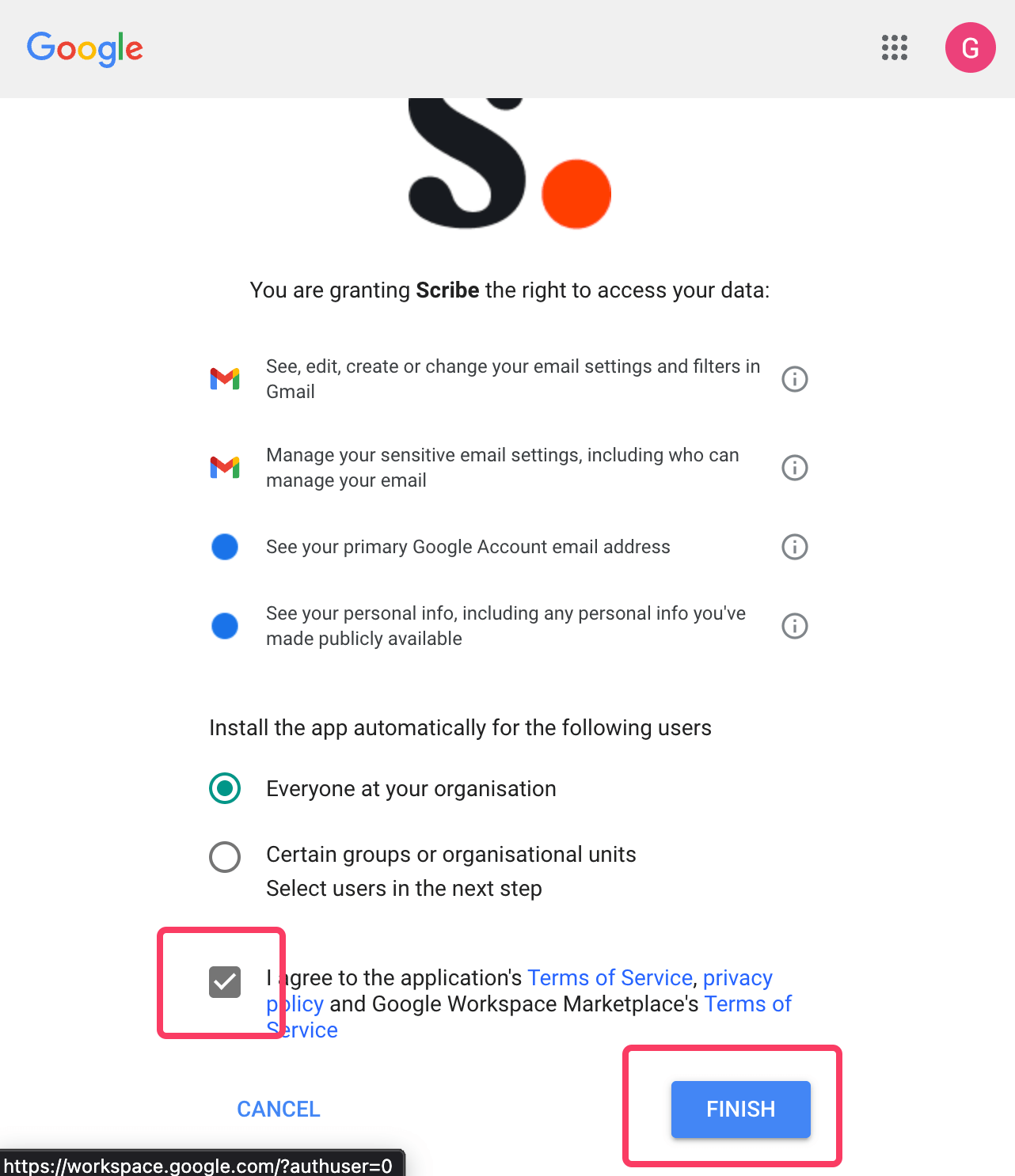
 Sørg for å velge alternativet "Everyone at your organization" når du installerer appen.
 For å gi Scribe de nødvendige tillatelsene må du være Super Admin i Google Workspace. Inviter noen fra IT hvis du ikke er Super Admin.
Denne integrasjonen fungerer for Google Workspace-brukere, ikke personlige Gmail-kontoer.
## Relaterte artikler
* [Administratorpolicy håndhevet](/no/troubleshooting/admin-policy-enforced)
* [Google Workspace-tilgang mistet](/no/troubleshooting/google-workspace-access-lost)
* [Outlook-tilleggsinstallasjon validerer ikke](/no/troubleshooting/outlook-add-in-installation-not-validating)
For å gi Scribe de nødvendige tillatelsene må du være Super Admin i Google Workspace. Inviter noen fra IT hvis du ikke er Super Admin.
Denne integrasjonen fungerer for Google Workspace-brukere, ikke personlige Gmail-kontoer.
## Relaterte artikler
* [Administratorpolicy håndhevet](/no/troubleshooting/admin-policy-enforced)
* [Google Workspace-tilgang mistet](/no/troubleshooting/google-workspace-access-lost)
* [Outlook-tilleggsinstallasjon validerer ikke](/no/troubleshooting/outlook-add-in-installation-not-validating)