

Signature variants work with Microsoft 365 and Outlook, and with server side installation for both Google Workspace and Microsoft 365. They are not applied by the client side Gmail installation, which writes a single signature into your Gmail settings with no variants per email context.
How variants work
Every signature has a Primary signature: the main design used for new outgoing emails. Variants let you define alternative designs for two other contexts: On-Reply signature: Used when a teammate replies to or forwards an email. This is typically a shorter version of the primary signature, for example just the name, title, and phone number without the full banner or social icons. Internal signature: Used when a teammate emails someone within your organization. This might be a minimal design since recipients already know the sender, or it could use a different visual style for internal communications.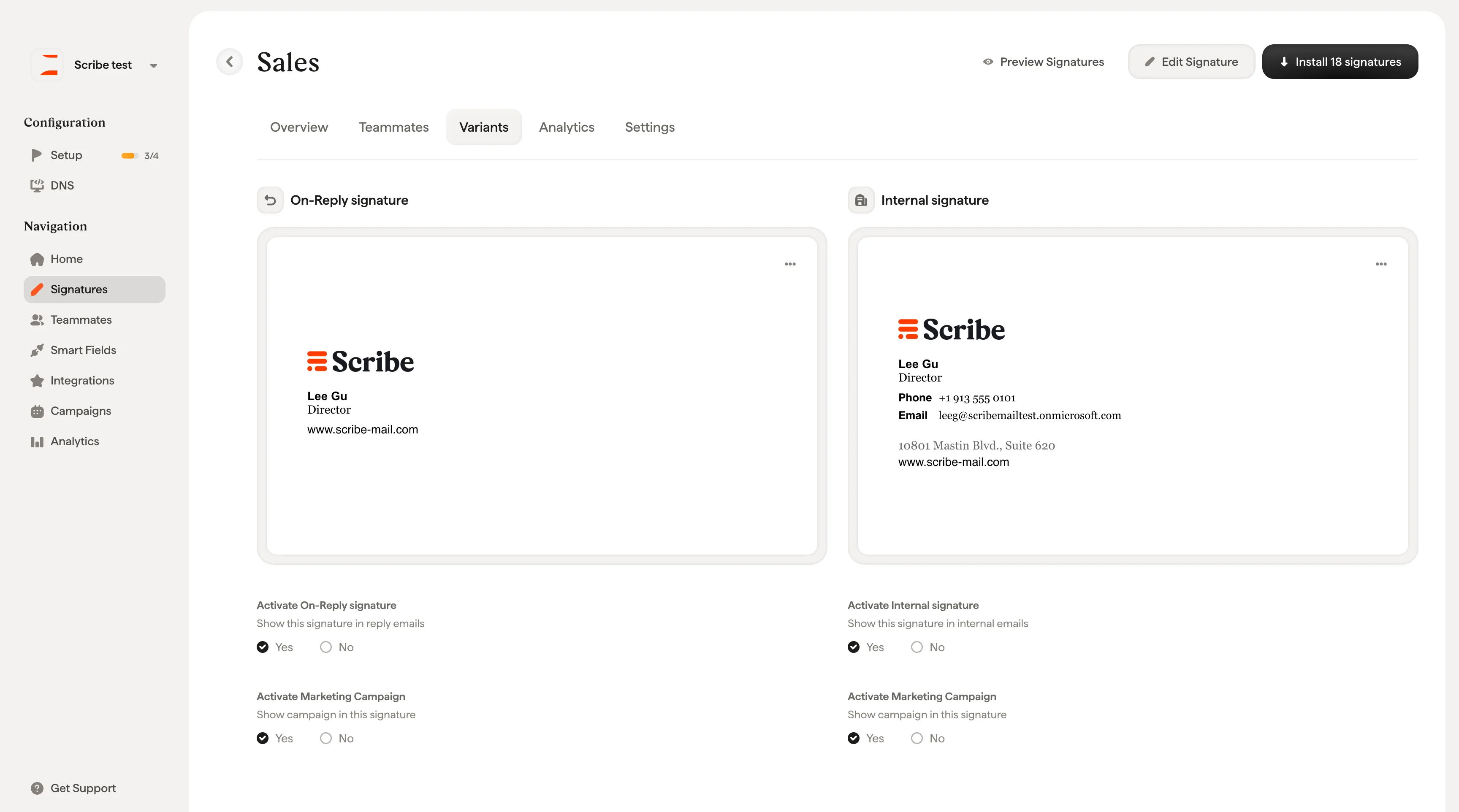
Activate a variant
Each variant has an activation checkbox below its preview:- Activate On-Reply signature: Yes / No
- Activate Internal signature: Yes / No
Edit a variant
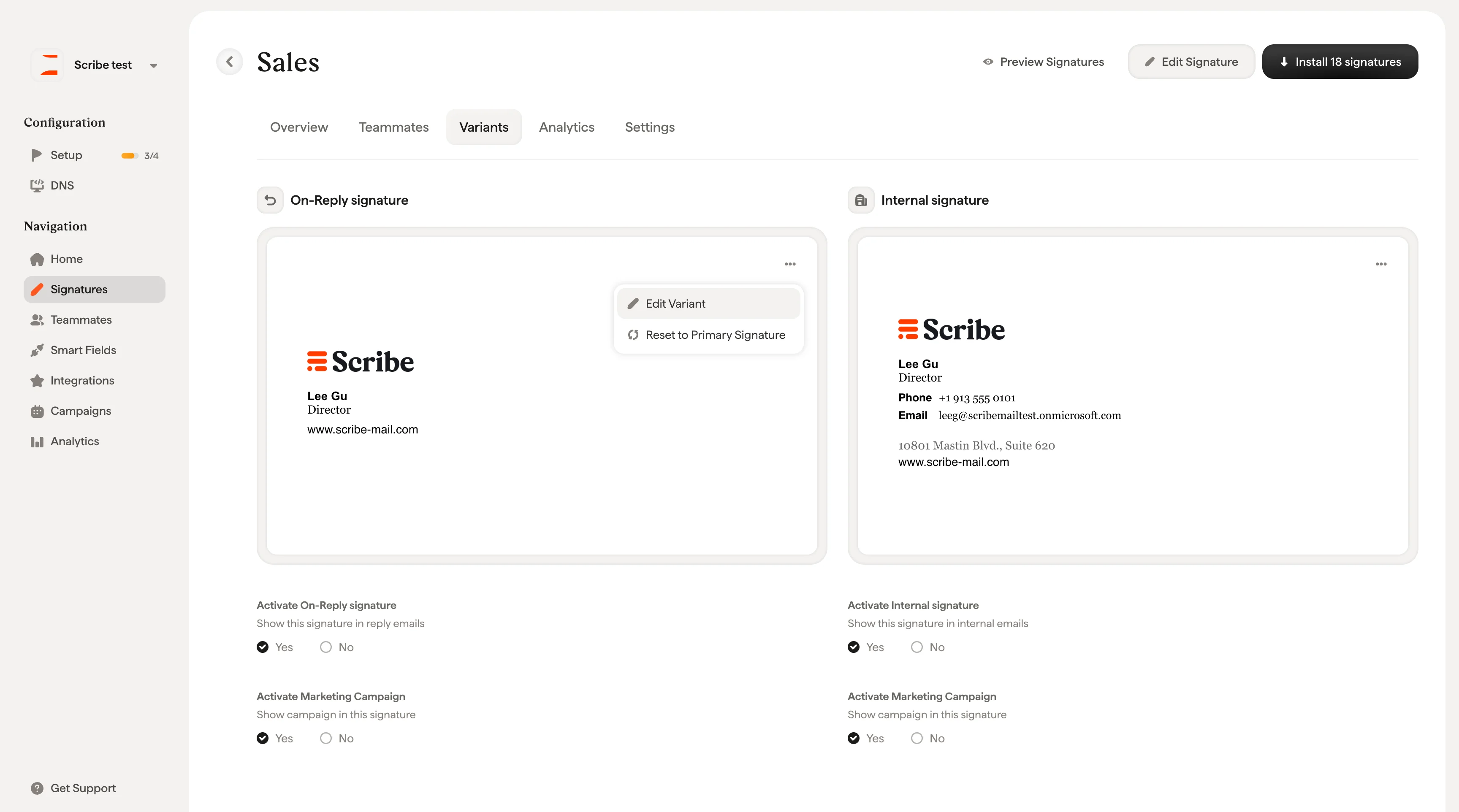
Click the ⋯ menu on any variant card to access two options:- Edit Variant: Opens the variant in the signature editor so you can customize its design independently from the primary signature
- Reset to Primary Signature: Reverts the variant back to match the primary signature design
Related articles
- Signatures overview: how variants fit into the signature workflow.
- Preview signatures: check the primary, reply, and internal variants before installing.
- Signature priority: order multiple signatures for Outlook teammates.