

Signature priority only applies to Microsoft 365 / Outlook users. Gmail users are not affected by this setting. In Gmail, each teammate is assigned a single signature.
How it works
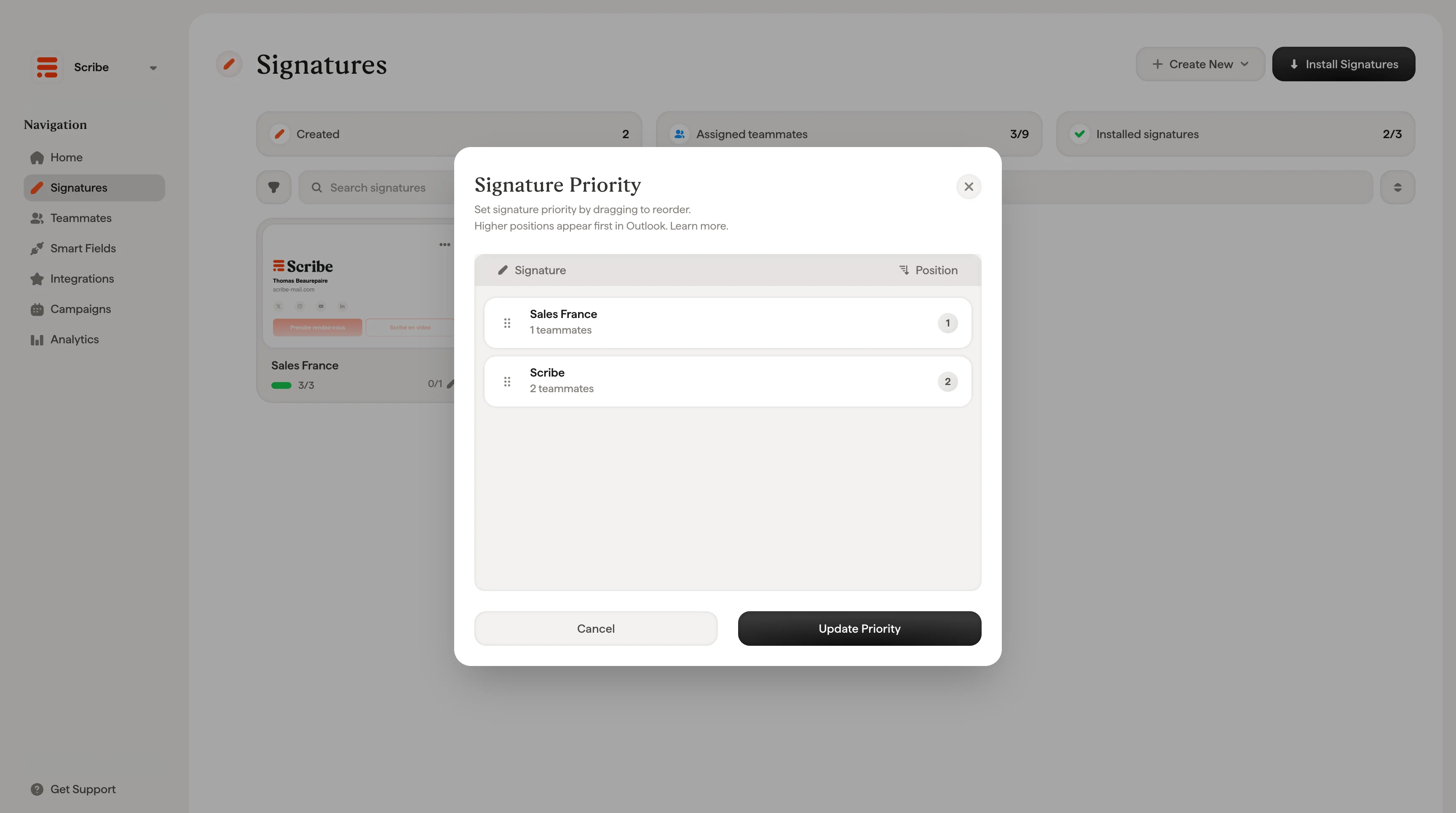
When a teammate has access to multiple signatures in Outlook, the priority order determines which signature appears first. Higher positions appear first in Outlook’s signature list. This is useful when a teammate is assigned to more than one signature, for example a primary branded signature and a secondary minimal signature for internal emails.Set signature priority
Click the reorder icon in the top-right area of the Signatures page to open the Signature Priority modal. From there:- Drag and drop signatures to reorder them
- The position number on the right updates automatically
- Click Update Priority to save
Related articles
- Signatures overview: how priority fits into managing multiple signatures.
- Assign teammates to a signature: control which teammates use each signature.
- Install signatures: deploy signatures to Outlook and Gmail.