# Aircall

Auto-fill your teammate's Scribe signatures with their respective company phone numbers by using our Aircall integration.&#x20;

### Note

{% hint style="info" %}
Each change made in your Aircall configuration will automatically be reflected in your Scribe signatures, as we are syncing the data from there.
{% endhint %}

### Installation guide&#x20;

{% stepper %}
{% step %}

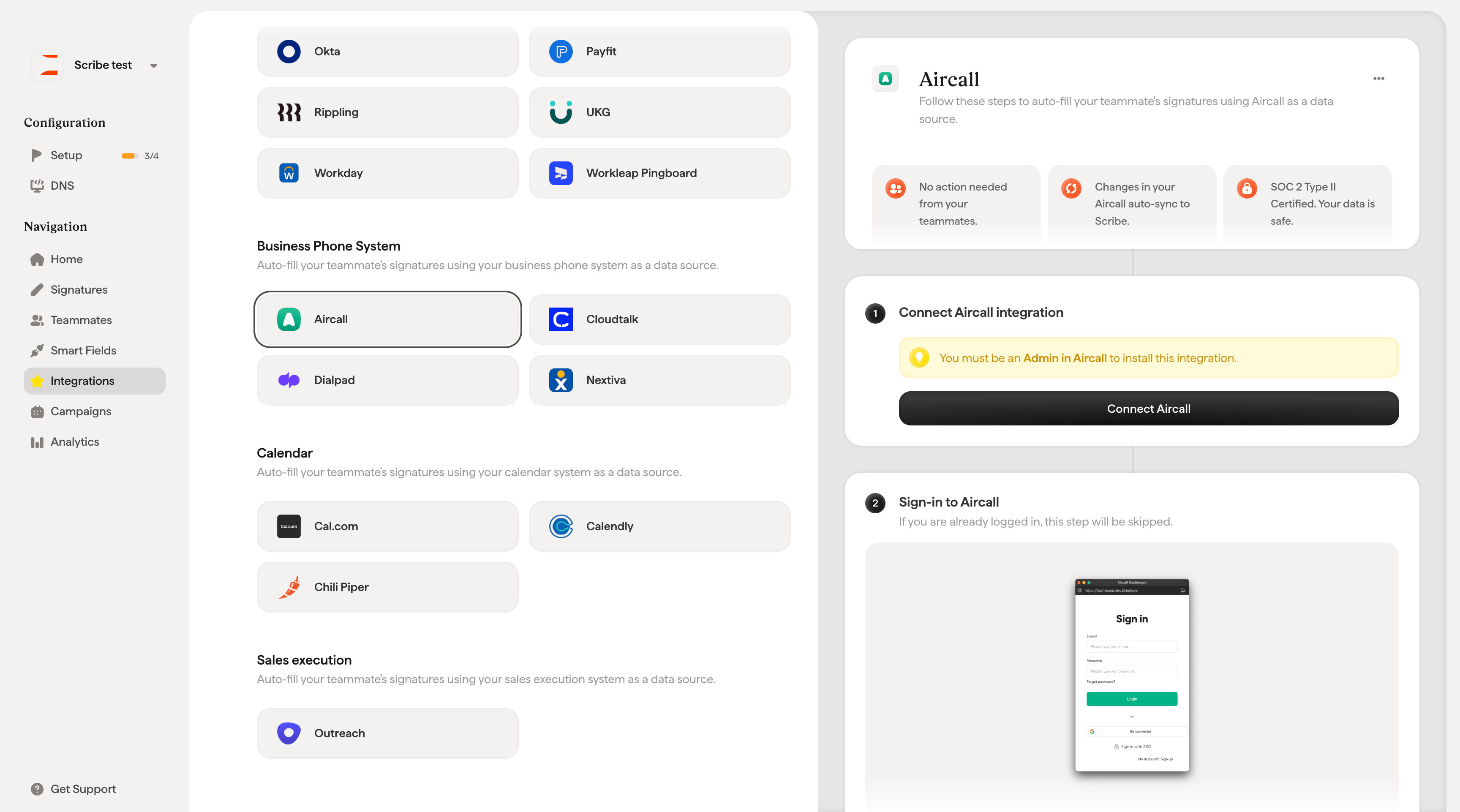
### Go to Integration in Scribe, then the attribute tab, and click on "Activate  Aircall integration"

<figure><img src="https://208817895-files.gitbook.io/~/files/v0/b/gitbook-x-prod.appspot.com/o/spaces%2FdCWalfiZW3LFy32wvLxI%2Fuploads%2Fpgt6A8RfKtOLtVSXEozp%2FScreenshot%202025-02-03%20at%2009.34.15.png?alt=media&#x26;token=5c304c36-a565-47f8-aeb8-dd1f6492ef43" alt=""><figcaption></figcaption></figure>
{% endstep %}

{% step %}

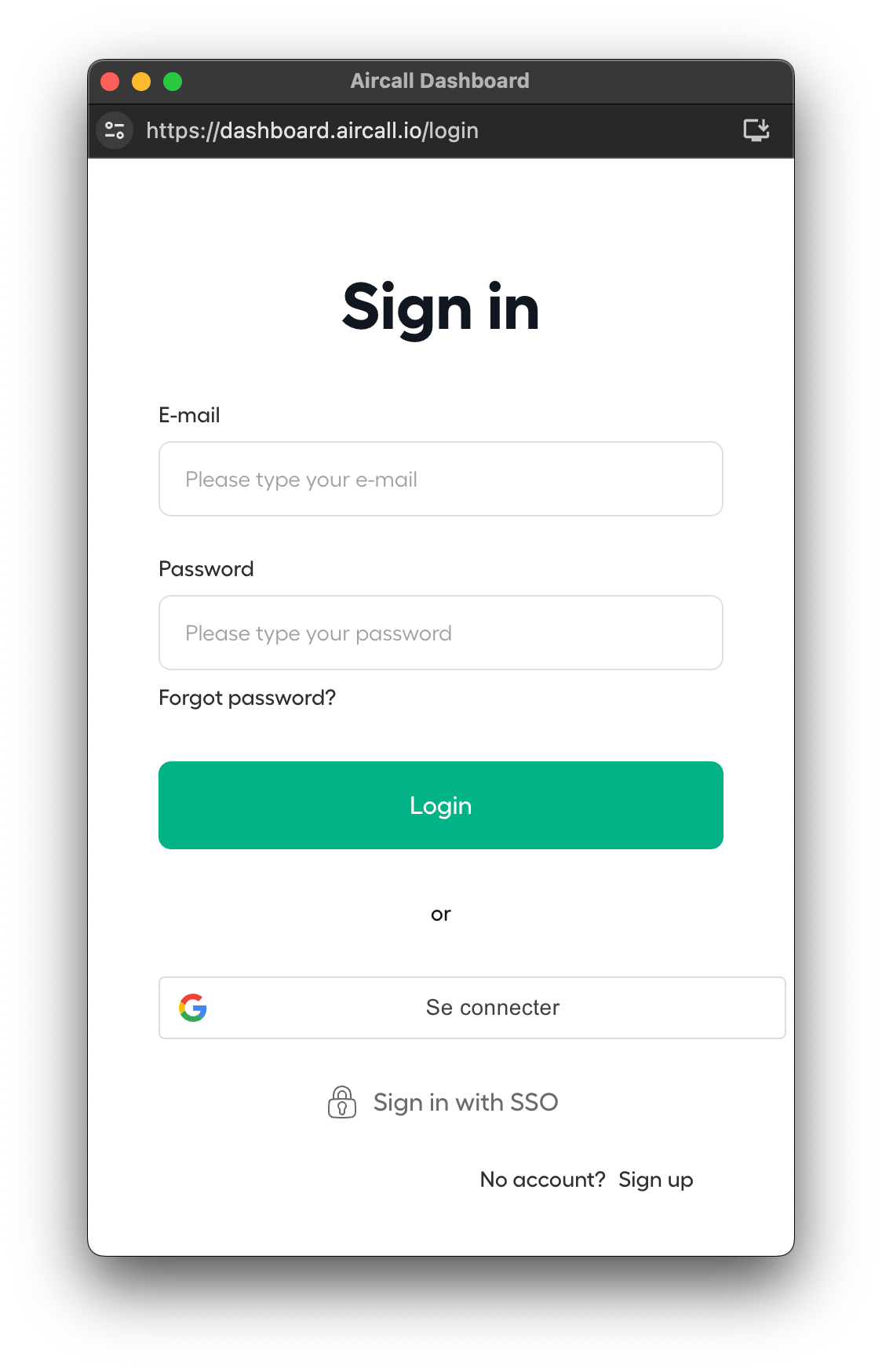
### Sign-in to Aircall

<figure><img src="https://208817895-files.gitbook.io/~/files/v0/b/gitbook-x-prod.appspot.com/o/spaces%2FdCWalfiZW3LFy32wvLxI%2Fuploads%2FLoe49WGh5ExqGX5JeYxH%2Fimage.png?alt=media&#x26;token=fc903d15-fbd3-4de2-a5eb-fb310ee9d342" alt="" width="375"><figcaption></figcaption></figure>
{% endstep %}

{% step %}

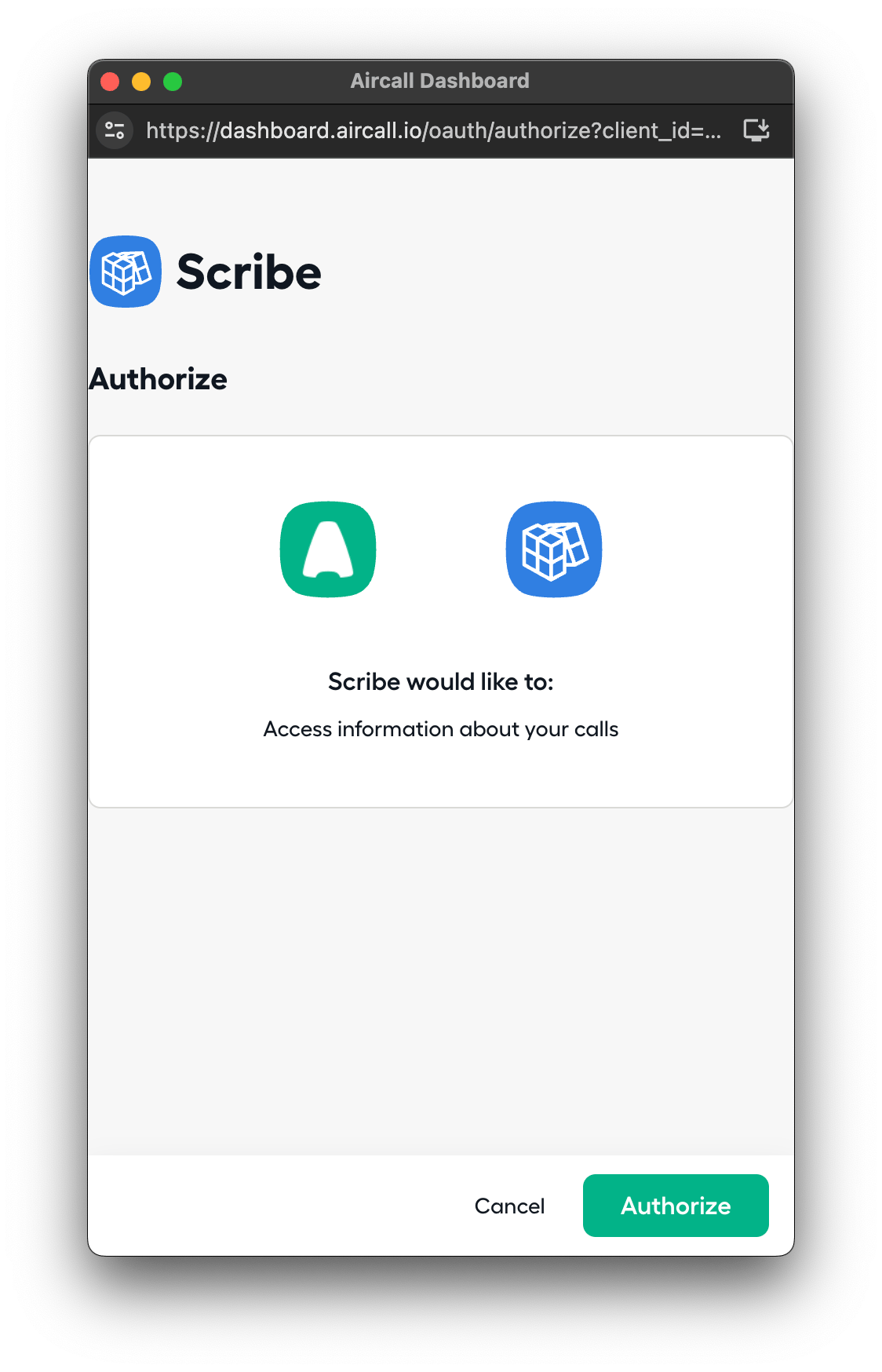
### Authorize the scopes

<figure><img src="https://208817895-files.gitbook.io/~/files/v0/b/gitbook-x-prod.appspot.com/o/spaces%2FdCWalfiZW3LFy32wvLxI%2Fuploads%2FDGyr0zG1Ybo22dgnG7oK%2Fimage.png?alt=media&#x26;token=af8c6f03-0f21-4f09-881e-34154598e091" alt="" width="375"><figcaption></figcaption></figure>
{% endstep %}

{% step %}

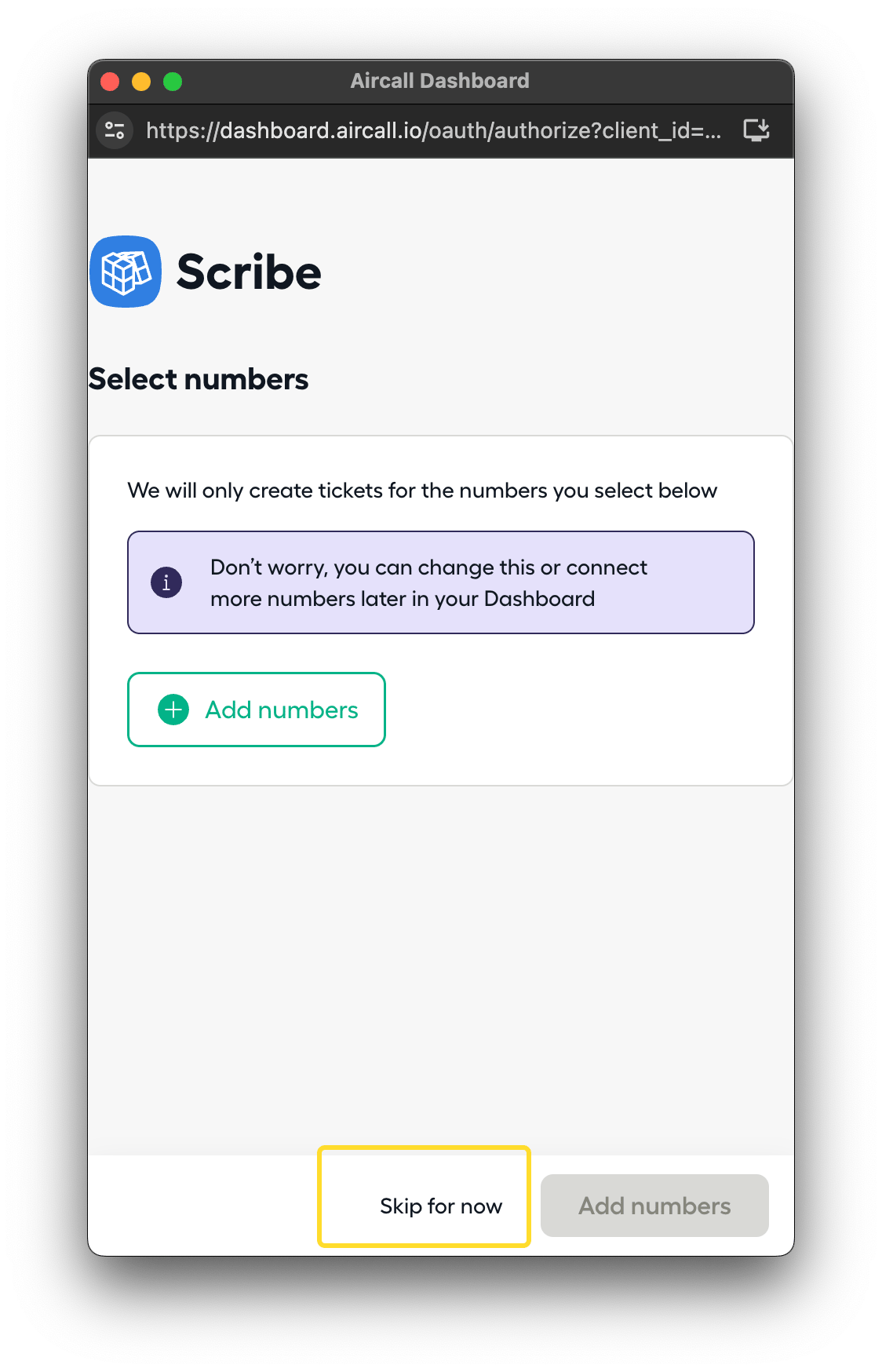
### Skip the numbers step

<figure><img src="https://208817895-files.gitbook.io/~/files/v0/b/gitbook-x-prod.appspot.com/o/spaces%2FdCWalfiZW3LFy32wvLxI%2Fuploads%2FfUhK8Cm6kLj0UGbFKjEg%2Fimage.png?alt=media&#x26;token=2b369d8f-15d3-417c-80de-0b4237e62acc" alt="" width="375"><figcaption></figcaption></figure>
{% endstep %}

{% step %}

### Done!

{% endstep %}
{% endstepper %}