

Each user must manually install their signature HTML.
Users see signatures when composing emails.
Cloud-based installation. Emails don’t go through Scribe servers.
Manual HTML installation
Prerequisites
- A Scribe account
- At least one signature created in Scribe
- Teammates added to your workspace
1
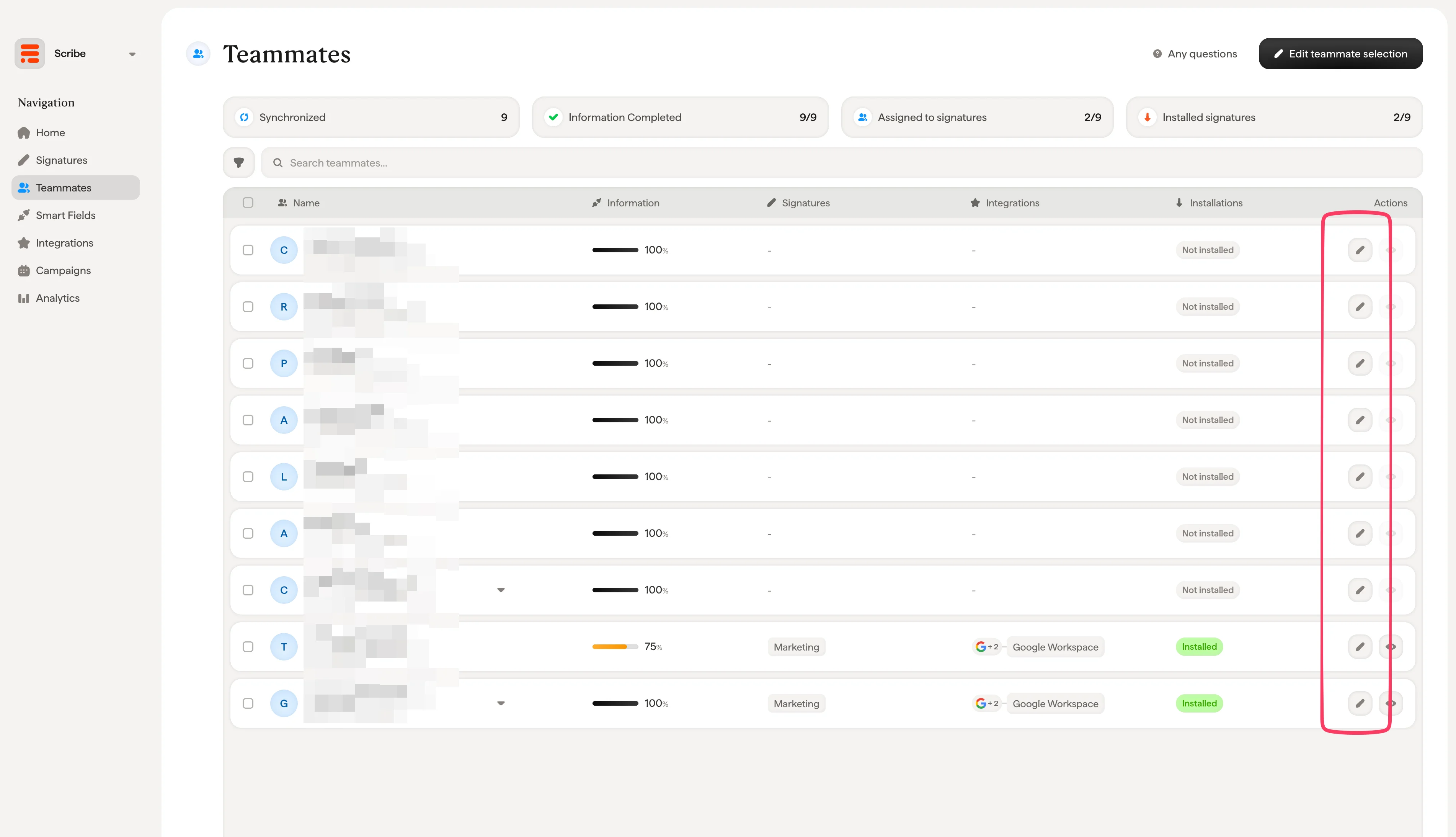
Go to the Teammates menu in Scribe and click the pen icon to access the teammate's profile
2
In the teammate profile, click the "Install signature" button
Select your platform, then copy the HTML code to install it.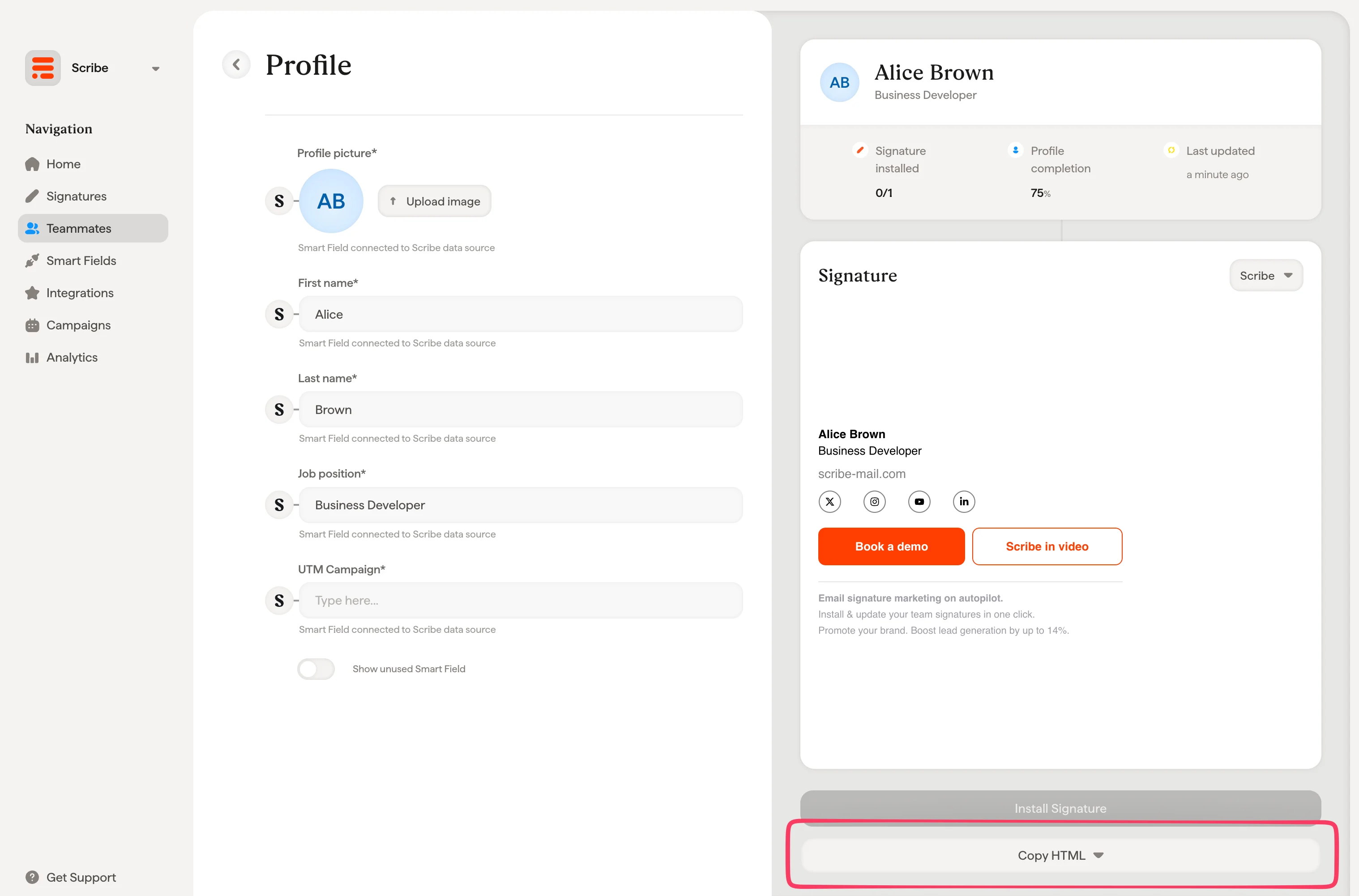
3
Install the HTML in your email platform
Find step-by-step instructions for your email platform:
Gmail
Install your signature in Gmail
Outlook
Install your signature in Outlook
Invite teammates to install HTML
Instead of copying the HTML yourself, you can invite teammates to install their own signature. Invited teammates can only access their own signature to add information and install it. They won’t have access to other parts of your Scribe workspace.1
Go to the Teammates tab in Scribe and select the teammates you want to invite

2
Click the envelope icon that appears after you select your teammates

3
Click on "Send invite."
Invited teammates will only have access to their own signature to add information and install it. They won’t have access to other parts of your Scribe workspace.
Invited teammates can be managed in your Scribe settings under the Members tab.