

No action is needed from your teammates.
Changes in your Chili Piper auto-sync to Scribe.
SOC 2 Type II Certified. Your data is safe.
Installation guide
Prerequisites
- Admin access to your Chili Piper account
- A Scribe account with admin access
1
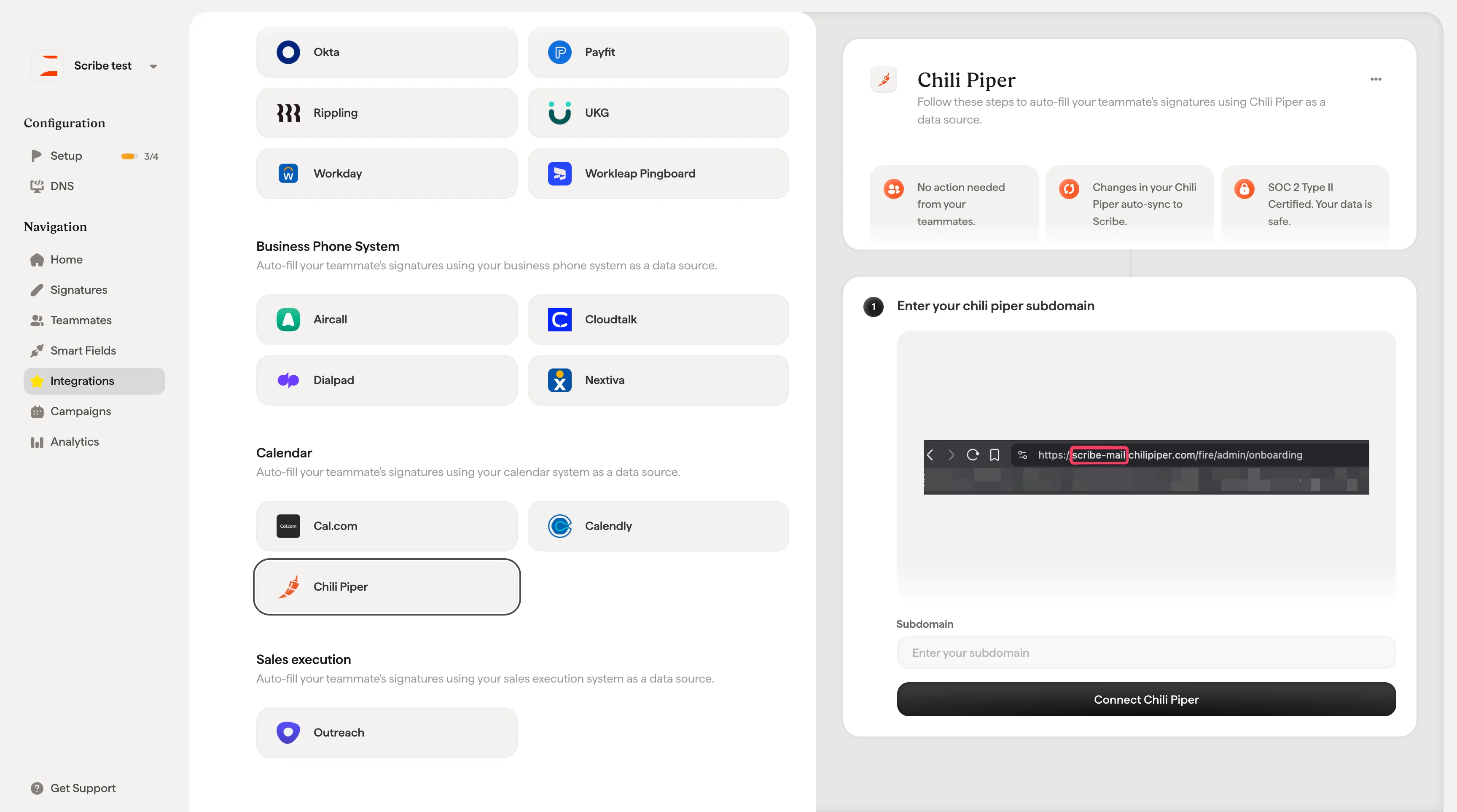
Enter your Chili Piper subdomain
Find your subdomain in your Chili Piper URL. It’s the part before 
.chilipiper.com (e.g. scribe-mail in https://scribe-mail.chilipiper.com/fire/admin/onboarding).2
Enter your subdomain in the Subdomain field and click Connect Chili Piper.
Related articles
- Cal.com: sync Cal.com data into your signatures.
- Calendly: sync Calendly data into your signatures.
- Assign teammates to a signature: use Smart Field conditions to assign signatures automatically.