Select only the teammates you want to sync with Scribe.
Changes in your Entra ID auto-sync to Scribe.
SOC 2 Type II Certified. Your data is safe.
Installation guide
Prerequisites
- A Scribe account with admin access
- A Microsoft Entra ID account with Global Admin privileges
1
Connect Entra ID integration
Click Connect Entra ID to start the setup.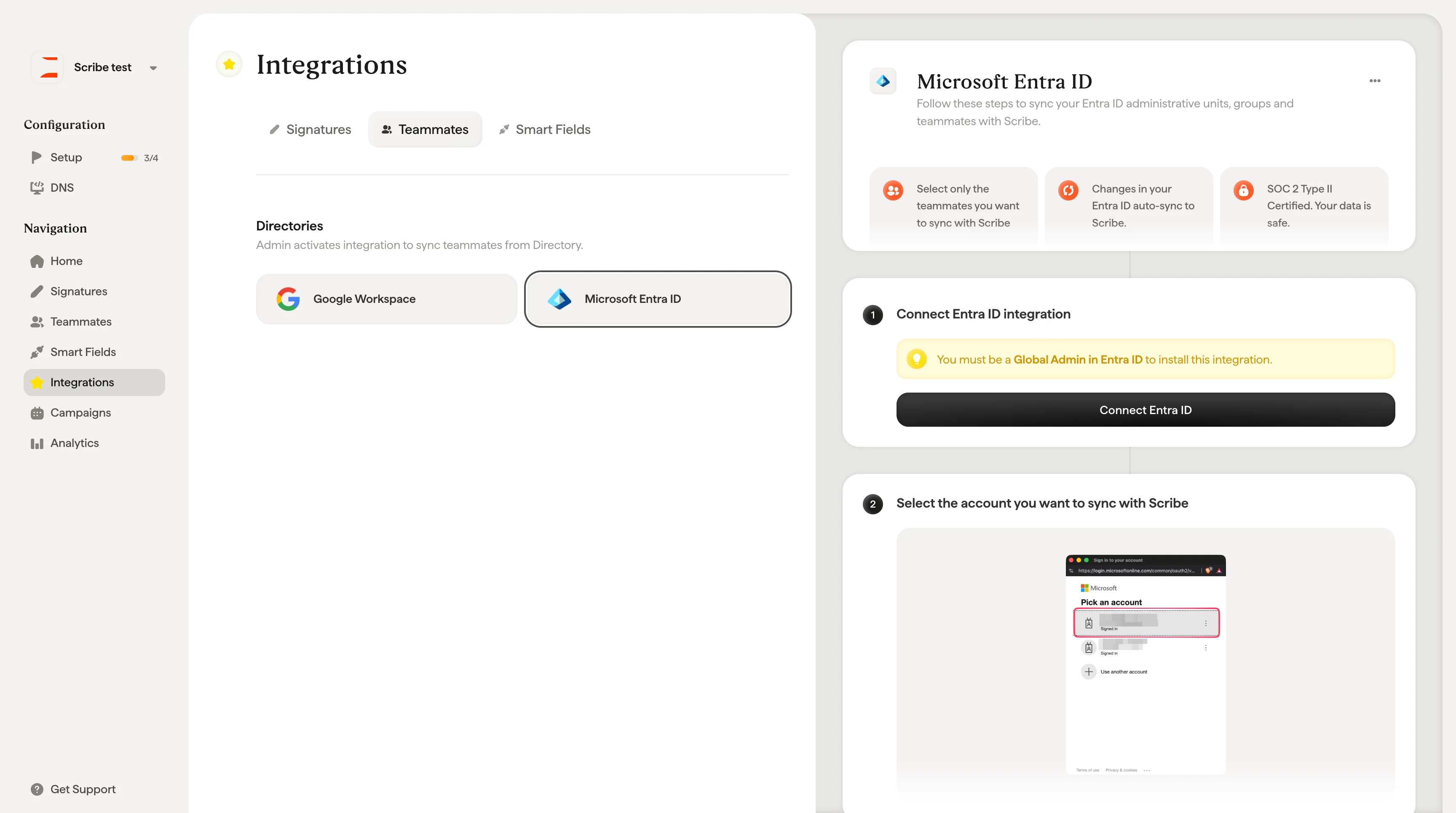
2
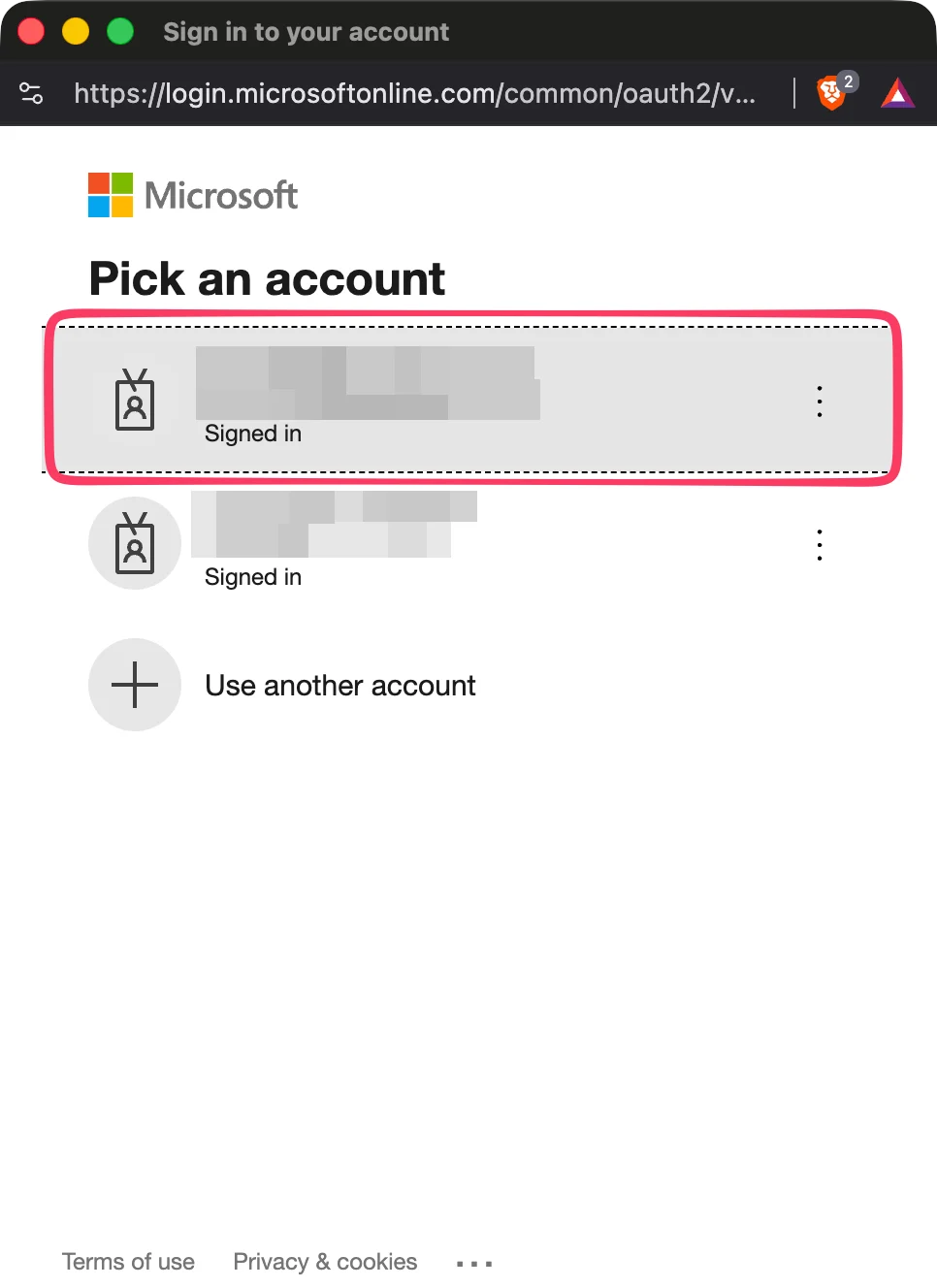
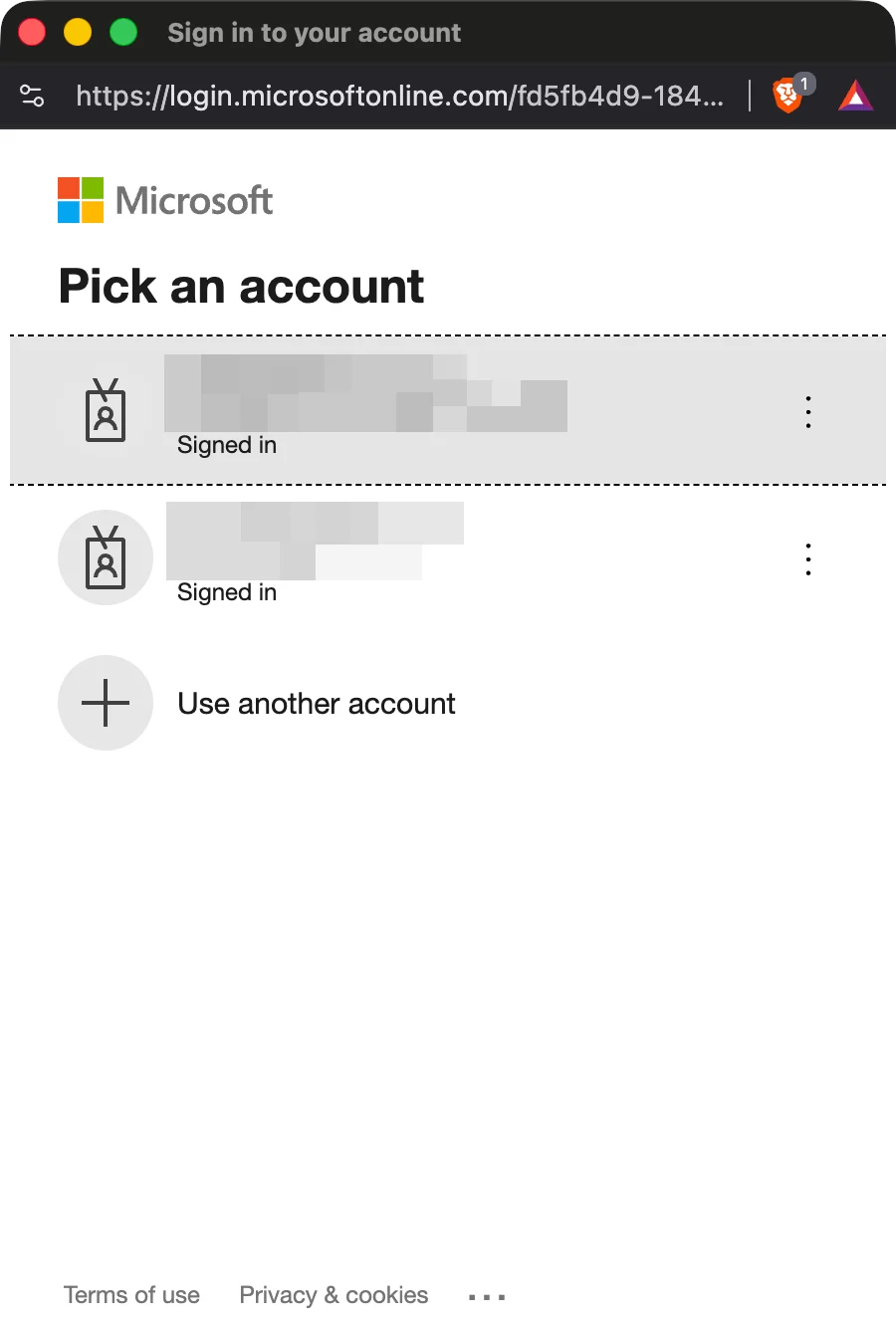
Select the account you want to sync with Scribe
3
Click "Connect Entra ID"
Import selected teammates from your Entra ID. You control who gets synced.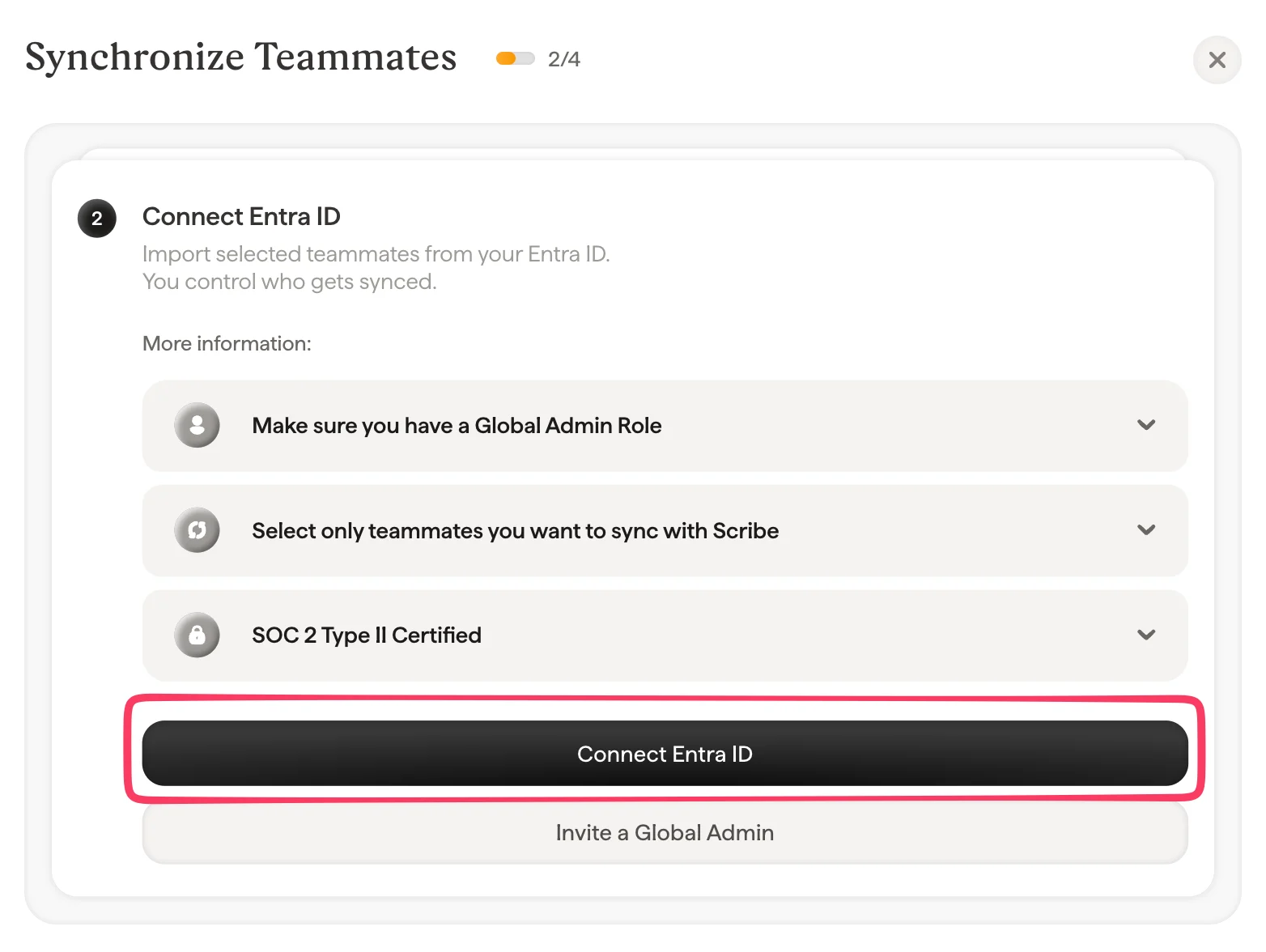
4
Select the same account as the one you selected in step 2
5
Accept all the scopes
Scribe is SOC 2 Type II compliant. We can’t send or read your emails.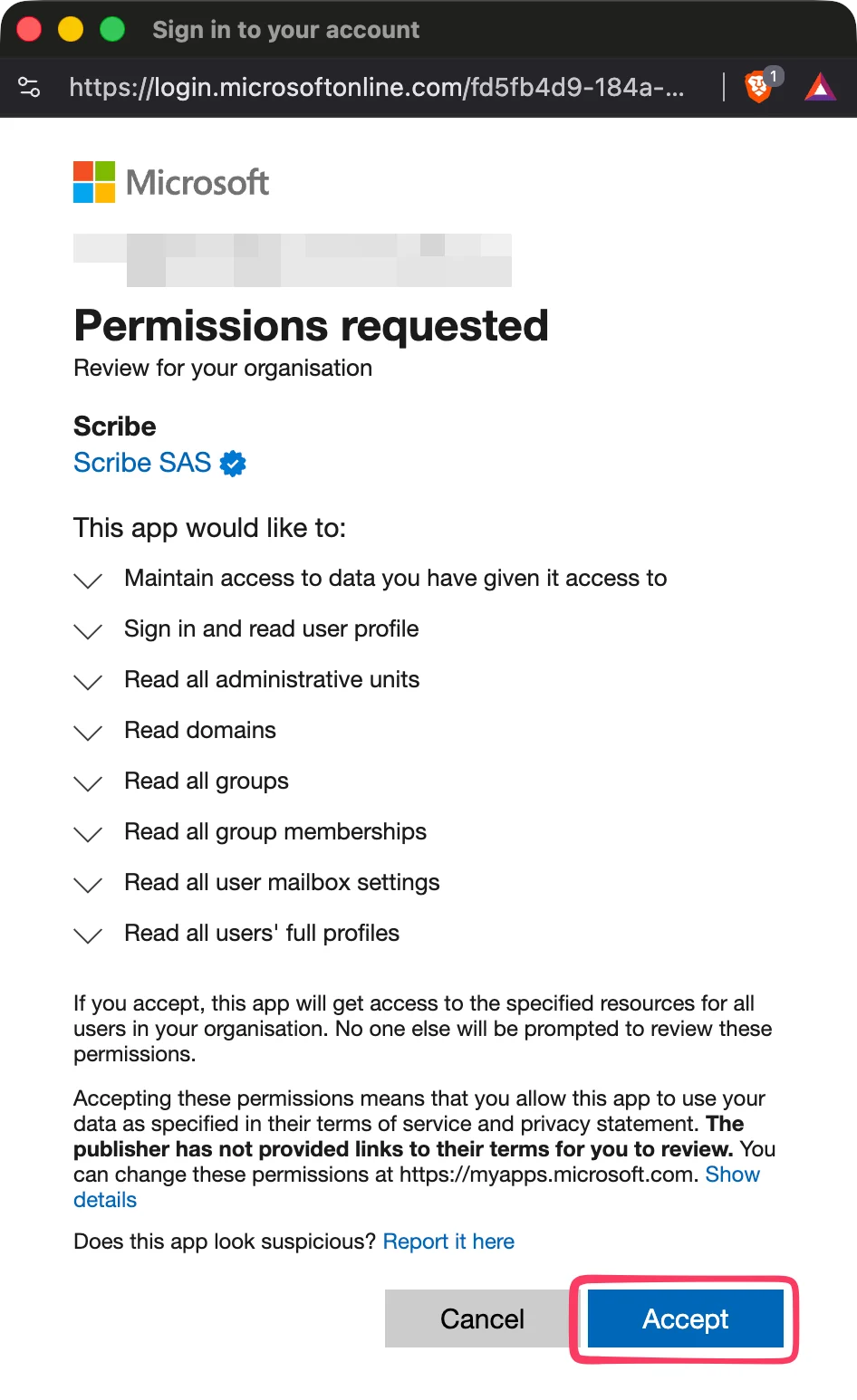
6
Select which teammates to sync with Scribe
You can select teammates from your teammates list, Administrative units, or Groups. Select which ones to import now. You can add more later. Their information is also synced so you can auto-fill their signatures later using Smart Field.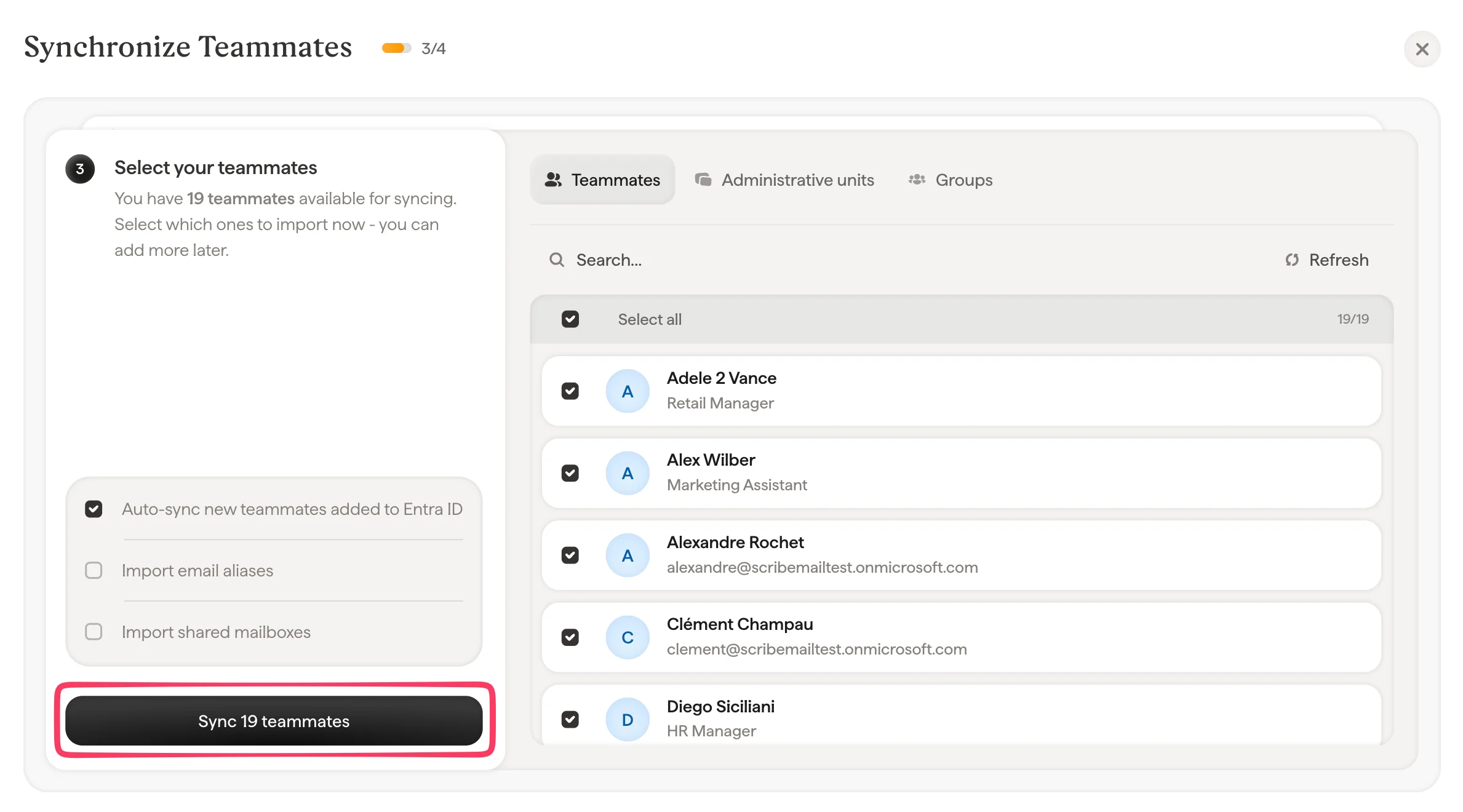
7
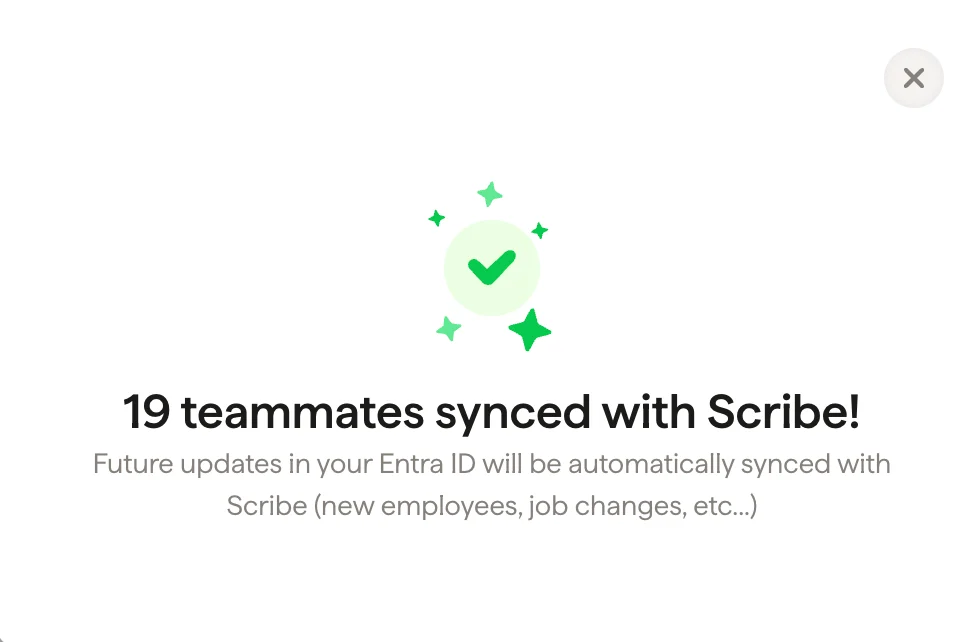
Done, your teammates are synced with Scribe
Go to Signatures to assign teammates and create their signatures. Future updates in your Entra ID will be automatically synced with Scribe (new employees, job changes, etc.).