

No action needed from your teammates.
Changes in your ChartHop auto-sync to Scribe.
SOC 2 Type II Certified. Your data is safe.
Installation guide
Prerequisites
- A Scribe account with admin access
- A ChartHop account with access to Apps & Bundles
1
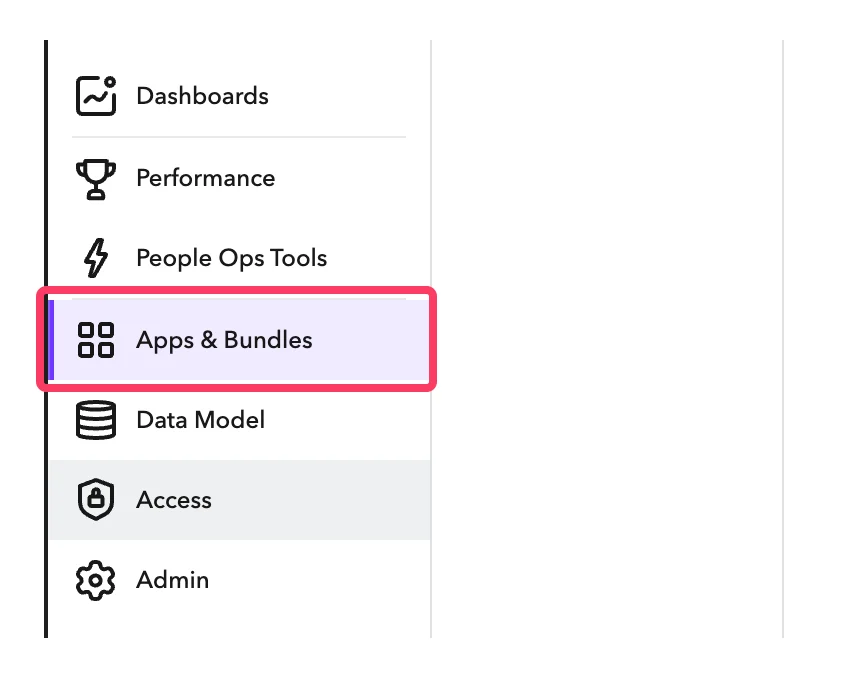
In your ChartHop account, go to Apps & Bundles
2
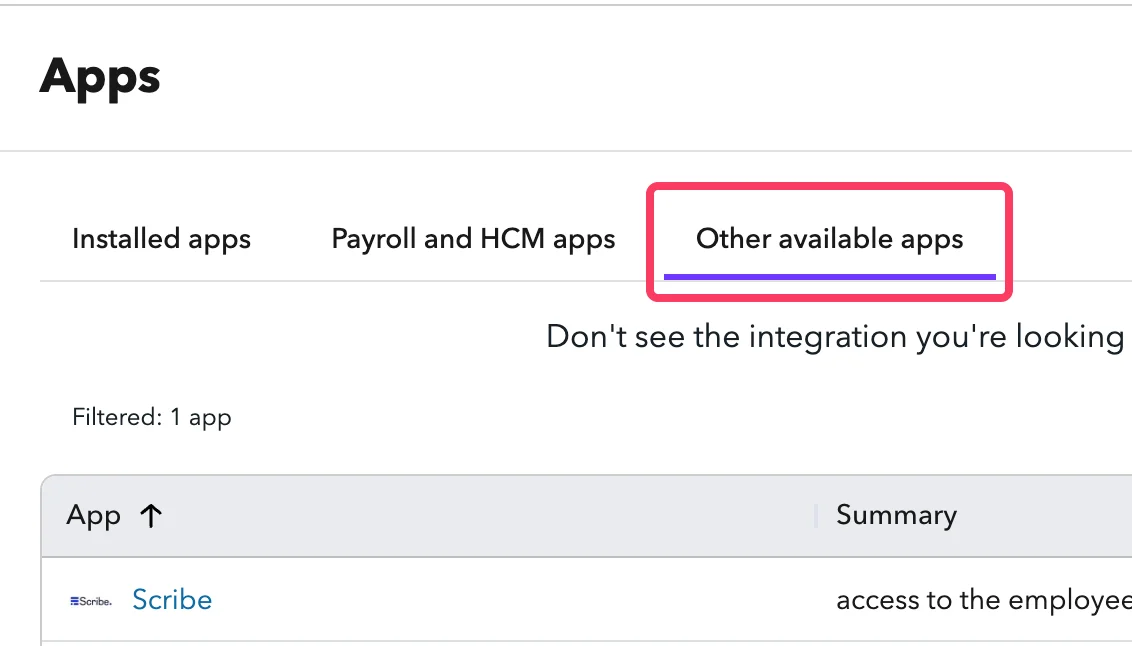
Click on 'Other available apps'
3
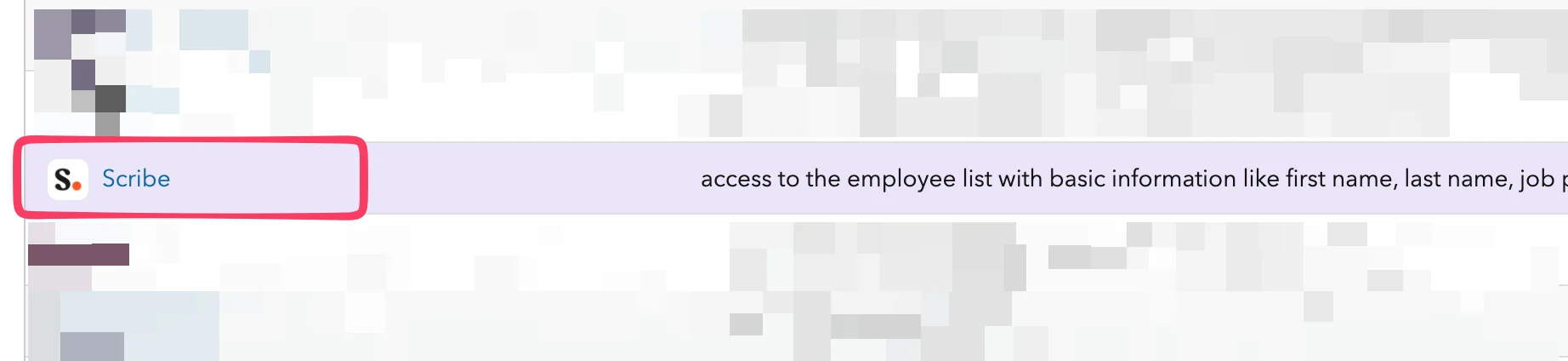
In the list, find 'Scribe' and click on it
4
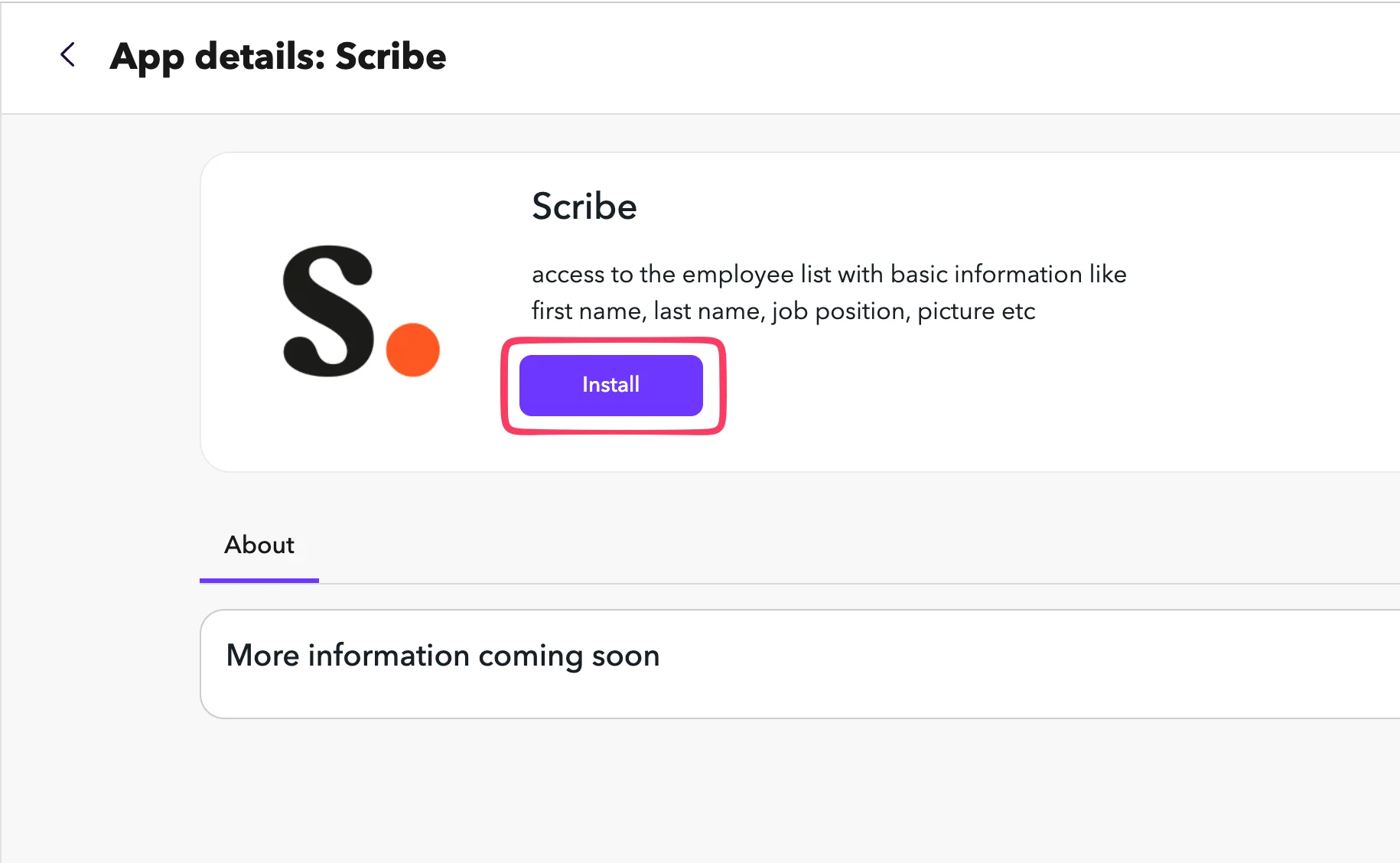
Click Install
5
Copy the API Token and paste it into Scribe
In ChartHop, go to the Settings tab of the Scribe app. Copy the API Token and paste it into the API Token field in Scribe.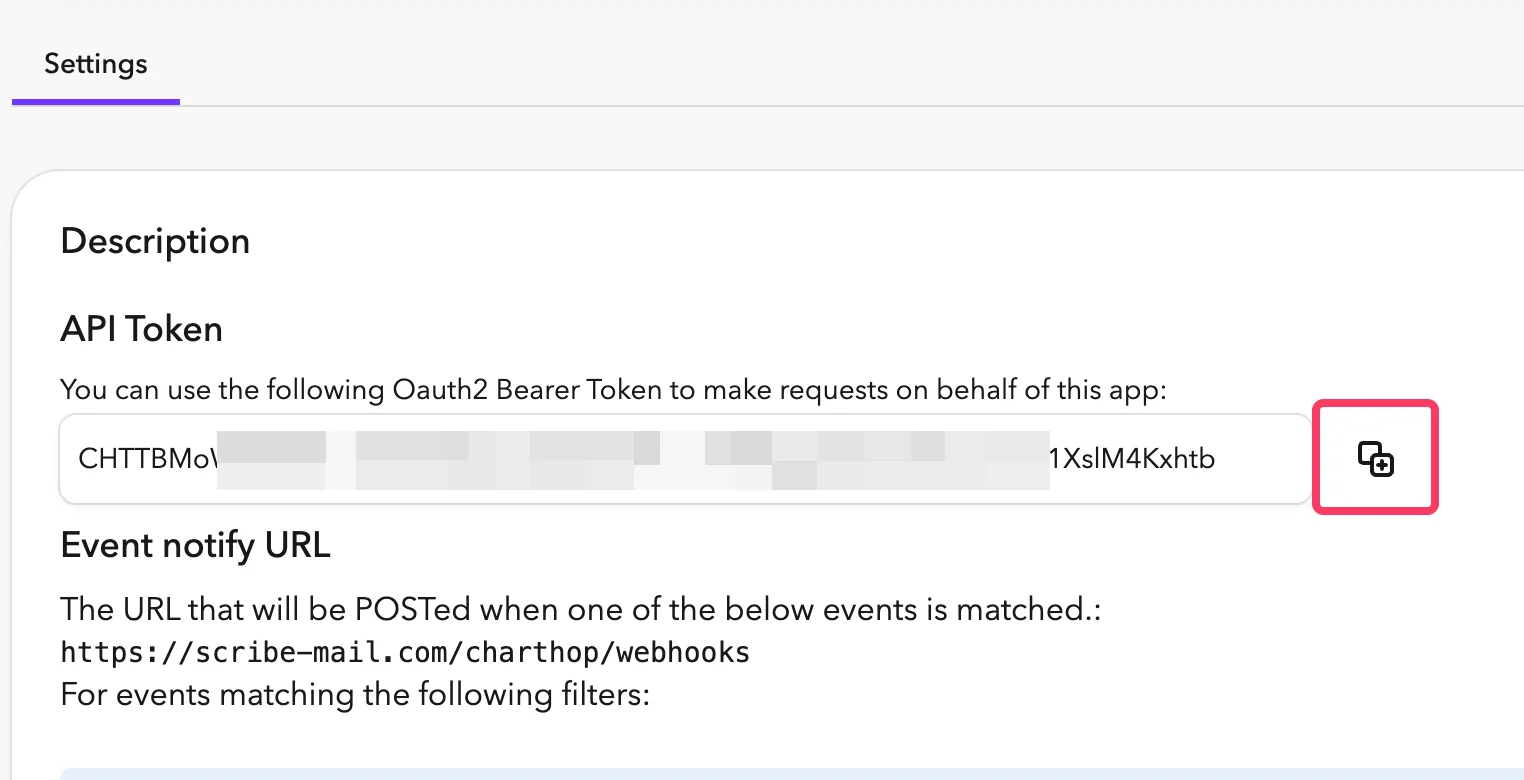
6
Copy your Org Nickname from the URL bar and paste it into Scribe, then connect ChartHop.
Your Org Nickname is the part right after 
app.charthop.com/ in your ChartHop URL. Enter it in the ChartHop Org Nickname field in Scribe, then click Connect ChartHop.Related articles
- Deel: sync Deel data into your signatures.
- Gusto: sync Gusto data into your signatures.
- Assign teammates to a signature: use Smart Field conditions to assign signatures automatically.