Before you start
You’ll need Super Admin permissions on your Google Workspace account to complete the connection. If you don’t have Super Admin access, you can invite someone from your IT team to complete this step for you. Scribe provides a built-in option to do this during the setup flow.Scribe is SOC 2 Type II certified and only requests limited read access to your Google Workspace. Scribe cannot edit, delete, or send emails on your behalf.
Connecting Google Workspace
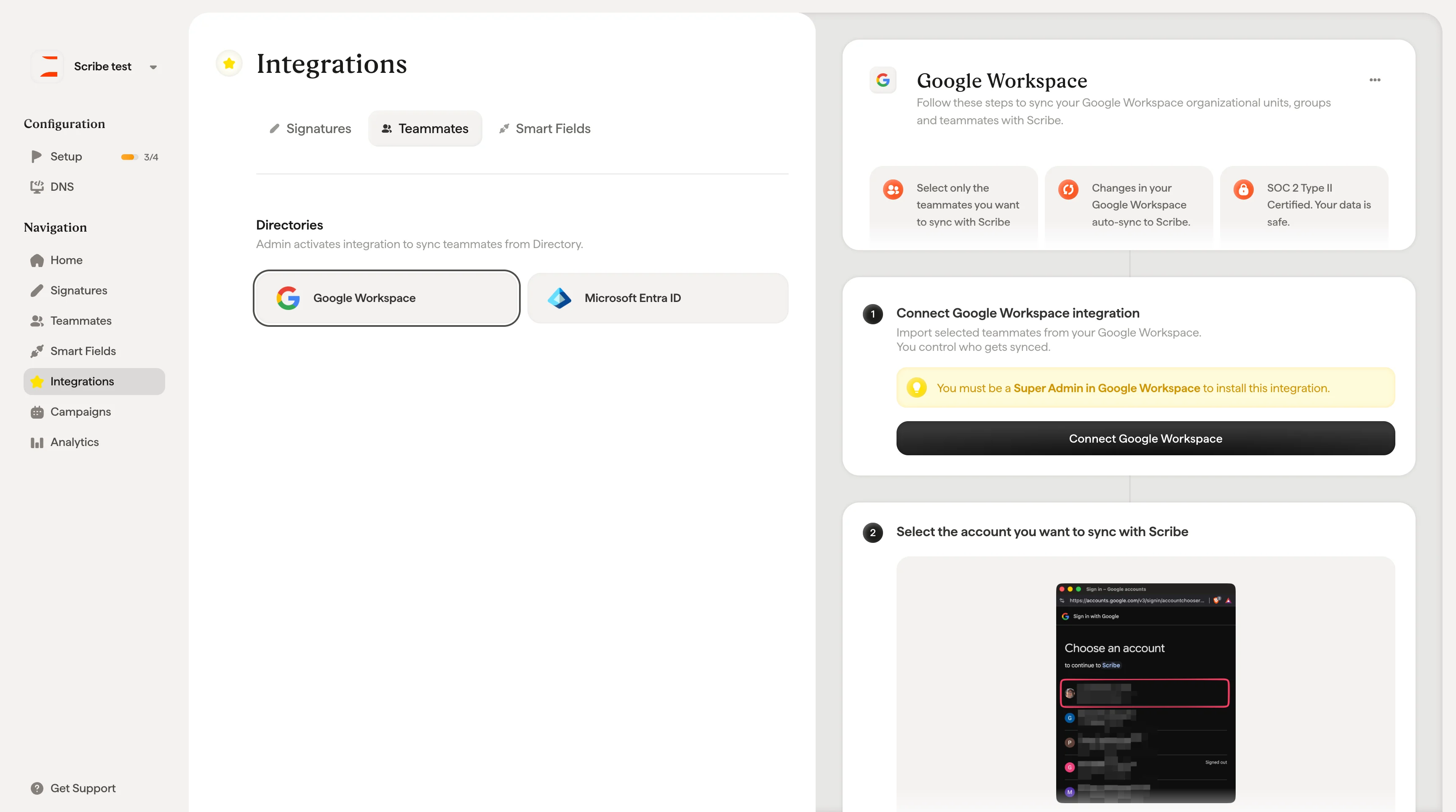
There are two ways to start the connection: from the + Add Teammates dropdown on the Teammates page (select “Google Workspace”), or from Integrations → Teammates tab where you’ll find the Google Workspace card. Both paths open the Synchronize Teammates setup flow, which walks you through the connection in a few steps: Step 1: Connect Google Workspace. The modal explains what the integration does and gives you three expandable info sections to review before proceeding: the Super Admin role requirement, how teammate selection works, and Scribe’s SOC 2 certification and data access policy. Click Connect Google Workspace to proceed, or Invite a Super Admin if someone else needs to complete this step.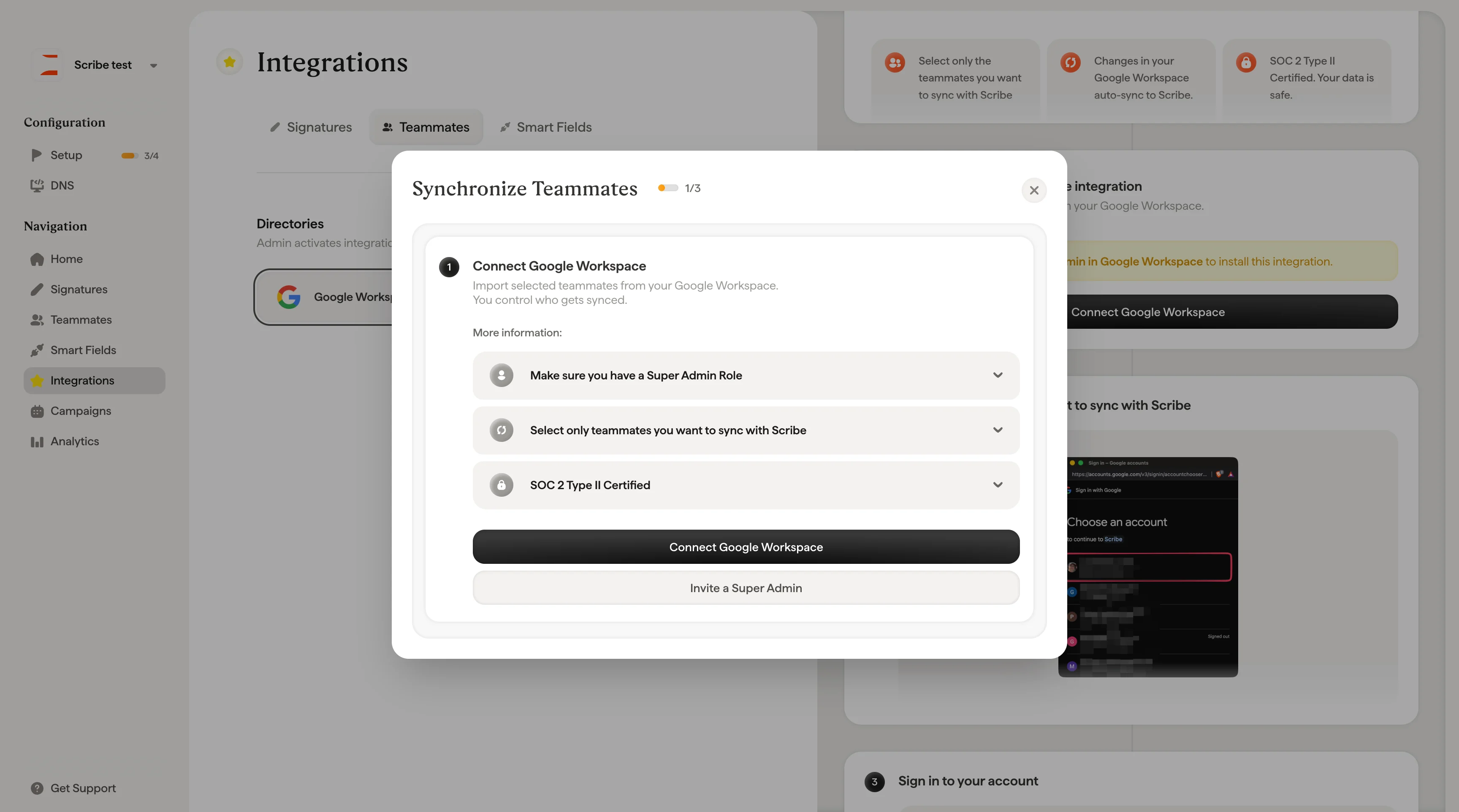
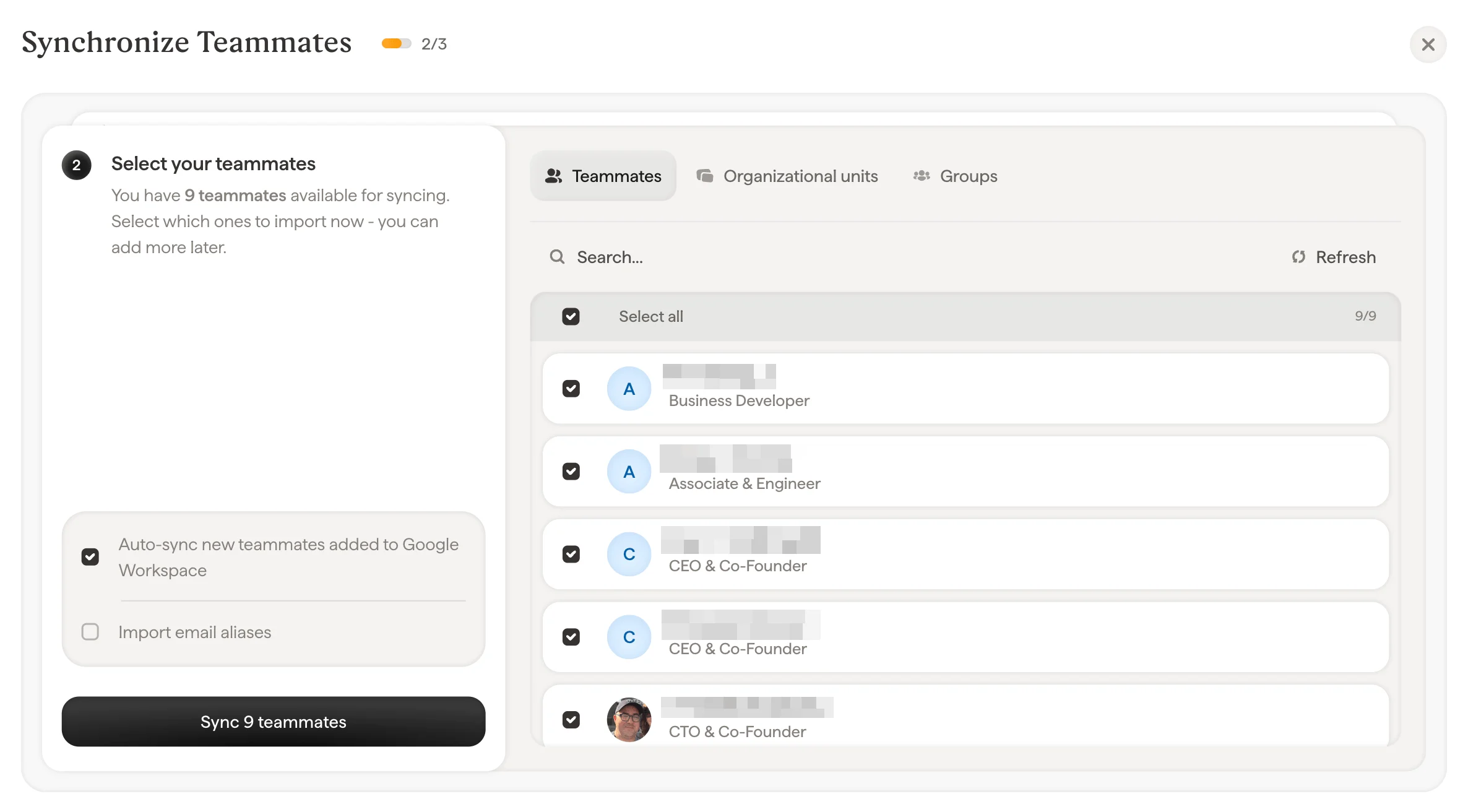
- Teammates: Browse and select individual people from your directory
- Units: Select entire organizational units to import all members at once
- Groups: Select Google Groups, which you can expand to see individual members before syncing
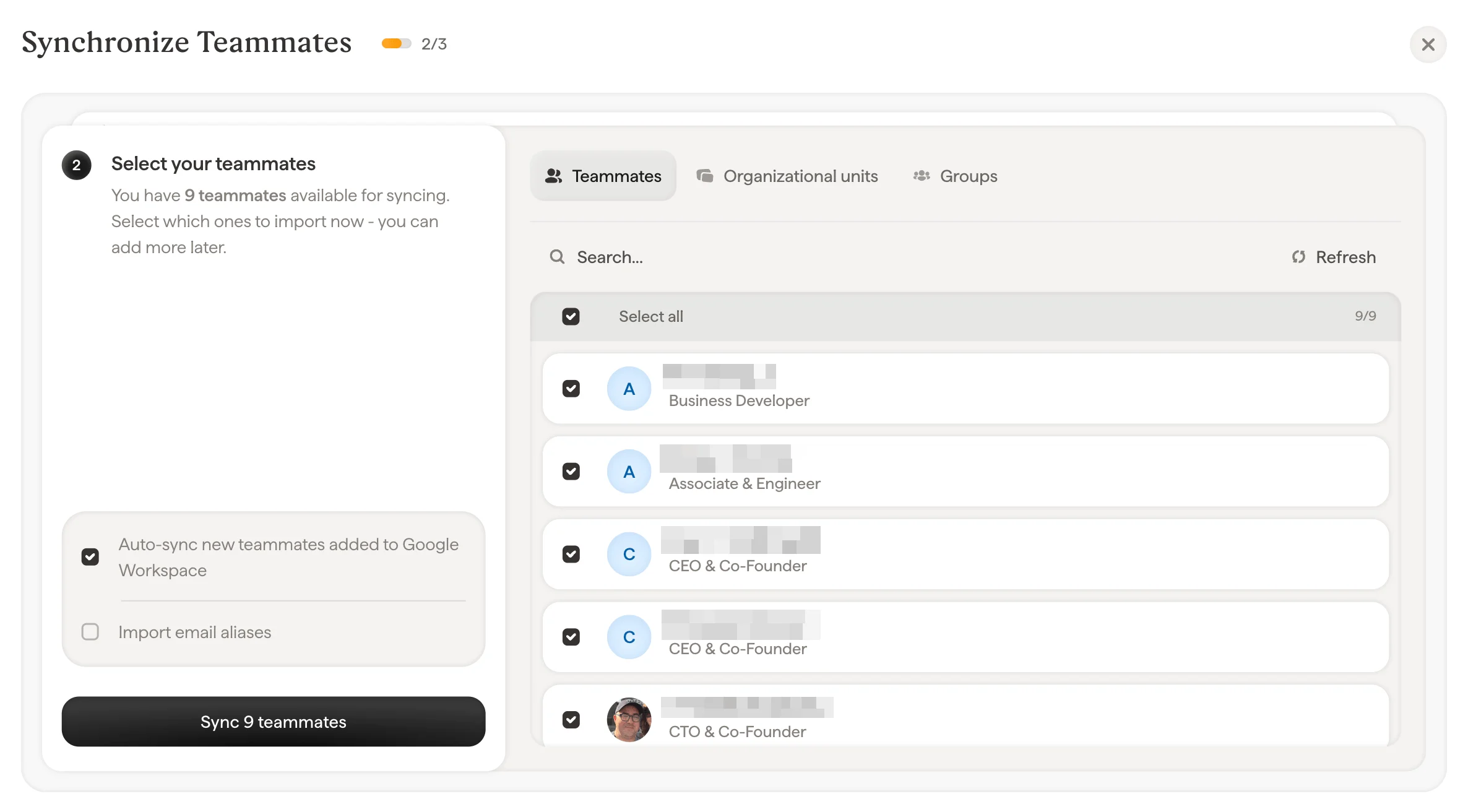
- Auto-sync new teammates added to Google Workspace: When enabled, any new employee added to your Google Workspace directory will automatically appear in Scribe. This keeps your teammate list current without manual updates.
- Import email aliases: If your teammates have email aliases (e.g., support@company.com in addition to their personal address), enable this to import those as well. The number of available domains is shown next to this option.
Inviting a Super Admin
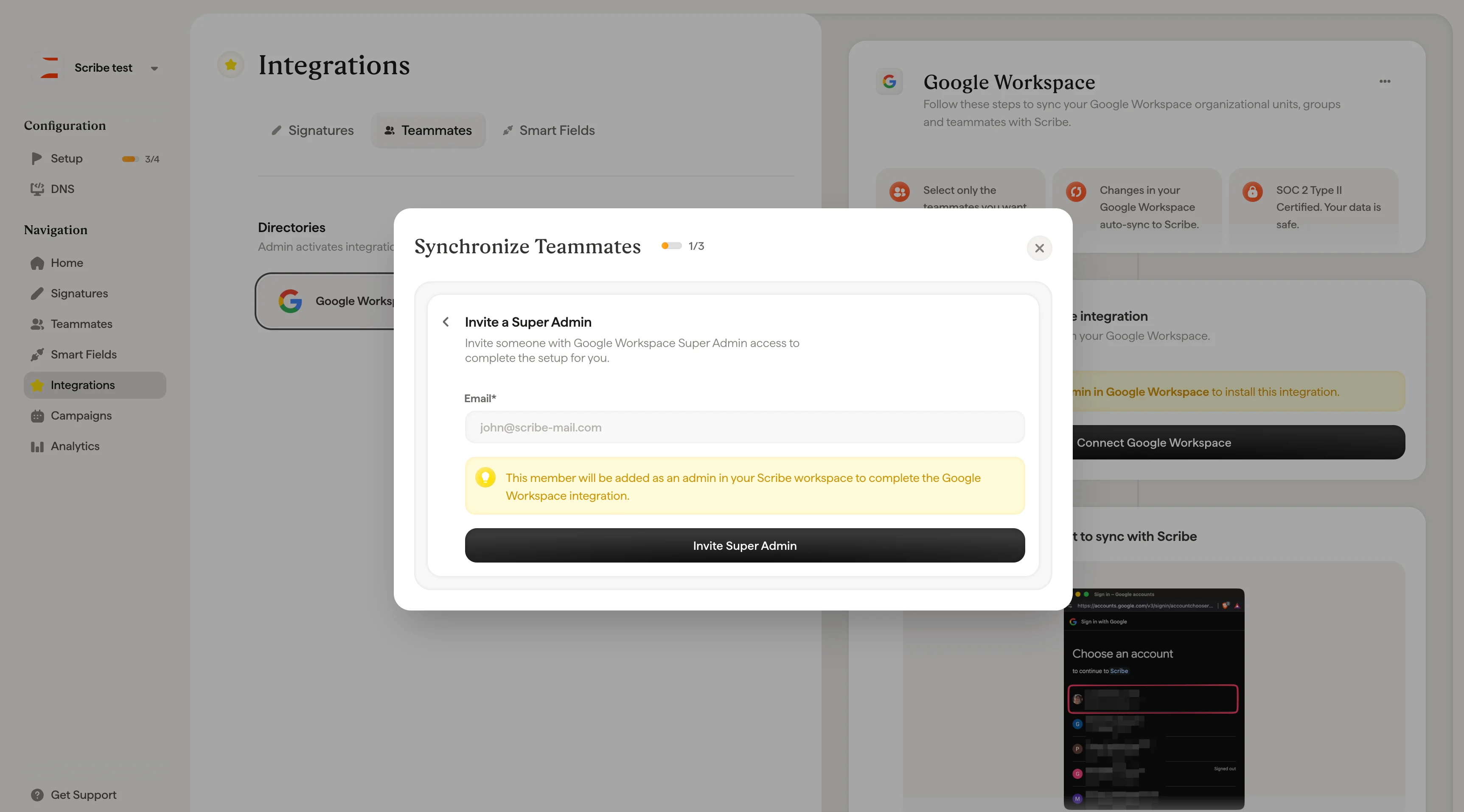
If you don’t have Super Admin access to Google Workspace, click Invite a Super Admin during the setup flow. Enter the email address of someone on your IT team who does have Super Admin access. They’ll be added as an admin in your Scribe workspace so they can complete the Google Workspace connection for you.