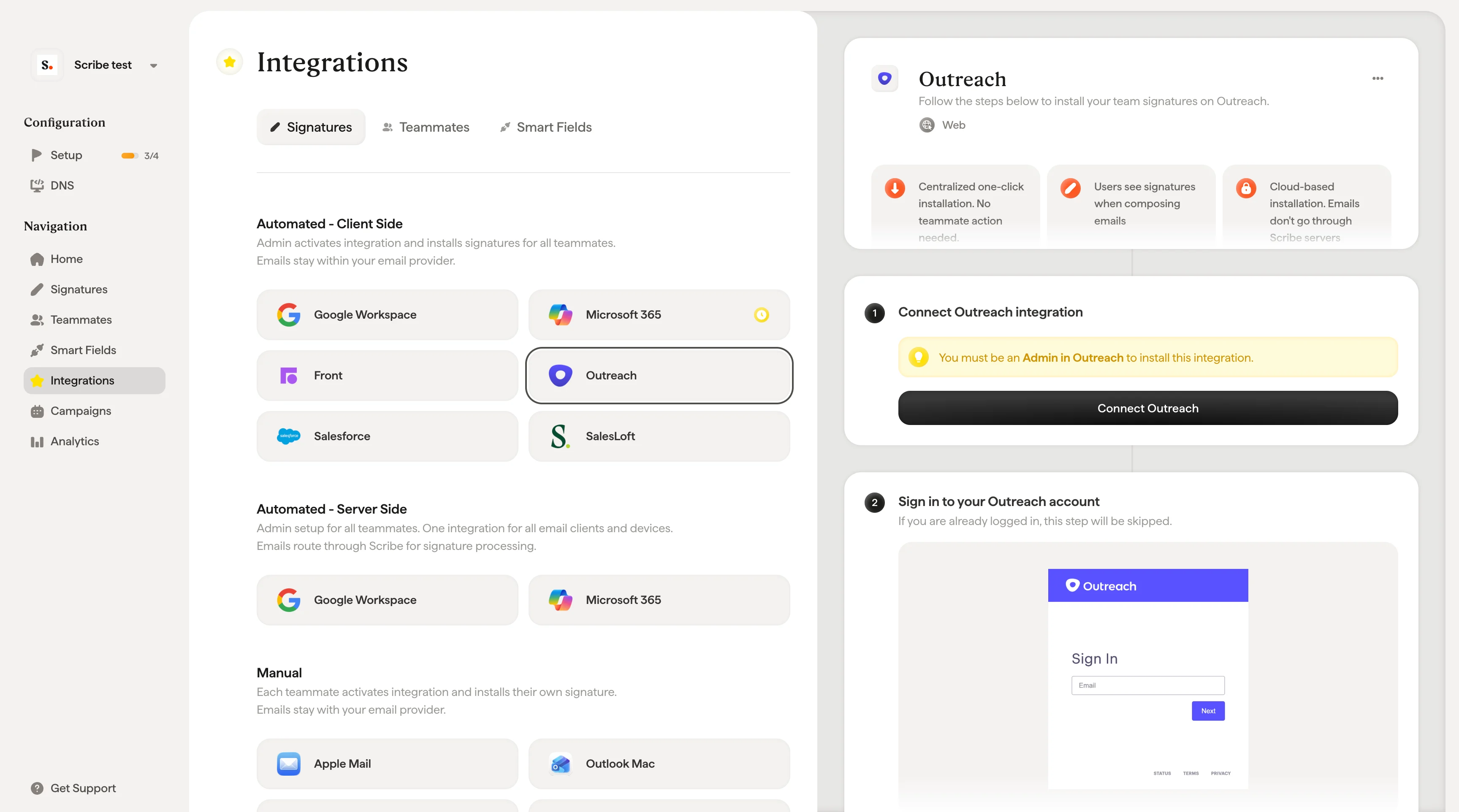
Centralized one-click installation. No teammate action needed. Users see signatures when composing emails. Cloud-based installation: emails don’t go through Scribe servers.
Supported platforms: Web

Installation guide

You must be an Admin in Outreach to install this integration.
1

Connect Outreach integration

Click Connect Outreach in Scribe to start the integration.
Scribe Signatures integrations with Outreach selected for client-side install and the Connect Outreach panel
2

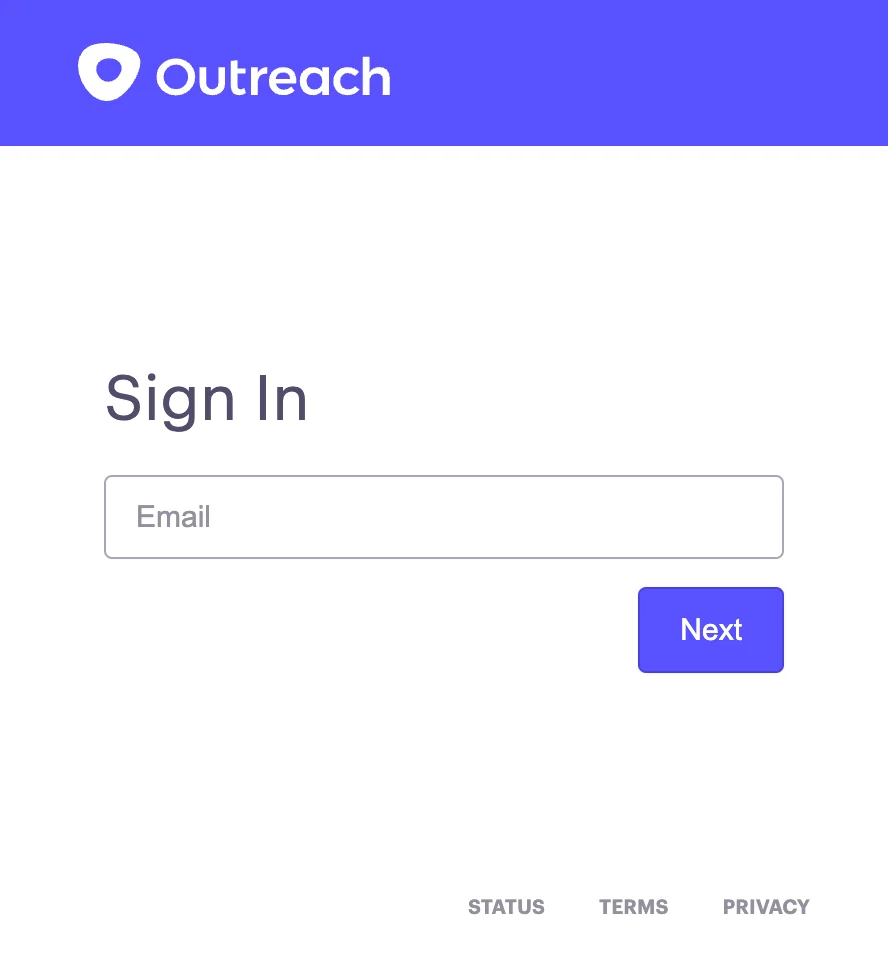
Sign in to your Outreach account

If you are already logged in, this step will be skipped.
Outreach sign-in page
3

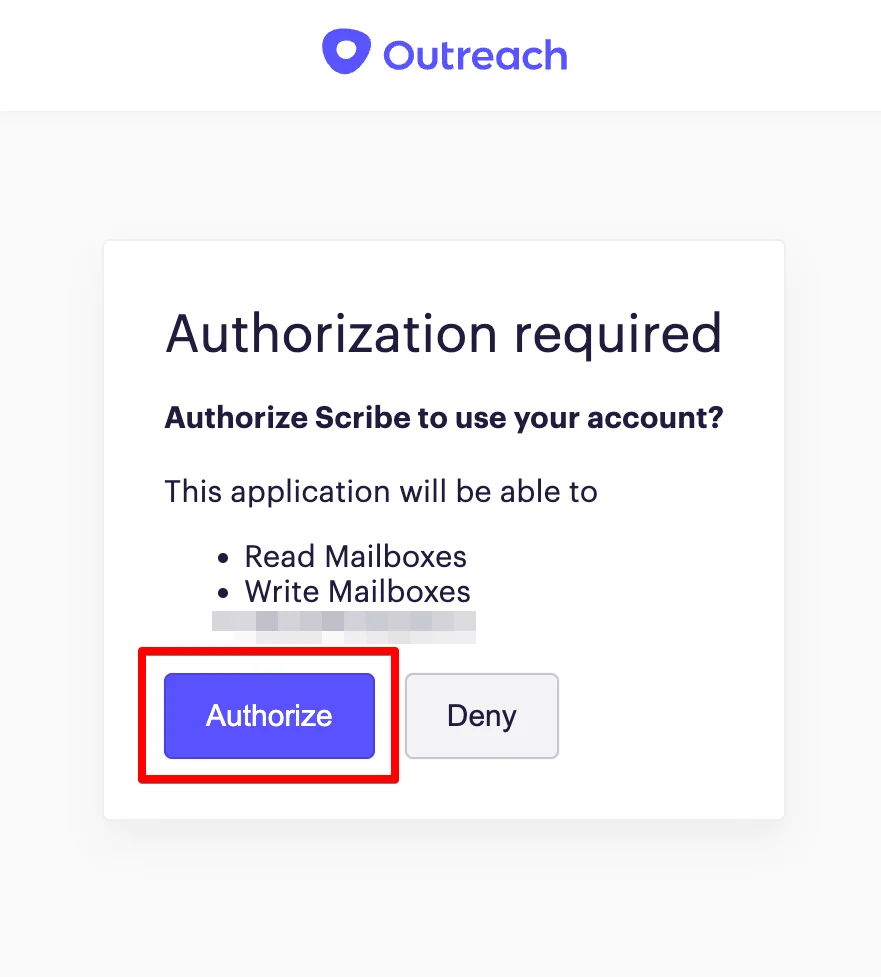
Authorize the scopes

Once you authorize, the integration connects automatically.
Outreach authorization screen showing Scribe access permissions
4

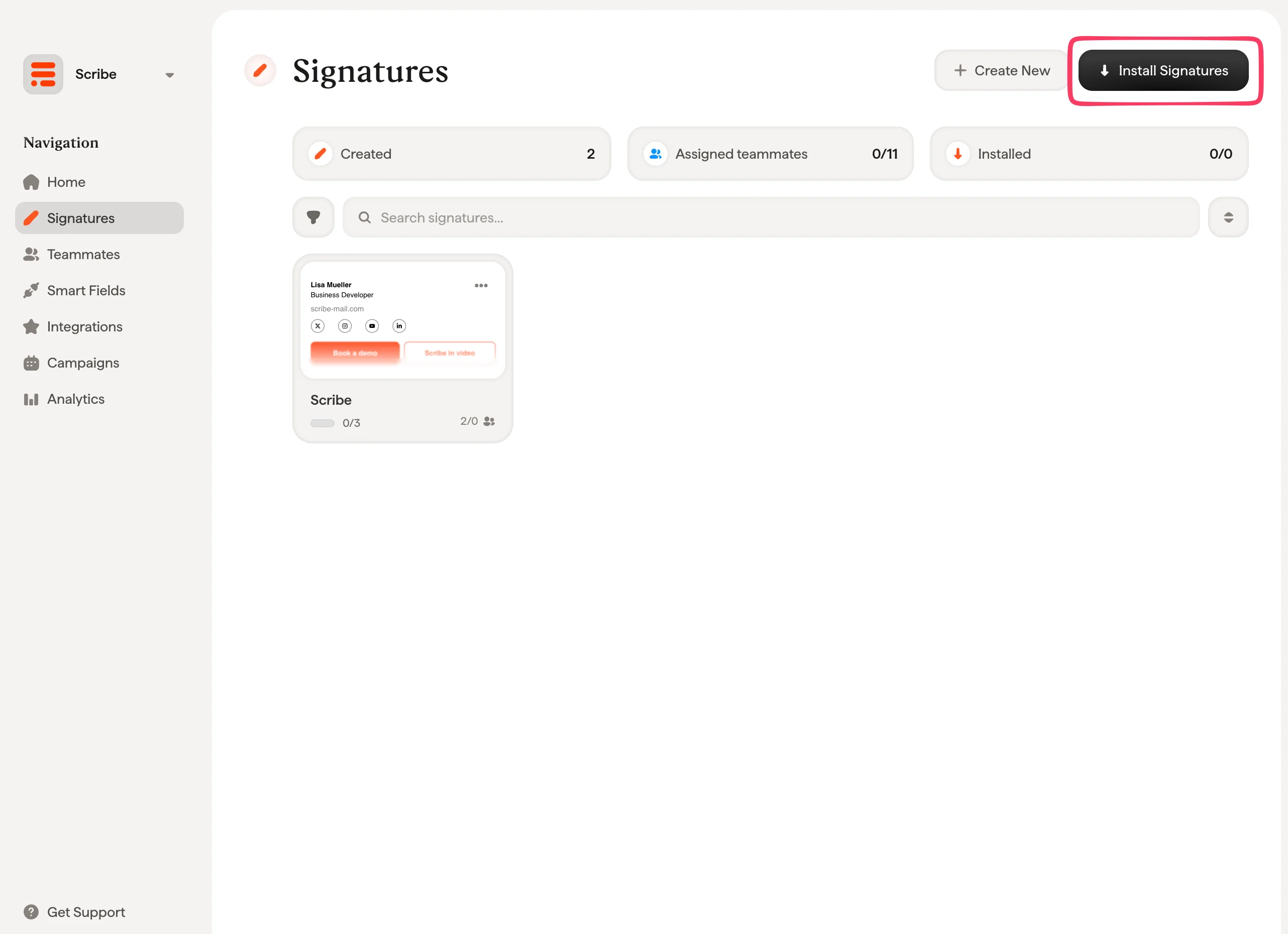
Install team signatures

From your signatures list, install all signatures at once for your teammates or install them one by one for a progressive rollout.
Scribe signatures list with Install Signatures button